3. Sports Functions
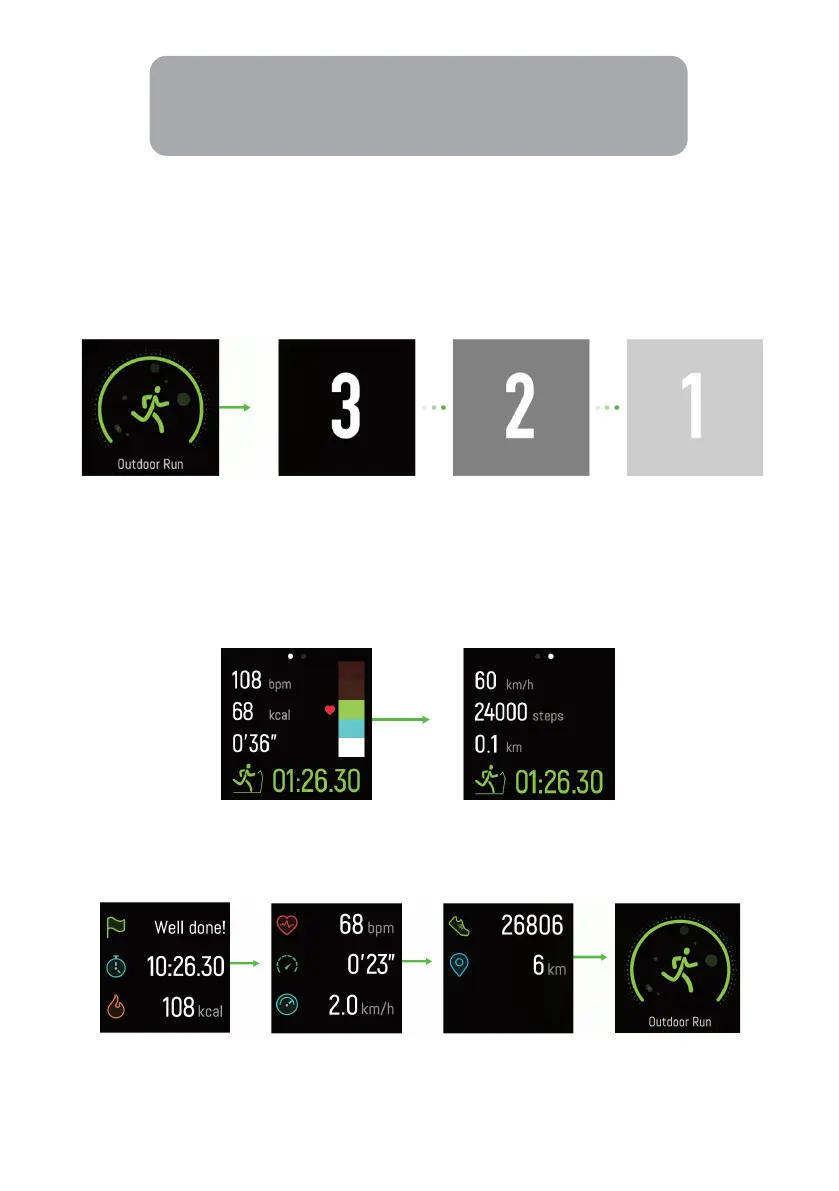
1. Activate Sports
Press and hold the Home key on Sports to access the Sports interface.
2. Operations during Sports
During sports, press the Home key to switch between the indicated data.
Press and hold the Home key to access to sports accumulation interface. No data is
displayed for activities of less than one minute. Tap continuously on the accumulation
interface to go back to the sports type.
Note:
The gesture function can be turned on or off from the mobile app.


 To Next Page