REC - RECORD
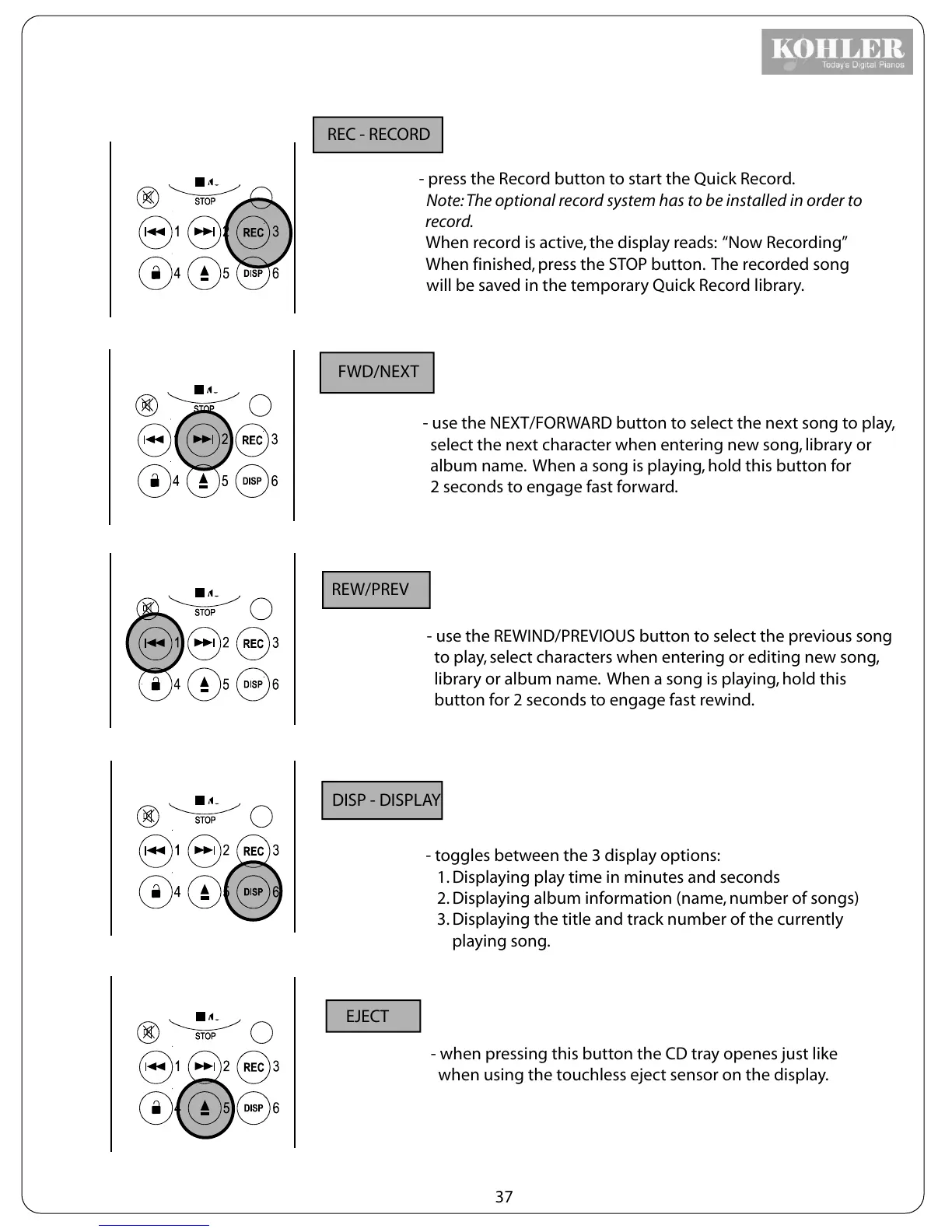
- press the Record button to start the Quick Record.
Note: The optional record system has to be installed in order to
record.
When record is active, the display reads: “Now Recording”
When finished, press the STOP button. The recorded song
will be saved in the temporary Quick Record library.
FWD/NEXT
- use the NEXT/FORWARD button to select the next song to play,
select the next character when entering new song, library or
album name. When a song is playing, hold this button for
2 seconds to engage fast forward.
REW/PREV
- use the REWIND/PREVIOUS button to select the previous song
to play, select characters when entering or editing new song,
library or album name. When a song is playing, hold this
button for 2 seconds to engage fast rewind.
DISP - DISPLAY
- toggles between the 3 display options:
1. Displaying play time in minutes and seconds
2. Displaying album information (name, number of songs)
3. Displaying the title and track number of the currently
playing song.
EJECT
- when pressing this button the CD tray openes just like
when using the touchless eject sensor on the display.
37



 To Next Page