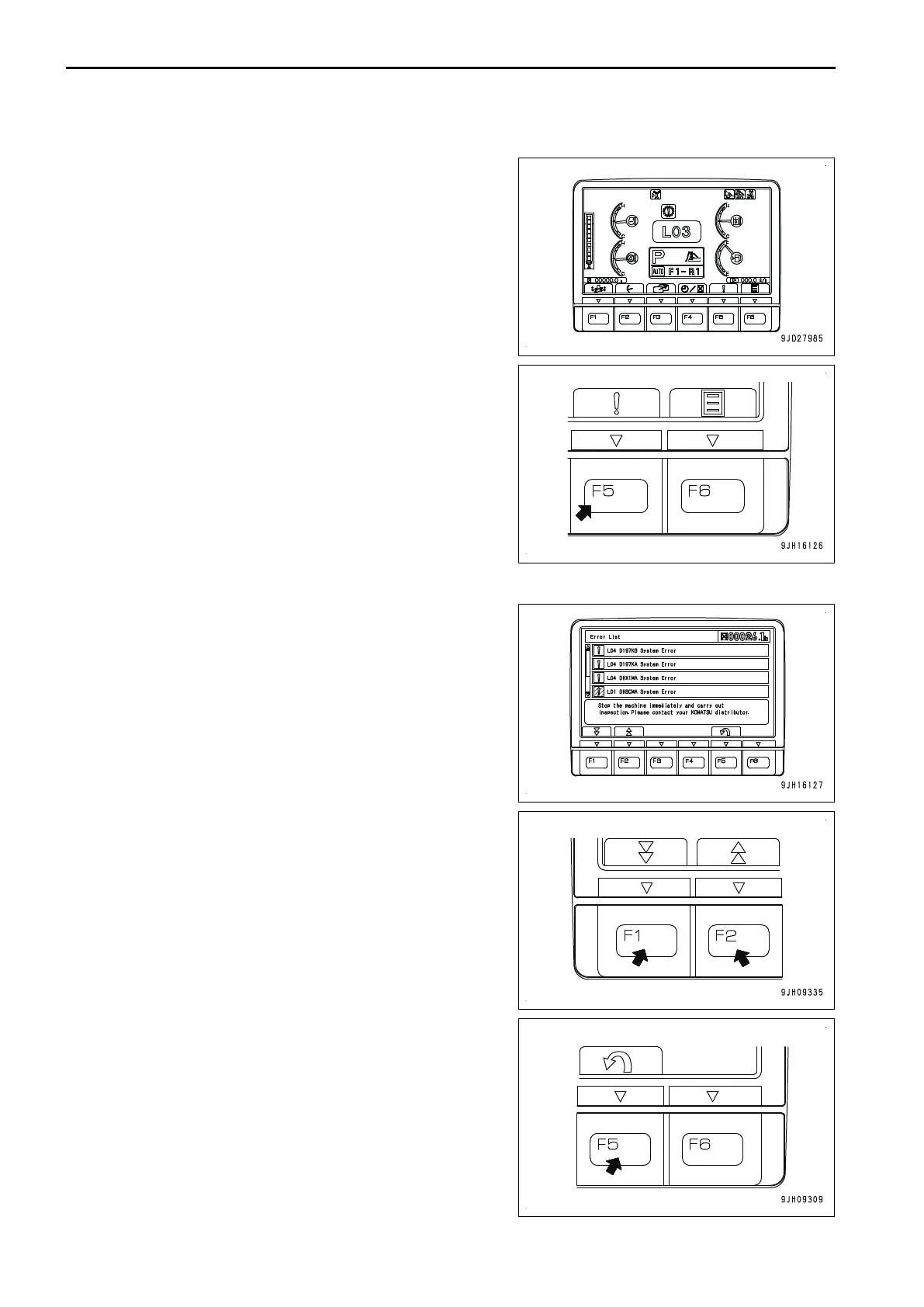
CURRENT ABNORMALITY DISPLAY SWITCH
If
there is any abnormality currently generated, “!” is displayed
on top of switch F5.
While “!” is displayed, press switch F5 to shift the monitor dis-
play screen to the Current Abnormality screen.
Take appropriate remedies according to the displayed mes-
sage.
Operation on the Current Abnormality screen
On the Current Abnormality screen, you can perform the follow-
ing operations with switches F1, F2 and F5.
F1: Displays next page. When on the last page, it displays the
first page.
F2: Displays the previous page. When on the first page, it dis-
plays the last page.
F5: Returns the screen to the standard screen.
EXPLANATION OF COMPONENTS OPERATION
3-18









 To Next Page