3
DESCRIPTION
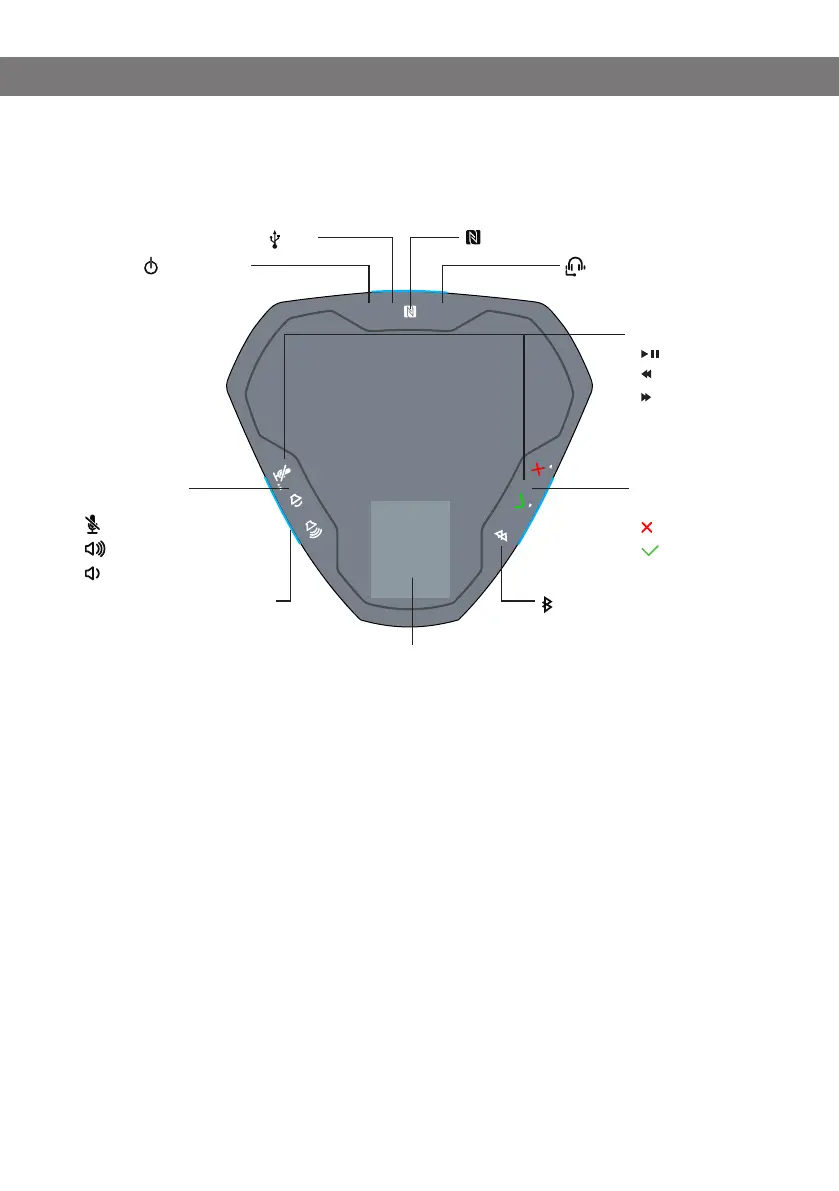
Connections
Audio control
buttons
Microphone off
Volume +
Volume -
Call control
buttons
End
Answer
Music buttons
Start/pause
Previous
Next
LEDs
Faint green light The Konftel Ego is switched on
Steady blue light Microphone is enabled/call in progress (Bluetooth, Lync
®
)
Flashing blue light Incoming call (Bluetooth, Lync
®
)
or
Pairing or connecting in progress (Bluetooth)
Steady red light Microphone switched off during calls (mute)
Flashing red light Low battery
Flashing slowly:
The call is placed on hold (Bluetooth, Lync
®
)
Headset (3.5 mm)
Off/on button
NFC symbol for simple Bluetooth connection
USB
Button for pairing Bluetooth
LEDs
(On all sides)
LCD display
CONNECTIONS AND BUTTONS



 To Next Page