Operator manual
133
857-160981 / I
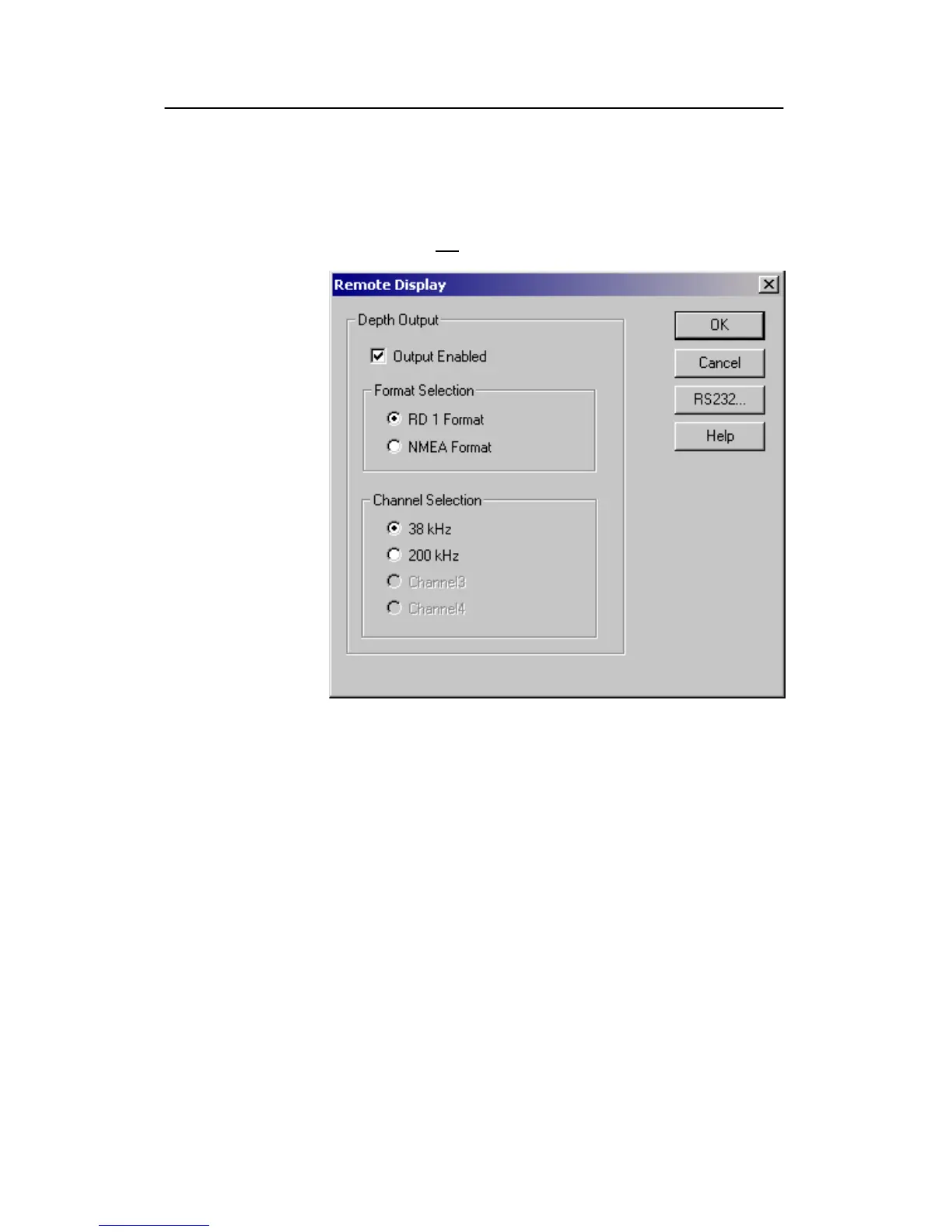
Remote Display
The Remote Display dialogue box is opened from the Install
menu. The dialogue box controls the data flow to an external
depth display (not a colour VGA display!)
Depth output
The depth information from the echo sounder can be exported to
a remote depth display. Use these settings to select which
information is exported, and on which format.
Output Enabled - Click to enable the output.
Format Selection - The remote display may be able to receive
the depth data on different formats. Two formats are provided;
RD1 and NMEA. Click to select the appropriate format. Note
that the RD1 format is only for the old Simrad RD display
using a proprietary format.
Channel selection - The remote display can only accept depth
data from one channel. Click here to select which channel to
export data from.




 To Next Page