12
G
ETTING UP AND RUNNING
GETTING UP AND RUNNING
Always keep the strap around your wrist in the event that the camera is accidentally
dropped. An optional leather neck strap, NS-DG1000, is also available from your Minolta
dealer. Availability varies with region.
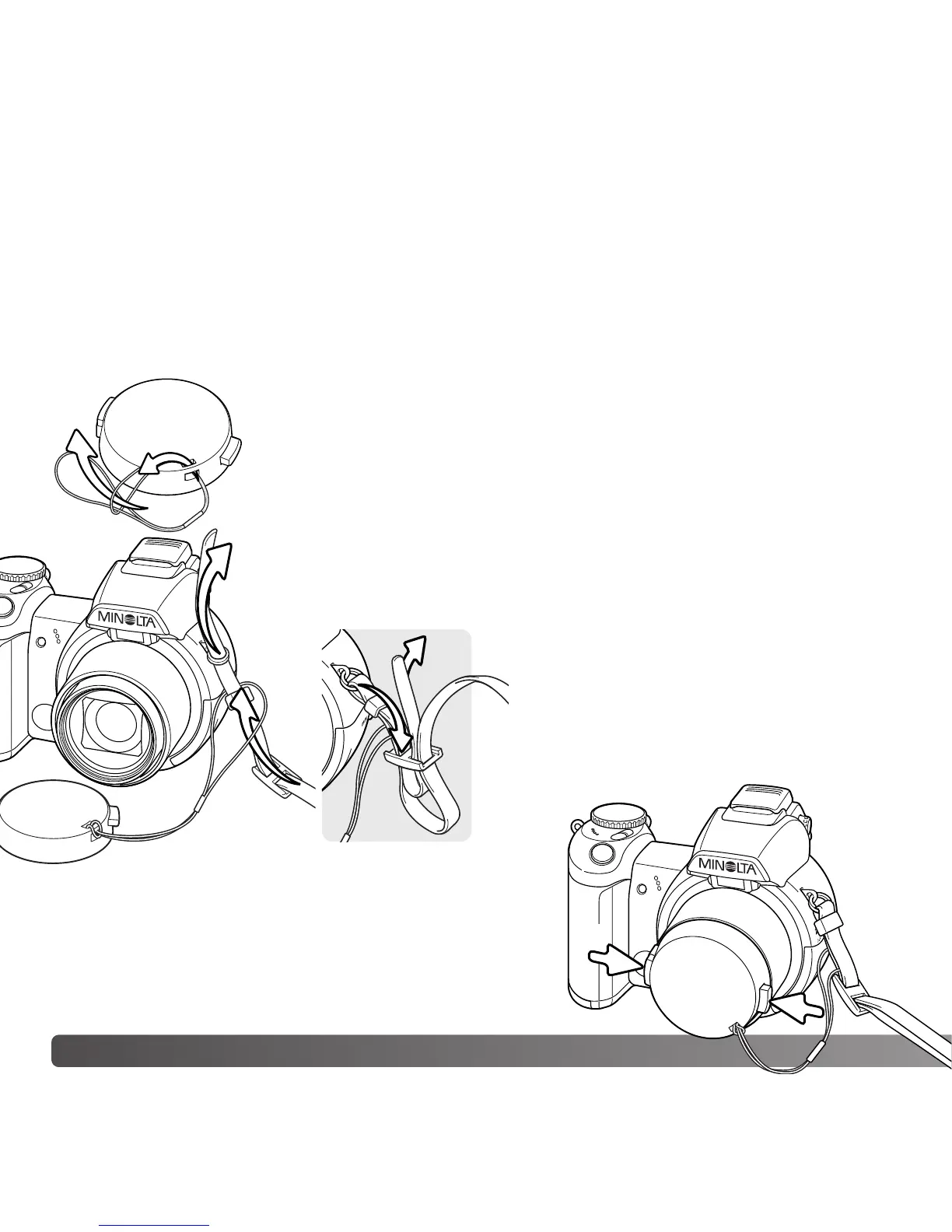
ATTACHING THE STRAP AND LENS CAP
Using your thumb and index finger, pinch the outside
tabs of the lens cap to remove or attach. When the
camera is not in use, always replace the lens cap.
Pass one of the small loops of the lens-cap strap through the eyelet
on the lens cap (1). Pass the other loop through the first loop and
tighten (2).
Pass the end of the neck strap through the lens-cap strap and strap
eyelet on the camera body (3).
Thread the strap through the inside of the
buckle as shown (4).
2
1
3
4



 To Next Page
 Loading...










