EasyManua.ls Logo

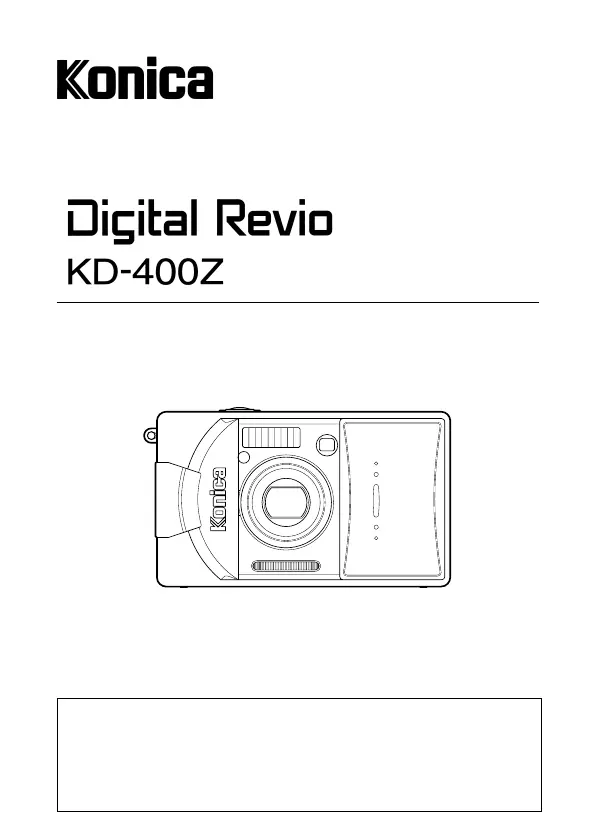
Konica Minolta Konica Digital Revio KD-400Z - User Manual

Konica Minolta Konica Digital Revio KD-400Z
117 pages
Print Icon
To Next Page IconTo Next Page
Loading...
Digital Still Camera
Thank you for your purchase. For the correct usage of this product,
please read this User’s Manual and warranty card carefully and
keep them in a safe place for future reference.
Before accepting the warranty card, please make sure that the
date of purchase and the dealer’s details have been completed.
User’s Guide

Table of Contents

Questions and Answers

  • L
    Laurie HowellAug 18, 2025
    What to do if my Konica Minolta Konica Digital Revio KD-400Z can’t take a picture?
    • C
      Calvin OrtizAug 18, 2025
      If your Konica Minolta Digital Camera won’t take a picture, first ensure the power is on. Check if the SD Memory Card or Memory Stick is write-protected and remove write protection if it is. If the maximum number of pictures has been reached, erase unwanted ones. Also, verify that the camera is not set to the Self-Timer mode, and if the flash is charging, wait for it to complete.
  • S
    Sarah FernandezAug 20, 2025
    Why won't my Konica Minolta Konica Digital Revio KD-400Z Digital Camera power on?
    • F
      fmendezAug 20, 2025
      If the power of your Konica Minolta Digital Camera will not turn on, check the battery level, and insert the battery correctly. If you are using an AC adapter, ensure it is attached correctly.
  • M
    maryjonesAug 23, 2025
    Why does my Konica Minolta Konica Digital Revio KD-400Z image appear dark?
    • A
      Amy MeyerAug 23, 2025
      If images appear dark when using your Konica Minolta Digital Camera, it might be due to the distance being too great for the flash to reach the subject. Try reducing the distance to the subject. Alternatively, there might not be enough light, so increase the amount of light available.
  • T
    Todd HarrisAug 26, 2025
    How to fix Konica Minolta Digital Camera can’t focus?
    • L
      Lori RodriguezAug 26, 2025
      If your Konica Minolta Digital Camera won’t focus, ensure the subject is in the center of the frame. If the subject is hard to focus on, try changing the subject or adjusting the lighting. Also, check if the lens is dirty and clean it if necessary. Finally, make sure you are at the correct distance from the subject.
  • S
    swilsonAug 28, 2025
    Why is the LCD monitor display not clear on my Konica Minolta Digital Camera?
    • M
      Mrs. Jessica McdanielAug 28, 2025
      If the LCD monitor display and images are not clear on your Konica Minolta Digital Camera, adjust the LCD brightness. If there are fingerprints or dirt on the monitor, clean it.
  • L
    Lisa Richard DDSAug 30, 2025
    Why is my Konica Minolta Konica Digital Revio KD-400Z image too bright?
    • T
      twrightAug 31, 2025
      If your Konica Minolta Digital Camera image appears too bright, it may be because the flash was used with the subject too close. Try moving the subject further away.
  • B
    brian57Sep 2, 2025
    What to do if my Konica Minolta Konica Digital Revio KD-400Z Digital Camera won’t play back?
    • G
      Gregory HodgeSep 2, 2025
      If your Konica Minolta Digital Camera won’t play back images, ensure the PLAY button is turned ON. If there is no image data, insert image data. If all image data is erased, try to recover or restore it.
  • Q
    qcastroSep 4, 2025
    Why does my Konica Minolta Digital Camera turn off immediately after turning on?
    • D
      Dakota LawsonSep 4, 2025
      If the power of your Konica Minolta Digital Camera turns off right after turning on, check the battery level. Also, low ambient temperature can cause this issue, so try to increase the ambient temperature.
  • M
    Miranda RobinsonSep 7, 2025
    Why doesn’t my Konica Minolta Konica Digital Revio KD-400Z Digital Camera flash?
    • W
      William GraySep 7, 2025
      If your Konica Minolta Digital Camera doesn’t flash, check if it is set to 'Flash off' mode and change the setting.
  • K
    keithteresaSep 9, 2025
    How to transfer photos from Konica Minolta Digital Camera to PC?
    • D
      Dwayne PenaSep 9, 2025
      If you are having trouble transferring images to your PC from your Konica Minolta Digital Camera, first, ensure that the camera is correctly connected to your PC. If the connection is correct, verify that image data is inserted in the camera.

Summary

Getting Started

Manual Reading Guidelines

Essential advice on reading the manual, test shooting, results, and copyright awareness.

Important Safety Precautions

Definitions of Symbols

Explains the meaning of warning, caution, and prohibition symbols used in the manual.

General Warnings and Prohibitions

Critical warnings against misuse, disassembly, water exposure, and unsafe operation.

Specific Hazard Warnings

Details warnings about sun exposure, electrical hazards, and personal injury risks.

Handling Cautions and Environmental Risks

Cautions for camera handling, battery safety, and avoiding unsuitable environments.

Battery Fluid Leakage and LCD Monitor Care

Explains risks of battery fluid leaks and LCD monitor behavior in different conditions.

Preparation

Necessary Accessories

Lists all accessories included in the camera package for initial setup.

Compatible Recording Media

Details compatible memory card types like SD, MultiMedia, and Memory Stick.

Preparing the Power Supply

Charging the Battery Pack

Step-by-step instructions for charging the camera's lithium-ion battery.

Installing the Battery Pack

Instructions on how to correctly insert and secure the battery pack in the camera.

Connecting the AC Adapter

Instructions for connecting the AC adapter for continuous power supply.

Turning the Power ON;OFF

Setting the Menu Language and Date;Time

Inserting and Removing Cards

Basic Operation

Taking Pictures

Viewfinder LED Indicators

Detailed meanings of green and red LED lights in the viewfinder during shooting.

Taking Pictures using the Viewfinder

Step-by-step guide to composing and capturing images using the viewfinder.

Shooting with Focus Lock

Technique for locking focus on a subject not centered in the frame.

Taking Pictures using the LCD Monitor

Instructions for composing and capturing images using the camera's LCD screen.

Selecting the Shooting Mode

AUTO and Flash Modes

Explains AUTO flash, Red-Eye Reduction, Fill-In, Slow-Sync, and Flash Override modes.

Specialized Shooting Modes

Covers Macro-photo, Distant View, and Self-Timer modes for specific scenarios.

Advanced Shooting

Using the REC Menu

Introduction to accessing and navigating the REC menu for detailed settings.

Selecting the Image Size

How to choose the desired image resolution for photos.

Shooting Movies

Instructions for setting up and recording movies with the camera.

Setting with the REC (DETAILS) Menu

Accessing advanced settings via the REC (DETAILS) menu.

Selecting Image Size and Compression Ratios

Choosing combinations of image size and compression for storage efficiency.

Basic Playback and Erasing

Advanced Playback and Erasing

Advanced Operations

Care and Storage

Troubleshooting

Power Supply and Shooting Problems

Solutions for issues like camera not turning on or failing to take pictures.

Focus, Display, and Flash Issues

Troubleshooting steps for focus problems, display clarity, and flash malfunctions.

Playback and Other Common Issues

Resolving playback errors, image quality issues, and PC transfer problems.

Konica Minolta Konica Digital Revio KD-400Z Specifications

General IconGeneral
ManufacturerKonica Minolta
ModelKonica Digital Revio KD-400Z
CategoryDigital Camera
TypeCompact
Effective Pixels4.0 MP
Sensor TypeCCD
Image Resolution2272 x 1704
ISO SensitivityAuto, 100, 200, 400
Storage MediaSD Card
File FormatJPEG
Lens3x Optical Zoom
Aperture Rangef/2.8 - f/4.9
Shutter Speed1/2000 - 2 sec
LCD Screen1.5 inch TFT
Video RecordingYes, 320 x 240 at 15 fps
BatteryLithium-Ion
Weight165 g

Related product manuals