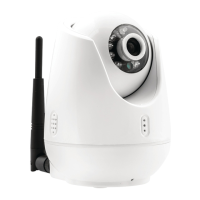
SPEED DOME CAMERA
INSTALLATION GUIDE
WALLMOUNT
Check carefully to make sure the wall is firm and does not peel off. It is required that the wall can withstand 8
times weight of the dome set.
1. Mark mounting position
Use bracket to mark the mounting position on
wall
2. Install bracket.
Conduct all cables through the hole of bracket, and
fix bracket on the wal
l
3. Release the connection board
Unscrew to release the circuit board on
connection board
4. 4. Install housing
Conduct cables through the hole on top of the
housing. Align the fast connector to bracket and fix
with 2 M5 screws.
NOTE: Apply water-proof tape to the thread in the
case of outdoor dome.
5 Connect cables.
Plug cables into corresponding sockets on circuit
board. Reinstall the circuit board and turn on the
power. The red LED is on if connections are
correct. Turn off the power after checking.
NOTE: Names of the interfaces are marked on
terminal block or PCB. Connect cables as picture
shows. Make sure power is off before connecting.
6. Set dome ID, baud rate and protocol.
Set dome ID, bard rate and protocol by configuring
DIP switches (see APPENDIX I ). Remove the
packing sponges.


 To Next Page