14
Tips: you can play all videos continuously. After select one video, hold menu
button and choose “Video play all”.
2.3.3 Deleting Files
To delete or protect file(s), do the following
From the video standby or photo standby window:
1.Press[▼]button to enter into video list
2.Press[▲] [▼] button to select file. Hold [Menu] button for 2 second.
3.Press [▲] [▼] button to Delete file, and press OK.
4. Choose from “Delete this file” and “Delete all files”.
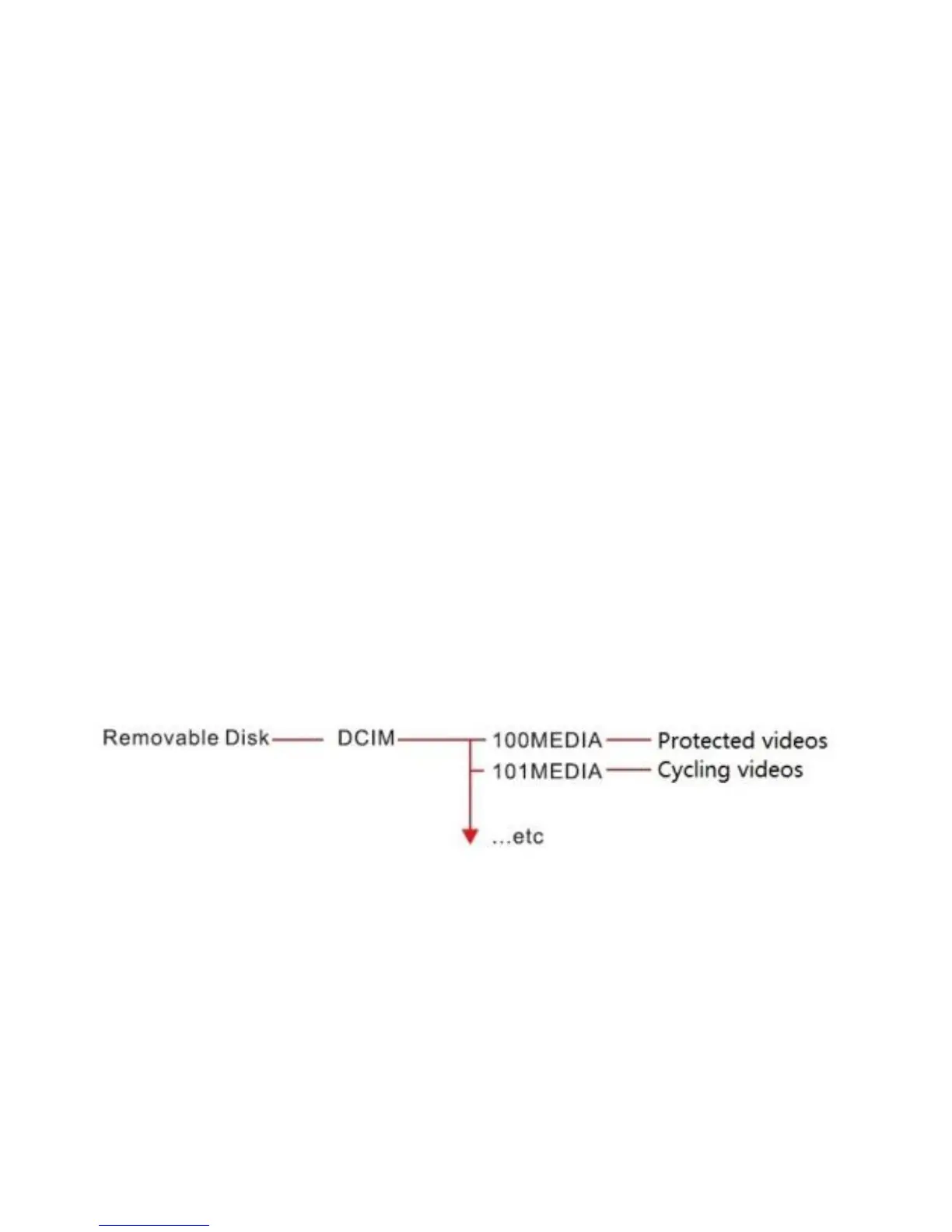
2.3.4 File structure
Videos from front cam and back cam are in the same folder.
How to know which file is for the front cam?


 To Next Page