37
“Ventilation” mode
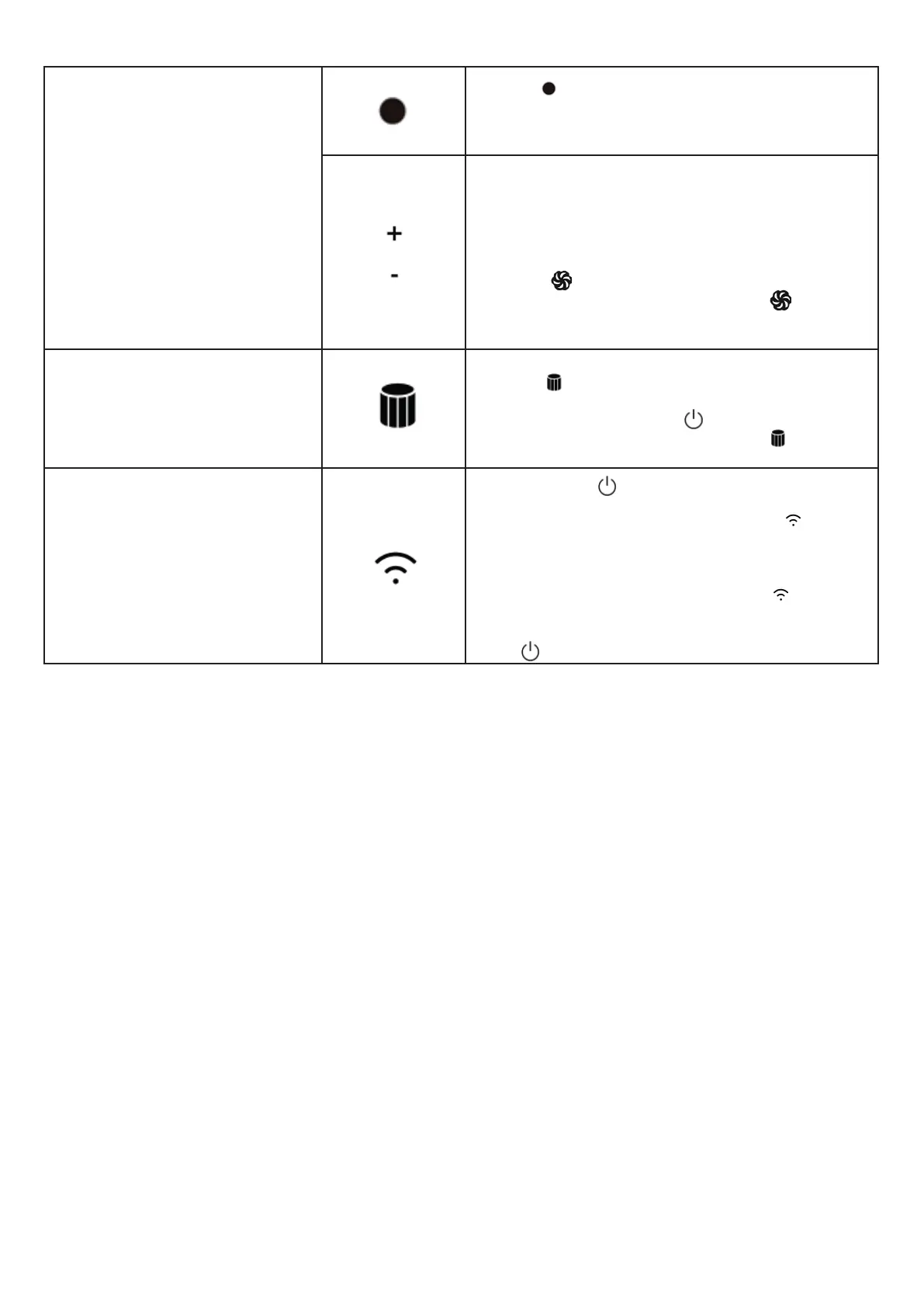
• Press on the remote control to turn on
“Ventilation” mode.
• Once this mode is activated, the temperature
indicator on the LED screen will show light blue.
• Press + (white button) on the remote control
to increase the intensity of the air ow; press —
(white button) to decrease it.
• The “Ventilation” mode provides 8 levels of air
ow intensity.
• With the “Ventilation” mode it is possible to
press the button to adjust the air ow intensi-
ty to the max power: press again the button
to adjust the air ow intensity to the previously
selected one.
Air lter replacement warning
indicator
After a total cycle of 720 hours of operation, the
indicator light will light up to indicate the need
to replace the air lter. After replacing the lter,
press and hold the button on the remote con-
trol for 5 seconds. The indicator light will turn
off and the product will be ready for a new cycle.
Wi-Fi Indicator
Press and hold (touch button on LED screen)
for 5 seconds to turn on Wi-Fi and connect with
Smartphone via the app. The indicator light will
ash. From this moment it is possible to connect
the device to your Smartphone and then control it
through a dedicated app. Once the connection is
successfully made, the indicator light will stop
ashing and will remain lit on the LED display. To
turn off this feature, press and hold the touch key
again for 5 seconds.
Caution!
When using this product, the following may occur:
1. This product can respond to the remote controls of other devices.
2. Other products may respond to this remote control. This is due to the over-
lapping of remote control frequencies and is not an inherent defect of the pro-
duct. To avoid interference, keep this remote control away from other electrical
devices during operation.



 To Next Page