EasyManua.ls Logo

Korg 01/W pro - Page 28

Korg 01/W pro
41 pages
Print Icon
To Next Page IconTo Next Page
To Previous Page IconTo Previous Page
Loading...
28
lets
you
record
notes
by
playing
them
on
the
keyboard.
(Step
record-
ing
is
explained
in
detail
on
page
120
of
the
Owner's
Manual.)
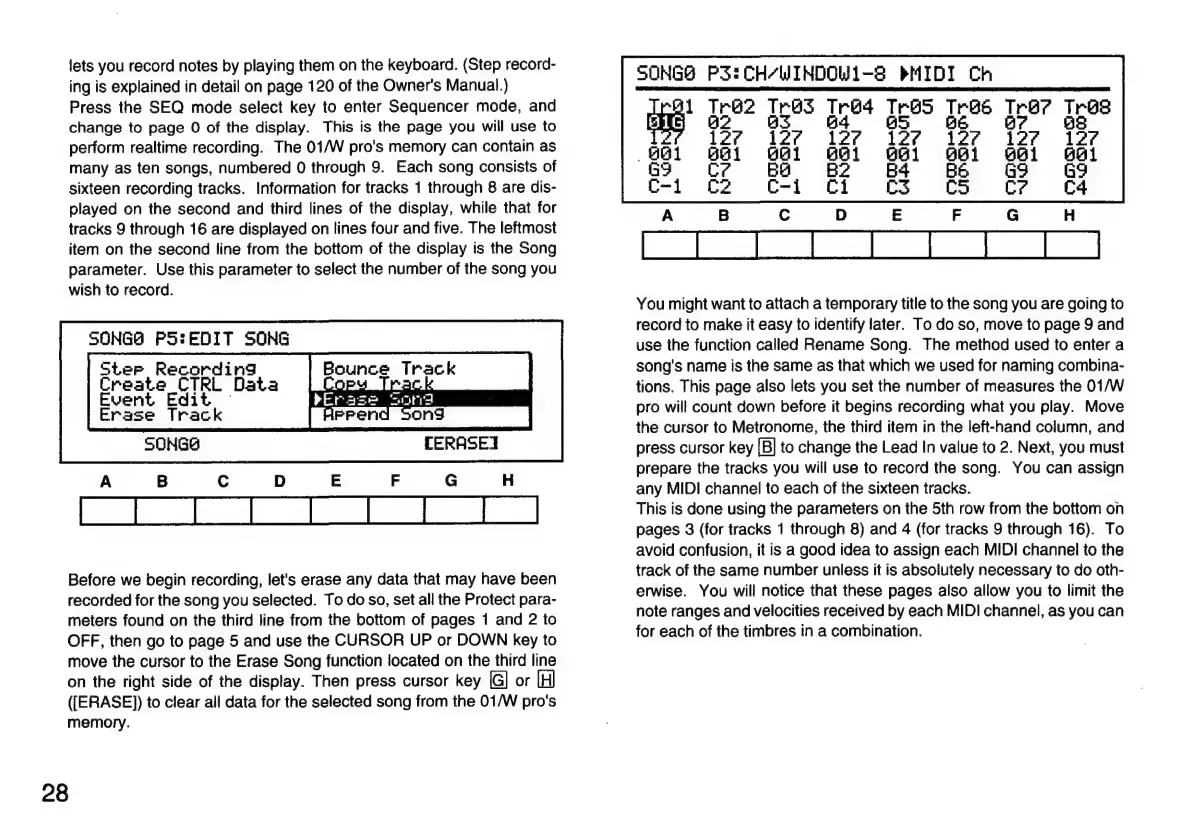
Press
the
SEQ
mode
select
key
to
enter
Sequencer
mode,
and
change
to
page
O
of
the
display.
This
is
the
page
you
will
use
to
perform
realtime
recording.
The
01/W
pro's
memory
can
contain
as
many
as
ten
songs,
numbered
O
through
9.
Each
song
consists
of
sixteen
recording
tracks.
Information
for
tracks
1
through
8
are
dis-
played
on
the
second
and
third
lines
of
the
display,
while
that
for
tracks
9
through
16
are
displayed
on
lines
four
and
five.
The
leftmost
item
on
the
second
line
from
the
bottom
of
the
display
is
the
Song
parameter.
Use
this
parameter
to
select
the
number
of
the
song
you
wish
to
record.
SONGO
PS:
EDIT
SONG
Ster
Recording
Create
CTRL
Data
Event
Edit
Erase Track
Erase
Sond
HPPend
Song
CERASEI
Before
we
begin
recording,
let's
erase
any
data
that
may
have
been
recorded
for
the
song
you
selected.
To
do
so,
set
all
the
Protect
para-
meters
found
on
the
third
line
from
the
bottom
of
pages
1
and
2
to
OFF,
then
go
to
page
5
and
use
the
CURSOR
UP
or
DOWN
key
to
move
the
cursor
to
the
Erase
Song
function
located
on
the
third
line
on
the
right
side
of
the
display.
Then
press
cursor
key
or
([ERASE])
to
clear
all
data
for
the
selected
song
from
the
01/W
pro's
memory.
SONGS
P3:CH/“WINDOWL-S
MIDI
Ch
Tr@2
Trys
[ré4
Tres
Tres
Tro? Tree
02
83 64
465
BE
B?
488
127
961
G9
Cr
You
might
want
to
attach
a
temporary
title
to
the
song
you
are
going
to
record
to
make
it
easy
to
identify
later.
To
do
so,
move
to
page
9
and
use
the
function
called
Rename
Song.
The
method
used
to
enter a
song's
name
is
the
same
as
that
which
we
used
for
naming
combina-
tions.
This
page
also
lets
you
set
the
number
of
measures
the
01/W
pro
will
count
down
before
it
begins
recording
what
you
play.
Move
the
cursor
to
Metronome,
the
third
item
in
the
left-hand
column,
and
press
cursor
key
[Bj
to
change
the
Lead
In
value
to
2.
Next,
you
must
prepare
the
tracks
you
will
use
to
record
the
song.
You
can
assign
any
MIDI
channel
to
each
of
the
sixteen
tracks.
This
is
done
using
the
parameters
on
the
5th
row
from
the
bottom
on
pages
3
(for
tracks
1
through
8)
and
4
(for
tracks
9
through
16).
To
avoid
confusion,
it
is
a
good
idea
to
assign
each
MIDI
channel
to
the
track
of
the
same
number
unless
it
is
absolutely
necessary
to
do
oth-
erwise.
You
will
notice
that
these
pages
also
allow
you
to
limit
the
note
ranges
and
velocities
received
by
each
MIDI
channel,
as
you
can
for
each
of
the
timbres
in
a
combination.

Related product manuals