EasyManua.ls Logo

Korg 01/W pro - Page 5

Korg 01/W pro
41 pages
Print Icon
To Next Page IconTo Next Page
To Previous Page IconTo Previous Page
Loading...
DBISK
PA:
LOAD-1
Load
All
Data
bLasd
H11
SEEC
E
Source
File
CLOADI
When
all
of
the
data
has
been
properly
loaded,
the
01/W
pro
will
dis-
play
the
"Completed"
message.
Now
you
can
press
the
SEQ
mode
select
key
to
enter
Sequencer
mode.
set
the
01/W
pro's
MASTER
VOLUME
slider
to
about
8,
and
raise
your
mixer
and
amplifier
volume
settings
slightly.
While
you're
at
it,
connect
a
pair
of
headphones
to
the
01/W
pro's
PHONES
jack.
When
you're
ready,
press
the
START/STOP
key.
The
01/W
pro
will
begin
playing
the
demo.
Adjust
the
volume
of
your
amplifier(s)
as
you
listen.
(If
you
are
using
a
mixer,
you
should
generally
use
the
mixer's
controls
to
adjust
the
volume.)
When
you've
got
the
volume
setting
just
right,
sit
back
and
enjoy
the
music
Korg
has
prepared
to
show
you
what
you
can
do
with
the
01/W
pro.
lf
you
can't
hear
any
music,
run
over
the
connection
procedure
once
again.
If
you
can
hear
sound
from
your
headphones
but
not
from
the
speakers,
there
is
probably
something
wrong
with
your
cables
or
your
audio
equipment.
Making
Connections,
Part
2:
MIDI
Once
you've
checked
your
audio
connections
by
playing
the
demo,
you
can
begin
connecting
the
01/W
pro
to
other
MIDI
equipment.
As
a
complete
music
workstation,
the
01/W
pro
alone
is
all
you
need
to
produce
high-quality
music.
Since
it
boasts
a
large
keyboard
and
a
sequencer
that
rivals
stand-alone
models,
you
will
find
that
it
functions
admirably
as
the
master
keyboard
in
a
large
MID!
system.
Here
are
a
few
of
the
possible
applications:
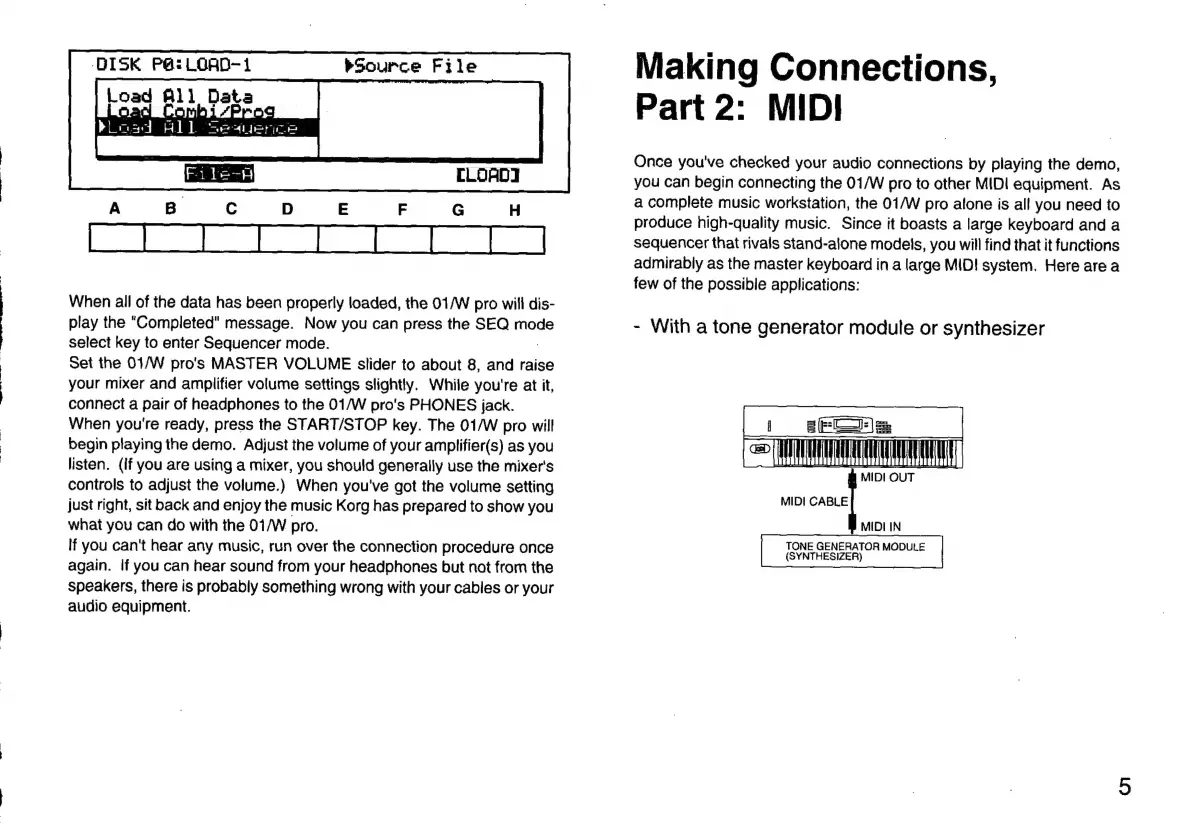
-
With
a
tone
generator
module
or
synthesizer
ELOA
MIDI
OUT
MIDI
CABLE
MIDI
IN
TONE
GENERATOR
MODULE
(SYNTHESIZER)

Related product manuals