78
Creating a song
You can create a song by arranging patterns in the desired order.
If while editing a song, you switch to a different song, the data you
had been editing will be lost. If you want to keep the song you edited,
you must perform the Write operation. ( ☞p.82 “Saving a song”)
Specifying a pattern for each position
POSITION ............................................................... 001...256
PATTERN........................................................A.01...D.64, End
Here’s how to specify a pattern for each position. Make sure that the
Keyboard function key is off (dark).
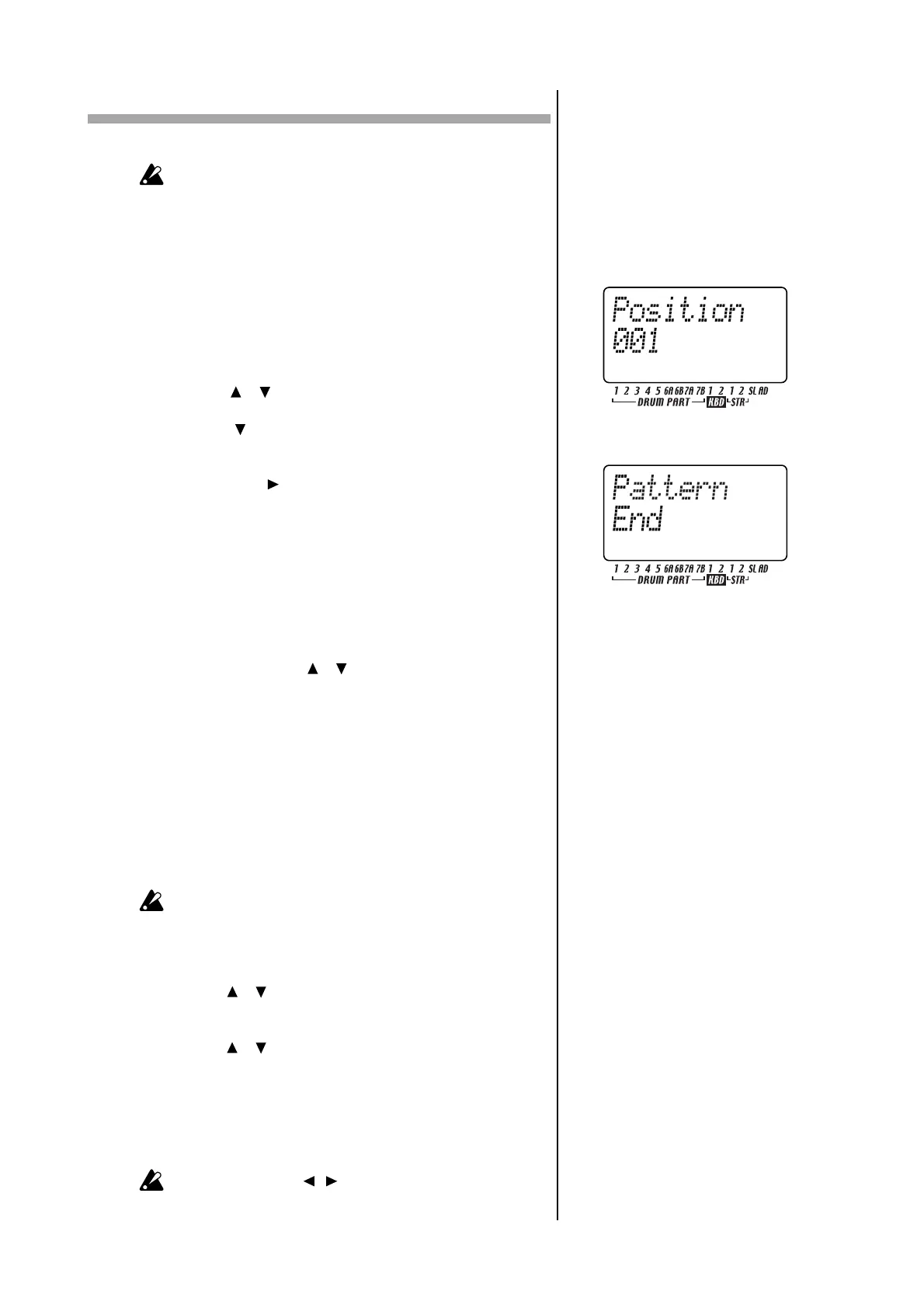
1. Use the [ ]/[ ] cursor keys to select “Position” in the display.
Notice that the display indicates “001.”
2. Press the [ ] cursor key until the display reads “Pattern.”
3. Use the dial to select the pattern that you want to assign to position
“001.”
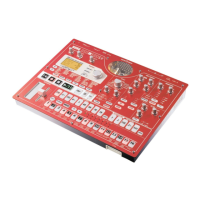
4. Press the select [ ] key to advance to the next position. The display
will indicate “End.”
5. Use the dial to select a pattern. The pattern you select here will be
the pattern for position “002.”
6. When you select a pattern for position “002,” the next position will
be “End.” Continue steps 4 and 5 to input as many patterns as you
need.
To play back the completed song from the beginning
Press the PLAY/PAUSE key, and then press the STOP/CANCEL key.
Alternatively, use the [ ]/[ ] cursor keys to select “Position” in
the display and use the dial or the select keys to set the position to
“001,” and then press the PLAY/PAUSE key.
Transposing the pitch of a Pattern for a
specific Position
NOTE OFFSET .......................................................... -24...+24
This lets you offset the pitch of the keyboard parts played by the
pattern at a particular position of the song.
Note Offset merely adjusts the pitches that are played at that posi-
tion of the song; it does not change the pitches within the pattern
itself.
1. If the song is playing, press the STOP/CANCEL key to stop play-
back.
2. Use the [ ]/[ ] cursor keys to select “Position” in the display
3. Use the dial or the select keys to select the position where you want
to offset the pitch.
4. Use the [ ]/[ ] cursor keys to make the display read “NoteOfs.”
5. Use the dial to specify the pitch. A setting of ±1 offsets the pitch
(note) by a semitone, ±2 by a whole step, ±7 by a fifth, and ±12 by
one octave.
When the display reads “NoteOfs,” you can select a new position
by using the select keys to move the position backward or forward,
step by step.
If you want to use the [ ][ ] select keys, turn off the KEYBOARD
key.


 To Next Page