EasyManua.ls Logo

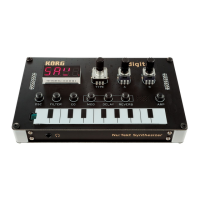
Korg Nu:Tekt NTS-1 digital kit - User Manual

Korg Nu:Tekt NTS-1 digital kit
4 pages
Print Icon
To Next Page IconTo Next Page
Loading...
1 2
Published 05/2020 Printed in Vietnam
© 2019 KORG INC. www.korg.com
EFGSJ 2
En
Precautions During Assembly
•
Beforeassembly,dischargethestaticelectricityfromyourbodyby
touchingthegroundwireofagroundeddeviceorsimilarmethods.
Failuretodosowillcauseamalfunction.
•
Carefullyhandlethecircuitboardstoavoidinjuriesthatcould
beinadvertentlycausedbyprotrudingparts.Inaddition,besure
towashyourhandswithsoapwhennishedwiththeassembly
procedure.
•
Besuretoalignscrewsproperlybeforetighteningthem.Inaddi-
tion,becarefulnottotightenscrewswithexcessiveforceorover
tightenthem,otherwisethepartsmaybedamaged.
•
Provideasufcientlylargeworkspacetocompletetheassembly
procedure,andprepareworkmatssopartswillnotbescratched.
•
Carefullyhandletheincludedscrewssotheywillnotbelost.In
addition,donotusescrewsotherthanthoseincludedforassem-
bly,anddonotusetheincludedscrewsforanyotherpurpose.
Checking package contents
Beforebeginningtheassemblyprocess,makesurethatallofthe
partsareavailable.Extrascrewsareincluded.Usethemasspares.
Ifanypartismissingordamaged,contactyourlocalKorgdistributor.
2 2 2 2
VOLUME
EG
FILTEROSC MOD DELAYREVERB
TRIM
INPUT
ROUTE
ARP
2
2
ThevideoassemblytutorialfortheNTS-1digital
kitisavailablehere:
For more information:
https://www.korg.com/nts_1/
Question and Answer IconNeed help?

Do you have a question about the Korg Nu:Tekt NTS-1 digital kit and is the answer not in the manual?

Summary

Precautions During Assembly

Checking Package Contents

Introduction

Connections and Power

SLEEP MODE

Turns the unit off after a period of inactivity.

Parts and Their Functions

Display

Shows parameter names or values when operating controls.

Ribbon Keyboard

Allows playing sounds by touching with fingers.

Global Parameters

Assembly

Checking After Assembly

Troubleshooting

Summary

Precautions During Assembly

Checking Package Contents

Introduction

Connections and Power

SLEEP MODE

Turns the unit off after a period of inactivity.

Parts and Their Functions

Display

Shows parameter names or values when operating controls.

Ribbon Keyboard

Allows playing sounds by touching with fingers.

Global Parameters

Assembly

Checking After Assembly

Troubleshooting

Overview

The KORG Nu:Tekt NTS-1 digital kit is a programmable synthesizer kit designed for enthusiasts to assemble and customize. This owner's manual provides comprehensive instructions for assembly, operation, and maintenance, ensuring a rewarding experience for users.

Function Description

The NTS-1 digital kit is a compact, DIY synthesizer that can be easily assembled. It features a digital oscillator, a multi-mode filter, and three high-quality effects processors (modulation, delay, and reverb). The digital oscillator is capable of generating a variety of waveforms, including saw, triangle, square, and VPM, with additional user-loadable oscillator types. The multi-mode filter offers low-pass, high-pass, and band-pass filtering options with adjustable cutoff and resonance. The effects section provides a wide range of modulation, delay, and reverb effects, allowing for extensive sound shaping.

The device includes an arpeggiator with various modes and step lengths, enabling dynamic melodic patterns. An envelope generator (EG) with attack, decay, sustain, and release parameters is also integrated, providing control over the amplitude and other modulatable parameters. The NTS-1 supports external audio input, allowing users to process external signals through its filter and effects. It can be powered via a USB micro-B port, making it convenient for use with computers or USB power adapters. MIDI input is supported via a 3.5mm stereo mini-jack, enabling control from external MIDI devices.

The NTS-1 is designed to be highly customizable. Users can load custom oscillators and effects created with the KORG SDK, expanding the sonic possibilities of the synthesizer. The kit includes all necessary components for assembly, along with a detailed manual and an online video tutorial to guide users through the process.

Usage Features

Assembly: The NTS-1 digital kit requires assembly. Users are advised to discharge static electricity from their body before handling components to prevent malfunctions. Circuit boards should be handled carefully to avoid injuries from protruding parts, and hands should be washed after assembly. Screws must be aligned properly and tightened without excessive force to prevent damage. A sufficiently large and clean workspace is recommended, with work mats to prevent scratching parts. All included screws should be handled carefully to avoid loss and used only for their intended purpose. An online video assembly tutorial is available for visual guidance.

Power Supply: The NTS-1 is powered via a USB micro-B port. It can be connected to a computer's USB port or a USB AC adapter. Ensure that the AC adapter provides sufficient current (500 mA or more) to avoid malfunctions.

Connections:

  • USB Port: Used for power supply and data communication (MIDI, custom content loading).
  • Audio Output: A 3.5mm stereo mini-jack for connecting headphones or external audio systems.
  • Audio Input: A 3.5mm stereo mini-jack for processing external audio signals through the NTS-1's filter and effects.
  • MIDI Input: A 3.5mm stereo mini-jack for receiving MIDI messages from external controllers.
  • Sync Input/Output: 3.5mm stereo mini-jacks for synchronizing with other KORG devices or external gear.

Basic Operation:

  • Turning On/Off: The unit powers on automatically when connected to a USB power source. To turn it off, disconnect the USB cable.
  • Display: The display shows the currently selected parameter name and value.
  • Ribbon Keyboard: Used for playing notes and controlling parameters.
  • Knobs and Buttons: Various knobs and buttons are used to select and adjust parameters for the oscillator, filter, EG, modulation, delay, and reverb sections.
  • Arpeggiator: The arpeggiator can be activated and configured using dedicated controls, allowing for various modes, step lengths, and gate times.
  • Parameter Editing: Parameters are typically selected using buttons and adjusted with a dedicated TYPE knob. Pressing and holding certain buttons allows for deeper parameter editing.

Customization: The NTS-1 supports loading custom oscillators and effects developed using the KORG SDK. This allows users to expand the sonic capabilities of the synthesizer beyond its factory presets.

Maintenance Features

Cleaning: The NTS-1 should be kept clean to ensure proper operation. Use a soft, dry cloth to wipe the unit. For stubborn dirt, a slightly damp cloth with a mild, neutral detergent can be used, followed by wiping with a dry cloth. Avoid using abrasive cleaners, solvents, or flammable liquids, as these can damage the finish.

Troubleshooting:

  • Abnormal Sound: If the unit makes an abnormal sound when tilted or shaken, a loose screw or part might be inside. Open the unit and check the interior.
  • Device Does Not Turn On: Check if the circuit board pins are misaligned or if the flat cable is not correctly inserted into its connector during assembly.
  • Missing/Damaged Parts: If any parts are missing or damaged before or during assembly, contact your local Korg distributor for assistance.
  • Environmental Considerations: Avoid using the NTS-1 in extreme temperatures, high humidity, dusty environments, or places with strong vibrations or magnetic fields to prevent malfunctions and damage.
  • Handling: Do not drop the unit or subject it to strong impacts. Avoid placing heavy objects on it. Do not open the unit or attempt to modify it, as this could lead to malfunctions or electric shock. Refer all servicing to qualified personnel.

Safety Precautions:

  • Static Electricity: Always discharge static electricity from your body before assembly.
  • Circuit Boards: Handle circuit boards carefully to avoid injury from sharp parts.
  • Screws: Do not overtighten screws. Use only the included screws for assembly.
  • Work Environment: Ensure a spacious and clean work area to prevent damage to parts.
  • Power Supply: Use only the specified USB power supply. Do not use power supplies with incorrect voltage or polarity.
  • Cables: Ensure all cables are connected correctly and securely. Do not bend flat cables excessively.
  • Foreign Objects: Do not allow foreign objects, especially metallic ones, to enter the unit.
  • Liquid: Keep the unit away from liquids. If liquid enters the unit, disconnect power immediately and contact a Korg distributor.

By following these guidelines, users can ensure a smooth assembly process, enjoy the full capabilities of the NTS-1 digital kit, and maintain its longevity.

Korg Nu:Tekt NTS-1 digital kit Specifications

General IconGeneral
EffectsReverb, Delay, Modulation
PolyphonyMonophonic
ArpeggiatorYes
TypeDigital
MIDIIn
SyncIn, Out
PowerUSB
FilterMulti-mode filter
KeyboardRibbon
Audio Input1 x 3.5mm TRS
Audio Output1 x 3.5mm TRS

Related product manuals