E 36
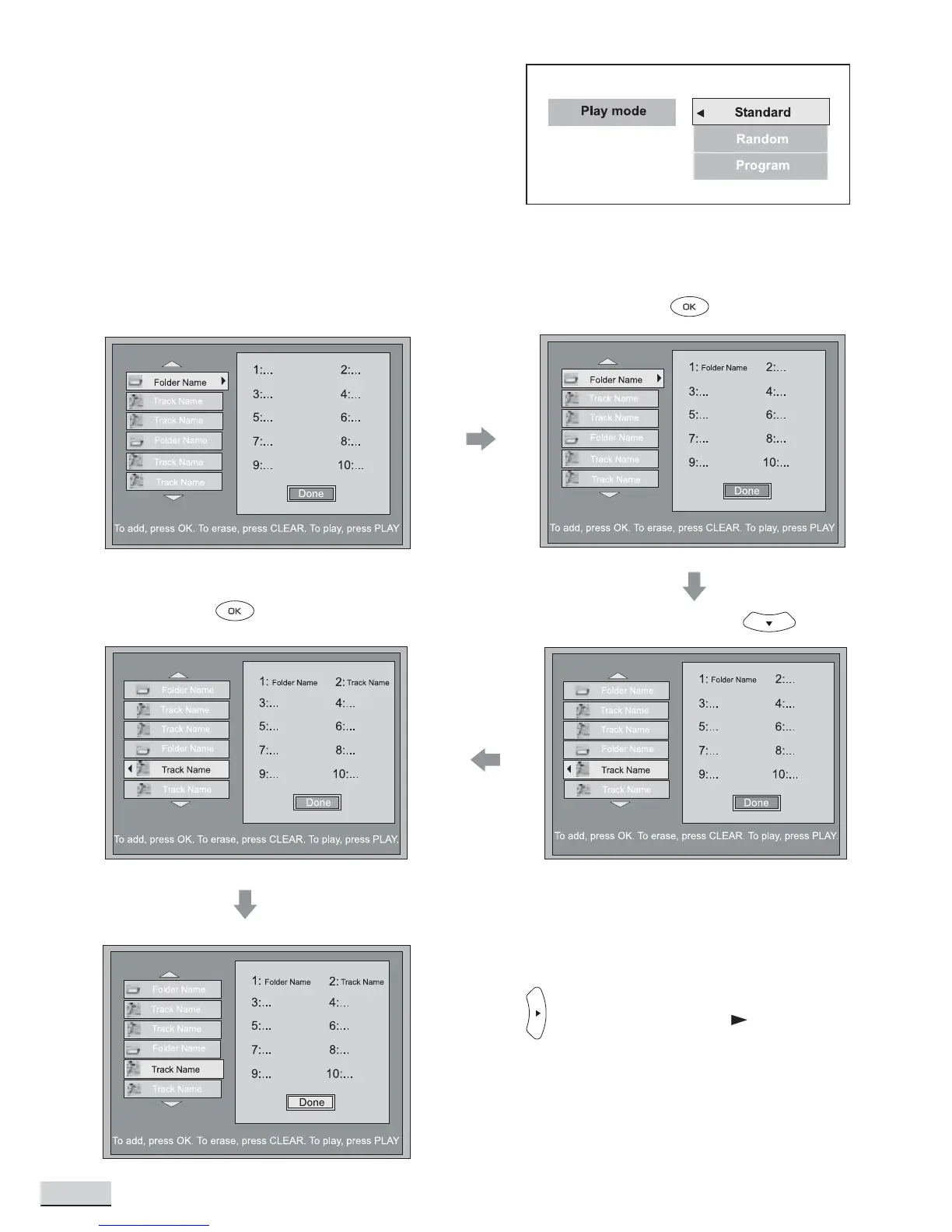
Play Mode
Standard
Press OK to set unit playing tracks in default order.
Random
Press OK to set unit playing tracks in random order.
Program
Press OK to create or edit program.
Create Program - Example shows how to add Folder 1 and Track 1 in Folder 2 to the program list then save
and start playing .
Select Folder 1
Press to Add
Select Track 1 in Folder 2
Press to Add
x4
Press to select “Done” or press
to save the “Program List” and start
playing



 To Next Page