Summary of equipment
1
1. Summary of equipment
P1-4
2
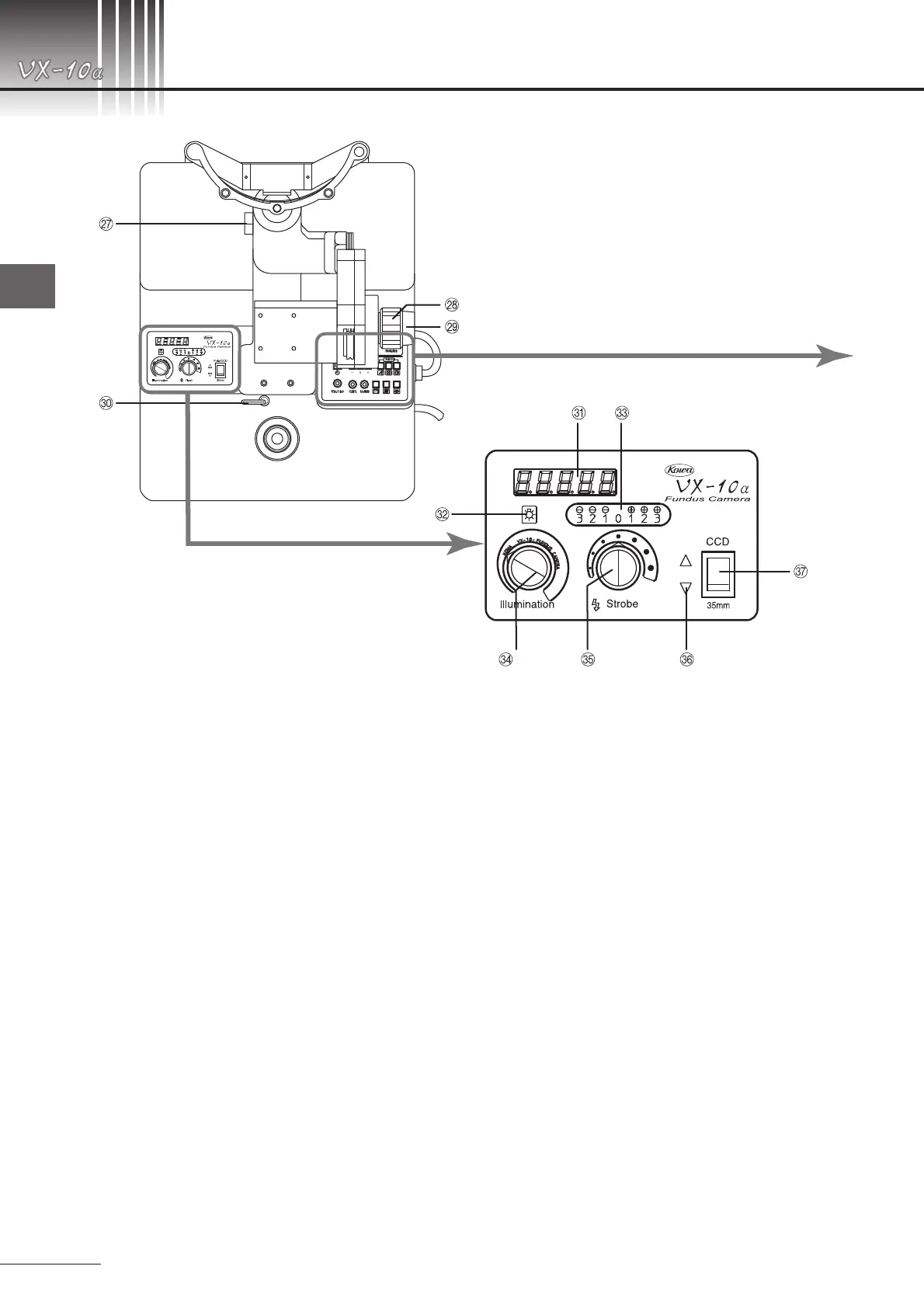
Horizontal lock lever
Upon operation of this lever, the rotating arm will
be locked.
3
Tilting handle
By turning this handle, the main camera unit will
be tilted vertically.
4
Lock handle
By turning this handle, the tilting handle will be
locked.
5
Lock lever
Upon operation of this lever, the base will be
locked.
6
Display screen
Timer's count is indicated increasing 0.1 second
at a time on the screen with 5 digits.
When timer is not in work, flash intensity and
error will be indicated.
7
Observation lamp indicating lamp
The lamp indicates the location of the observa-
tion light intensity control knob.
8
Flash intensity compensation indicating lamp
These lamps indicate flash intensity compensa-
tion.
9
Observation light intensity control knob
Used to adjust observation light intensity.
:
Flash intensity compensation knob
Used to adjust flash intensity level.
;
Working camera back indicator
This indicator comes on indicating which cam-
era back of upper or lower ones is in work,
linking with the camera back select switch.
When camera back is not loaded on a selected
camera back mount, the indicator will come off.
When film is not loaded on the 35-mm camera
back, it will flash.
<
Camera back select switch
Used to select the optical paths, lower(35-mm)
or upper(Electronic images).
=
Mydriatic fluorescein angiography select but-
ton
Used to select mydriatic fluorescein angiogra-
phy mode.
>
Mydriatic color button
Used to select mydriatic color photography
mode.


 To Next Page