10 of 40
Installation
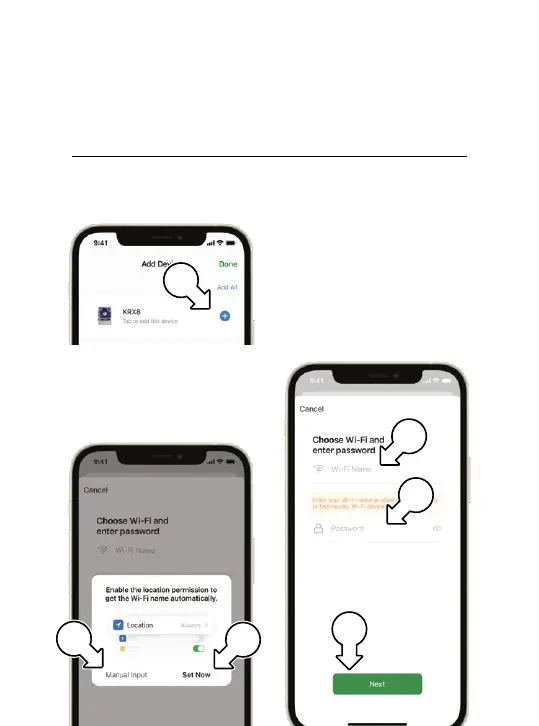
4. In the following screen, tap
(h) next to your KRX8
® Holman Home will ask
to access location data;
tap SETNOW (i) to share
this with Holman Home
® Alternatively, to connect
without sharing location,
tap MANUAL INPUT(j)
5. Enter the Wi-Fi NAME(k)
and PASSWORD (l)
of your Wi-Fi network
as necessary and
tap NEXT (m)
Adding your KRX8 to Holman Home
j
h
m
i
k
l



 To Next Page