14 of 40
Installation
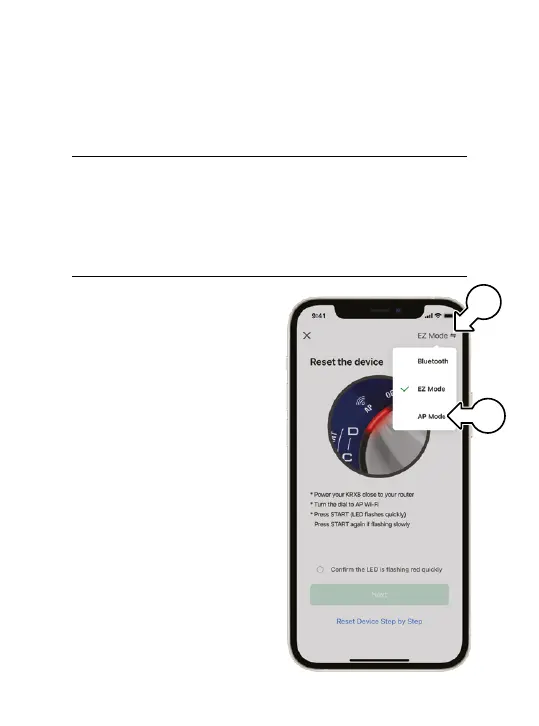
Adding your KRX8 using AP Mode
1. Ensure your smartphone
mobile data is switched off
before trying AP MODE
2. In the connection screen,
tap EZ MODE (w)
and select AP MODE(x)
from the subsequent
drop-down menu
3. Work through the
following prompts in
Holman Home to
complete the AP MODE
connection process
4. Work through the following prompts in Holman Home
to complete the EZ MODE connection process
Adding your KRX8 using EZ Mode
x
w



 To Next Page