Always switch off the power to each device before connecting it to
your FC-70R. After connecting the devices to your FC-70R, connect
its power and then switch on the power to each device.
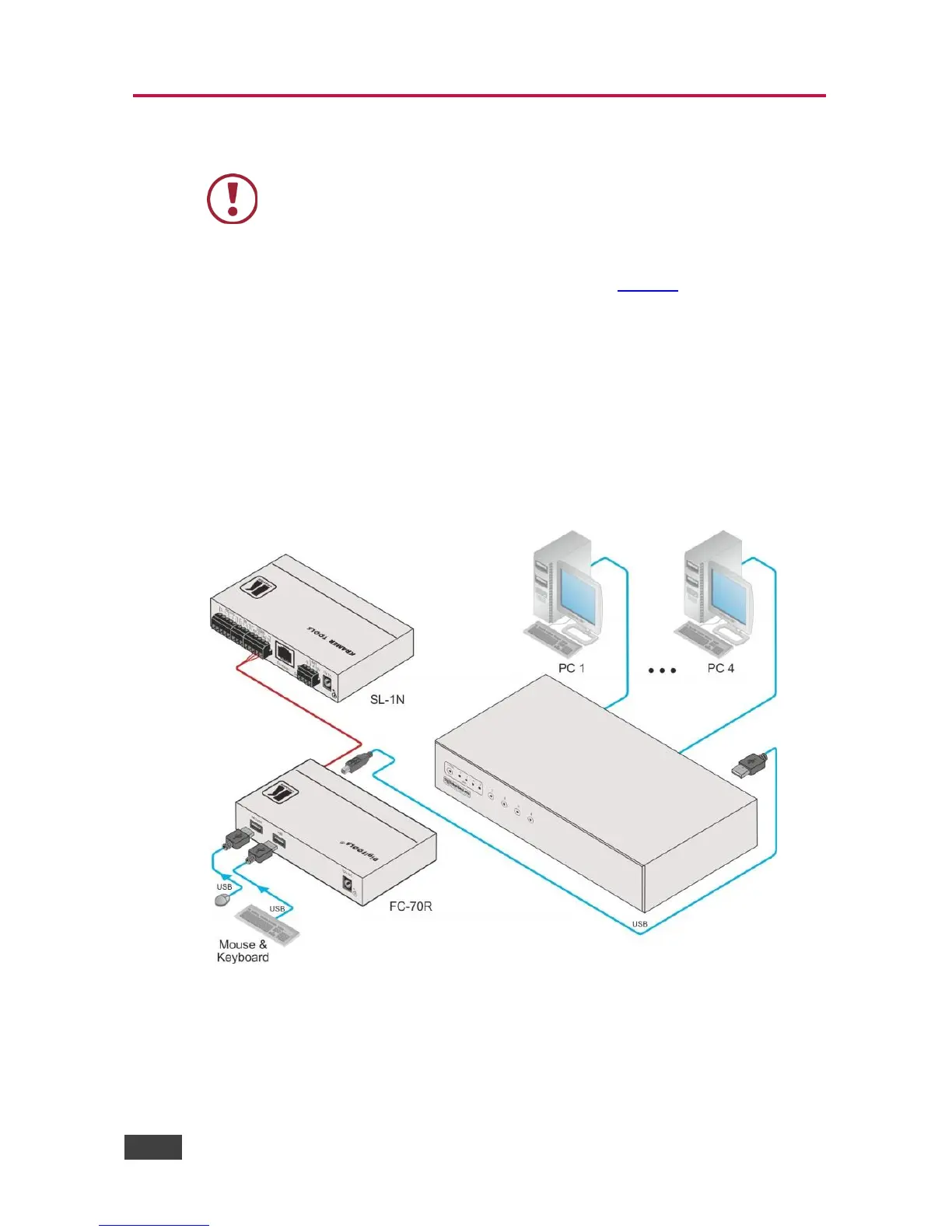
To connect the FC-70R, as illustrated in the example in Figure 2, do the following:
1. Connect the USB-B connector on the back of the FC-70R to the USB
keyboard connection of the KVM or KVM combiner.
The FC-70R receives power over this connection.
2. Using an RS-232 cable, connect a control device (for example, an SL-1N) to
the RS-232 3-pin terminal block.
3. Connect a keyboard and mouse to the USB-A connectors.
Figure 2: Connecting the FC-70R RS-232 to USB Converter



 To Next Page