Contents
i
Contents
1
Introduction 1
2
Getting Started 1
2.1
Quick Start 2
3
Overview 3
3.1
About the Power Connect Feature 3
3.2
Shielded Twisted Pair (STP) / Unshielded Twisted Pair (UTP) 3
3.3
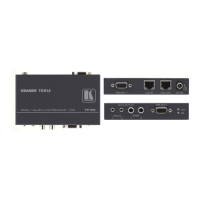
About the TP-102HD 4
3.4
Recommendations for Achieving the Best Performance 4
4
Your TP-102HD XGA / HD Line Transmitter / DA 5
5
Configuring a 1:2 XGA / HD-to-Twisted Pair DA System 7
5.1
Wiring the CAT5 LINE IN / LINE OUT RJ-45 Connectors 9
6
Technical Specifications 10
Figures
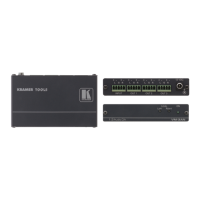
Figure 1: TP-102HD XGA / HD Line Transmitter / DA 5
Figure 2: TP-102HD (Top Side Panel) 5
Figure 3: TP-102HD (Lower Side Panel) 5
Figure 4: TP-102HD (Underside Panel) 6
Figure 5: Configuring a 1:2 XGA / HD to Twisted Pair Transmitter / Receiver / DA 8
Figure 6: CAT5 PINOUT 9
Tables
Table 1: TP-102HD XGA / HD Line Transmitter / DA Features 6
Table 2: TP-102HD (Underside Panel) Features 6
Table 3: CAT5 PINOUT 9
Table 4: Technical Specifications of the TP-102HD (with 100m CAT5 cable) 10



 To Next Page