Need help?
Do you have a question about the Kramer TP-573 and is the answer not in the manual?
Summarizes the basic setup and operation steps for the product.
Explains Kramer's recommended twisted pair cables and their compatibility.
Details the High-Bandwidth Digital Content Protection standard.
Explains the Extended Display Identification Data structure.
Describes the High-Definition Multimedia Interface features.
Provides tips for optimal signal quality and device positioning.
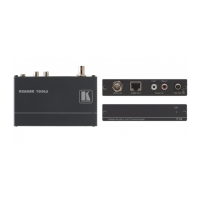
Details the features, connectors, and LEDs of the TP-573 transmitter.
Details the features, connectors, and LEDs of the TP-574 receiver.
Explains RS-232 control, including straight and crossed connection rules.
Defines the STP CAT 5 pinout for RJ-45 connectors.
The Kramer TP-573 HDMI/RS-232/IR Line Transmitter and TP-574 HDMI/RS-232/IR Line Receiver are a pair of devices designed to extend HDMI, bidirectional RS-232, and infrared signals over a single twisted pair cable, specifically shielded Twisted Pair (STP) cabling. This system is particularly well-suited for home theater, presentation, and multimedia applications, as well as rental and staging environments where reliable signal extension is crucial.
The core function of the TP-573 is to convert incoming HDMI, RS-232, and IR signals into a format suitable for transmission over a twisted pair cable. Conversely, the TP-574 receives this twisted pair signal and converts it back into its original HDMI, RS-232, and IR formats, making it accessible to the display and control devices at the receiving end. This allows for significant distances between the source and display without compromising signal integrity.
A key feature of this transmitter/receiver pair is its ability to pass Extended Display Identification Data (EDID) and High-Bandwidth Digital Content Protection (HDCP) signals in both directions. EDID, which describes the display's capabilities to the graphics card, is crucial for optimal display settings, while HDCP ensures the secure and encrypted transmission of copyrighted digital content. The system also supports the transmission of Hot Plug Detect (HPD) signals from the display device back to the source, facilitating proper device recognition and handshaking.
The TP-573 and TP-574 offer bidirectional RS-232 and IR interfaces, enabling comprehensive control over connected devices. The IR input/output allows for the transmission and reception of infrared commands over the CAT 5 cable, making it possible to control source devices from the display location or vice versa. The RS-232 ports support baud rates up to 38400kbps, providing robust serial communication for device control via a PC or other control systems.
For optimal performance and to achieve the specified transmission ranges, the use of shielded Twisted Pair (STP) cabling is mandatory. Kramer specifically recommends its BC-DGKat524 (CAT 5 24 AWG), BC-DGKat623 (CAT 6 23 AWG), and BC-DGKat7a23 (CAT 7a 23 AWG) cables, which are engineered to outperform regular CAT 5/6/7a cables for digital twisted pair products. It is crucial that the cable's ground shielding is properly connected to the shield of both RJ-45 connectors to prevent interference and ensure signal quality. The system also incorporates a power-saving feature, entering standby mode when the HDMI input is not connected.
A notable convenience feature is the Power Connect System™, which allows a single power connection to the transmitter (TP-573) to power both units, simplifying installation and reducing cable clutter. The devices are housed in compact DigiTOOLS® enclosures, designed for versatility. Three units can be rack-mounted side-by-side in a 1U rack space using the optional RK-3T rack adapter, making them suitable for professional AV installations where space is a premium.
In terms of usage, connecting the system involves a straightforward process. For the TP-573 transmitter, an HDMI source (e.g., DVD player) connects to the HDMI IN, an IR sensor/emitter to the IR 3.5mm mini jack, and an RS-232 source (e.g., computer) to the RS-232 9-pin D-sub connector. The twisted pair cable then connects to the LINE OUT RJ-45. For the TP-574 receiver, the HDMI OUT connects to an HDMI acceptor (e.g., LCD display), an IR emitter/sensor to its IR 3.5mm mini jack, and an RS-232 acceptor to its RS-232 9-pin D-sub connector. The twisted pair cable from the TP-573 connects to the LINE IN RJ-45. Finally, the 12V DC power supply is connected to the TP-573.
When using the RS-232 ports for device control, specific wiring rules apply depending on whether the controlled device requires a CROSSED or STRAIGHT connection. For a CROSSED connection, a straight cable should be used from the computer to the transmitter and from the receiver to the device. For a STRAIGHT connection, a straight cable is used from the computer to the transmitter, but a crossed cable is required from the receiver to the device. It is explicitly stated that a crossed connection should never be used to the transmitter.
Maintenance of the TP-573 and TP-574 primarily involves ensuring proper cabling and environmental conditions. Users are advised to connect only good quality STP CAT 5 24 AWG cables to avoid interference and signal deterioration. It is also recommended to position the units away from neighboring electrical appliances, moisture, excessive sunlight, and dust to maintain optimal performance and longevity. The devices are designed with no operator-serviceable parts inside, and any servicing should only be performed by an authorized Kramer technician. Disconnecting the unit from the power supply before opening or servicing is a critical safety warning. Furthermore, only the Kramer Electronics input power wall adapter provided with the unit should be used. The user manual itself serves as a key maintenance resource, with updated versions available online, and users are encouraged to review its contents thoroughly.
 General
| Type | HDBaseT Receiver |
|---|---|
| Max Data Rate | 10.2 Gbps |
| Input | HDBaseT |
| Output | HDMI |
| Operating Temperature | 0°C to 40°C (32°F to 104°F) |
| Storage Temperature | -20°C to 70°C (-4°F to 158°F) |
| Humidity | 10% to 90% RH (non-condensing) |
| Enclosure | Metal |
| Cooling | Convection |
| Weight | 0.3kg (0.7lbs) approx. |


 To Next Page