KRAMER: SIMPLE CREATIVE TECHNOLOGY
Connecting the VP-200xln XGA Line Amplifier / DA
6
5 Connecting the VP-200
XLN
XGA Line Amplifier / DA
To connect your VP-200
XLN
XGA Line Amplifier / DA, as the example in
Figure 5 illustrates, do the following
1
:
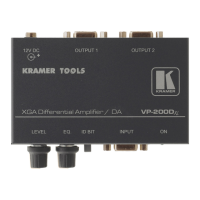
1. Connect a computer graphics source (for example, a computer) to the
INPUT HD15F connector.
2. Connect the OUTPUT HD15F connectors to up to 2 acceptors, as follows:
Connect the OUTPUT 1 to the acceptor 1 (for example, a projector)
Connect the OUTPUT 2 to the acceptor 2 (for example, a display)
3. Connect the 12V DC power adapter (wall transformer) to the 12V DC
socket and connect the transformer to the mains electricity.
4. If required, adjust
2
the video output signal level and/or cable
compensation equalization level, and/or set the:
Red, green and blue coupling switches on the underside to DC or AC
ID Bit switch to ON
Figure 5: Connecting the VP-200XLN XGA Line Amplifier / DA
1 Switch OFF the power on each device before connecting it to your VP-200
XLN
. After powering up your VP-200
XLN
, switch
on the power on each device
2 Use a screwdriver to rotate the potentiometer, adjusting the appropriate level


 To Next Page