EasyManua.ls Logo

KREAFUNK aGlow - User Manual

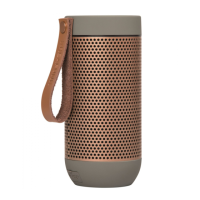
KREAFUNK aGlow
84 pages
Print Icon
To Next Page IconTo Next Page
Loading...
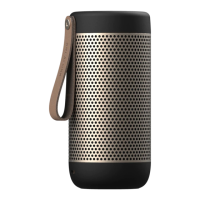
aGLOW
Operation manual
Bedienungshandbuch
Manual de instrucciones
Manuel d’utilisation
Brugermanual
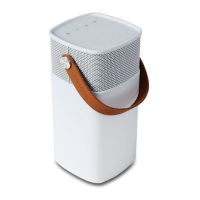
Portable Bluetooth Speaker Box

Other manuals for KREAFUNK aGlow

Questions and Answers

  • B
    Brianna HolmesJul 30, 2025
    What to do if my KREAFUNK aGlow Speakers cannot pair with BT audio connection?
    • R
      russell07Jul 30, 2025
      If your KREAFUNK Speakers can't pair with the BT audio connection, ensure the battery isn't low by charging it. Move the BT device closer to the speaker. Try turning the speaker off and then restarting it. Make sure that the device or computer you're using has BT function. Repeat the set-up steps. Play music on only one device, and cancel other unused pairs. Confirm that the BT name is aGLOW.
  • O
    obennettAug 4, 2025
    Why is the music intermittent during BT playback on my KREAFUNK Speakers?
    • W
      William MendozaAug 4, 2025
      If the BT playback on your KREAFUNK Speakers is intermittent, try moving the BT device closer to the product or changing the audio equipment location.
  • P
    Patrick MoranAug 8, 2025
    Why does BT playback interrupt and produce a sound on my KREAFUNK Speakers?
    • D
      Daniel MunozAug 8, 2025
      If your KREAFUNK Speakers' BT playback interrupts and produces a sound, it might be due to a low battery. Please charge the device.
  • T
    Tracy HowardAug 12, 2025
    What to do if the keys on my KREAFUNK Speakers are not working?
    • J
      jenniferdonovanAug 12, 2025
      If your KREAFUNK Speakers' keys are failing, the battery might be low, so please charge the device. Alternatively, try turning the speaker off and then restarting it. Ensure you are using the original adapter for the item.
  • K
    Kelsey EscobarAug 16, 2025
    How to fix weak sound on KREAFUNK aGlow?
    • M
      Michelle FrederickAug 16, 2025
      If your KREAFUNK Speakers have weak sound, press the key to adjust the volume.
  • C
    Carmen Drake MDAug 20, 2025
    What to do if the emergency power bank on my KREAFUNK aGlow has no power out?
    • T
      toddayersAug 21, 2025
      If the emergency power bank feature on your KREAFUNK Speakers isn't providing power, it may be due to a low battery; please recharge it. Alternatively, the aGLOW might be currently charging.
  • C
    charveyAug 25, 2025
    What to do if my KREAFUNK Portable Speakers won't pair with Bluetooth?
    • B
      Brandon PaulAug 26, 2025
      If your KREAFUNK Portable Speakers are not pairing via Bluetooth, there are several things you can try: * First, ensure that the speakers are sufficiently charged. * Move the Bluetooth device closer to the speaker. * Try turning the speaker off and then restarting it. * Confirm that your device or computer has Bluetooth functionality. * Repeat the setup steps for pairing. * Make sure only one device is playing music. Cancel other equipment and unused pairs, then set up pairing for new devices. * Verify that the Bluetooth name is correct (aGLOW).

Summary

English

Safety and Maintenance Instructions

Guidelines for safe operation, handling, and care of the aGLOW speaker.

Turning Your aGLOW On;Off

Instructions for powering the aGLOW speaker on and off, including LED indicators.

Pairing Your aGLOW to a Device

Steps to connect the aGLOW speaker to a Bluetooth device for audio playback.

Pairing to Another Device (Pairing Mode)

Instructions for switching pairing mode to connect with a different Bluetooth device.

Button Functions

Charging the aGLOW

Charging Methods (USB & Wireless)

Details on how to charge the aGLOW speaker using USB and wireless methods.

KREAFUNK aGlow Specifications

General IconGeneral
TypeBluetooth Speaker
Bluetooth Version4.2
Bluetooth RangeUp to 10 meters
Battery LifeUp to 20 hours
Water ResistanceIPX4
MaterialPlastic, Fabric
Built-in MicrophoneYes
Frequency Response20 kHz

Related product manuals