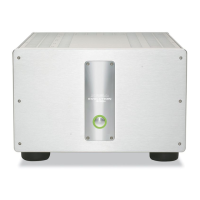
The Showcase Amplifier front panel provides power on and indi-
cates operating status.
1 Power Button
Use this button to switch the Showcase Amplifier power between
the stand-by and the operational modes and also to switch the 12
VDC output (12 V trigger) on and off.
2 Stand-by LED
The red stand-by LED illuminates when the AC power cord is
plugged into the wall. The stand-by LED flashes when the protec-
tion circuit is activated.
3 Power LED
The blue power LED illuminates when the amplifier is in the opera-
tional mode.
6 Krell Showcase Amplifier
Front Panel Description
See Figure 1 on page 5











 To Next Page