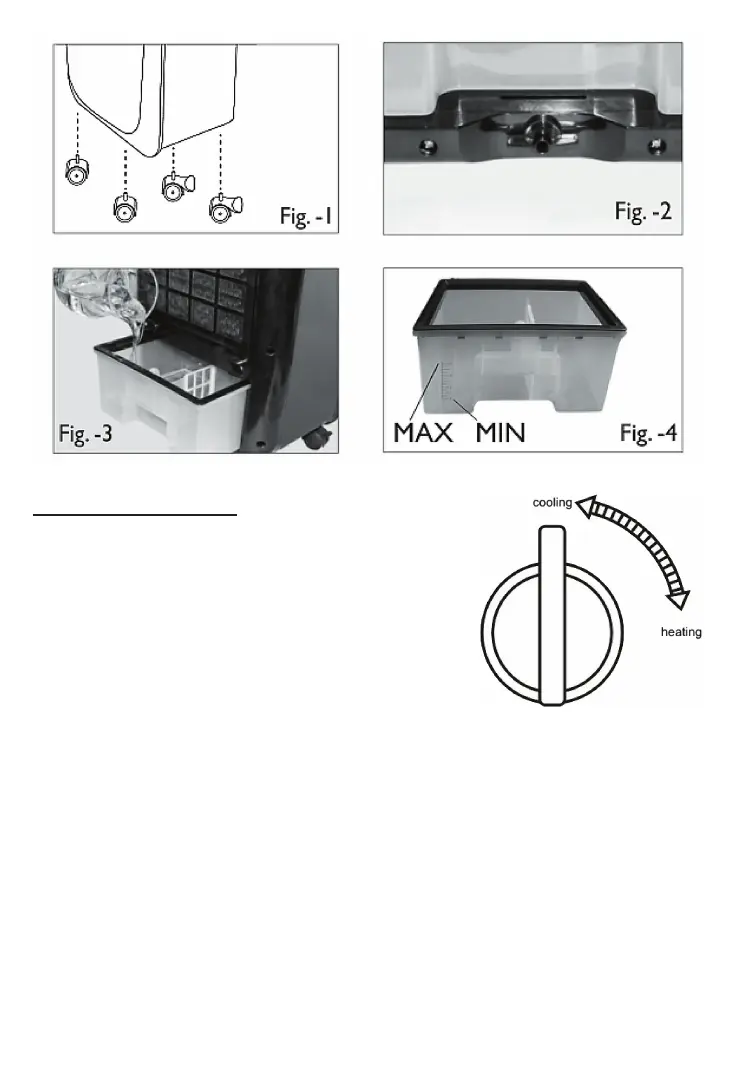
Cooling / heang funcon
Before choosing the funcon, you have to turn
the side knob to one precise posion.
COOLING: Turn the side knob to the “cooling”
posion.
HEATING: Turn the side knob to the “heang”
posion.
At the heang funcon, the fan only works on
one xed speed (Middle). Any other speed cannot be chosen.
USING THE COOLER. FUNCTIONS
1. On/O: Pressing the ON buon (on the control panel or on the remote control)
will turn the unit on at intermediate speed. Aer a few minutes, the fan will drop
to show speed or to the pre-programmed memory seng. To switch back the
standby posion, simply press the OFF buon.
2. Speed: Press this key to choose between high, medium or low fan speed. Each me
the “Speed” buon is pressed, an icon will appear on the LED screen indicang the
current speed level.



 To Next Page