19
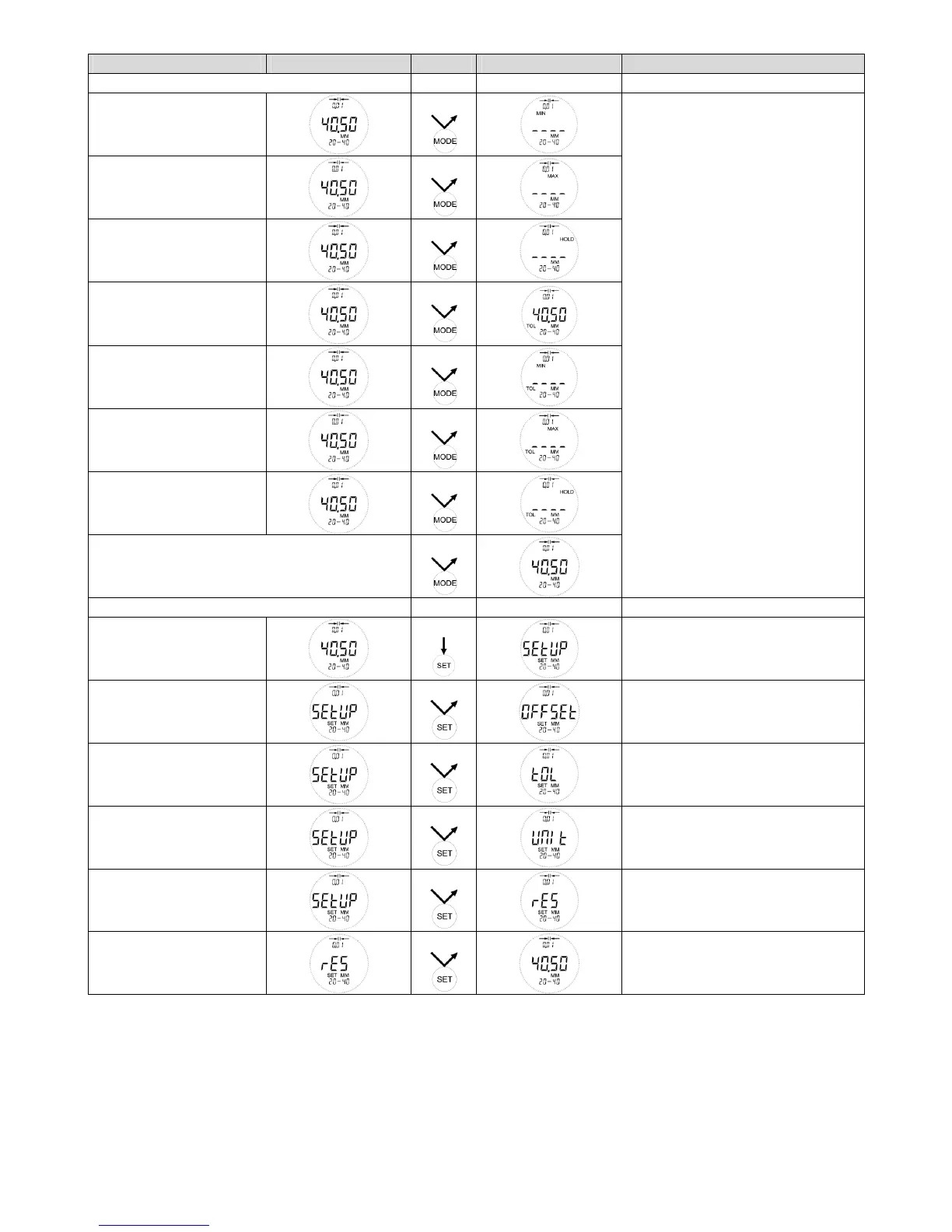
Function Basic Action Result Remarks
Selection of the measuring programs
MIN
1x
MAX
2x
HOLD
3x
TOL
4x
MIN + TOL
5x
MAX + TOL
6x
HOLD + TOL
7x
Switch over to continous display
8x
This function can be used for ABS
measurement as well as REL meas-
urement
Note:
Measuring programs MIN and MAX
are active until changing them into
the next measuring mode, without
pressing any key.
After selection of the measuring
program HOLD, this is active, as
soon as the movable measuring arm
leaves one of the two limit stops. To
renew starting of the measuring pro-
gram the movable measuring arm
must be led again at one of the limit
stops (the stored measured value will
be deleted)
The LED expires 5 sec. after having
found a measuring value.
It switchs on after having found a
new one.
SETUP – Menu
Start SETUP
SETUP Menu can be started within
every measuring mode
OFFSET
1x
0 point adjustment
(see specification page 20)
TOL LO
2x
Adjustment of the tolerance limits
(see specification page 20/21)
UNIT
3x
Select MM / INCH
(see specification page 21/22)
RES
4x
Adjustment of the scale interval
(see specification page 22)
Quitting SETUP
1x
Last mode with corrected adjust-
ment will be shown
Note: The gauge switchs back into the last used measuring mode, if no key has been pushed for longer than 30 sec. in the setup
menu. Changings in the setup menu will be adopted.



 To Next Page