PAIRING AND CONNECTING THE GAMEPAD
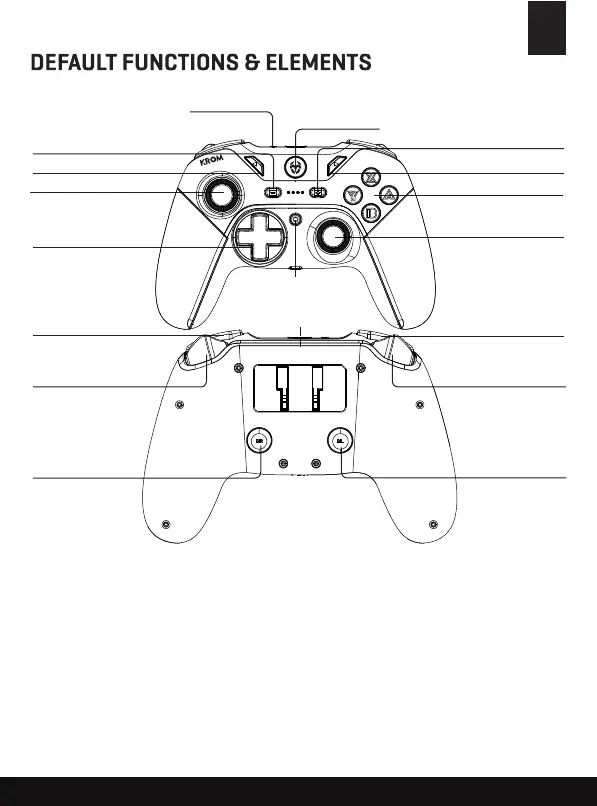
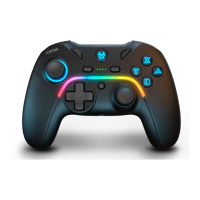
- Button
SELECT Button
D-Pad
Left Thumbstick
L3 Button
+ Button
START Button
A - B - X - Y Button
Right Thumbstick
R3 Button
R Button
ZR Button
MR Button
L Button
HOME Button
SYNC Button
TURBO Button
TYPE-C Interface
ZL Button
ML Button
1. With the controller in OFF, press and hold the SYNC button for 3 seconds till the 4 LEDS
flash, now the gamepad is in pairing mode.
2. Search for devices on your console settings or PC bluetooth settings.
3. The gamepad should connect automatically.
Nintendo Switch
TM
and PC Wireless mode:
EN


 To Next Page