Vibration levels:
Reconnect:
The gamepad has 4 levels of vibration: none, weak, medium and strong
To adjust the vibration level:
1. Connect the gamepad successfully to your device.
2. Press and hold TURBO button and press + button to increase or - to decrease vibration.
RGB settings:
Turn ON/OFF LEDs: Hold L1 + R1 buttons for 5 seconds.
Brightness level: Hold SET button + DPAD LEFT or RIGHT to adjust it.
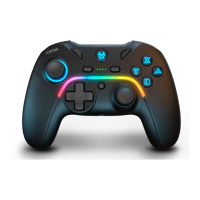
There are two groups of LEDs:
Group 1: ABXY+Home+Left Thumbstick
LED mode: Hold SET button and press DPAD UP or DOWN to switch between modes.
Group 2: LED Stripe
LED mode: Hold SET button and press + or - button o switch between modes.
Macros settings:
The buttons ML and MR on the back of the gamepad can be remapped with macros.
1. When the gamepad is ON, press and hold ML or MR for 5 seconds, LED2 and LED3 will be
flashing, macro mode is ON
2. Press any sequence of the following buttons A/B/X/Y/L/ZL/R/ZR/UP/DOWN/LEFT/RIGHT,
then press again ML or MR, and the LED1 will be always on.
3. To clear any macro previously recorded, press and hold the ML or MR button for 8 seconds,
LED1 and LED4 will be flashing, then release the ML or MR button.
Restore factory settings:
1. Press HOME for 10 seconds.
Press HOME button 1 second for wake up the gamepad, it will search and pair to the last
device connected.
EN


 To Next Page