13
3.3 Self-Peeling Function
To employ the self-peeling function, load the label stock according to the
following steps.
1. Remove the front panel.
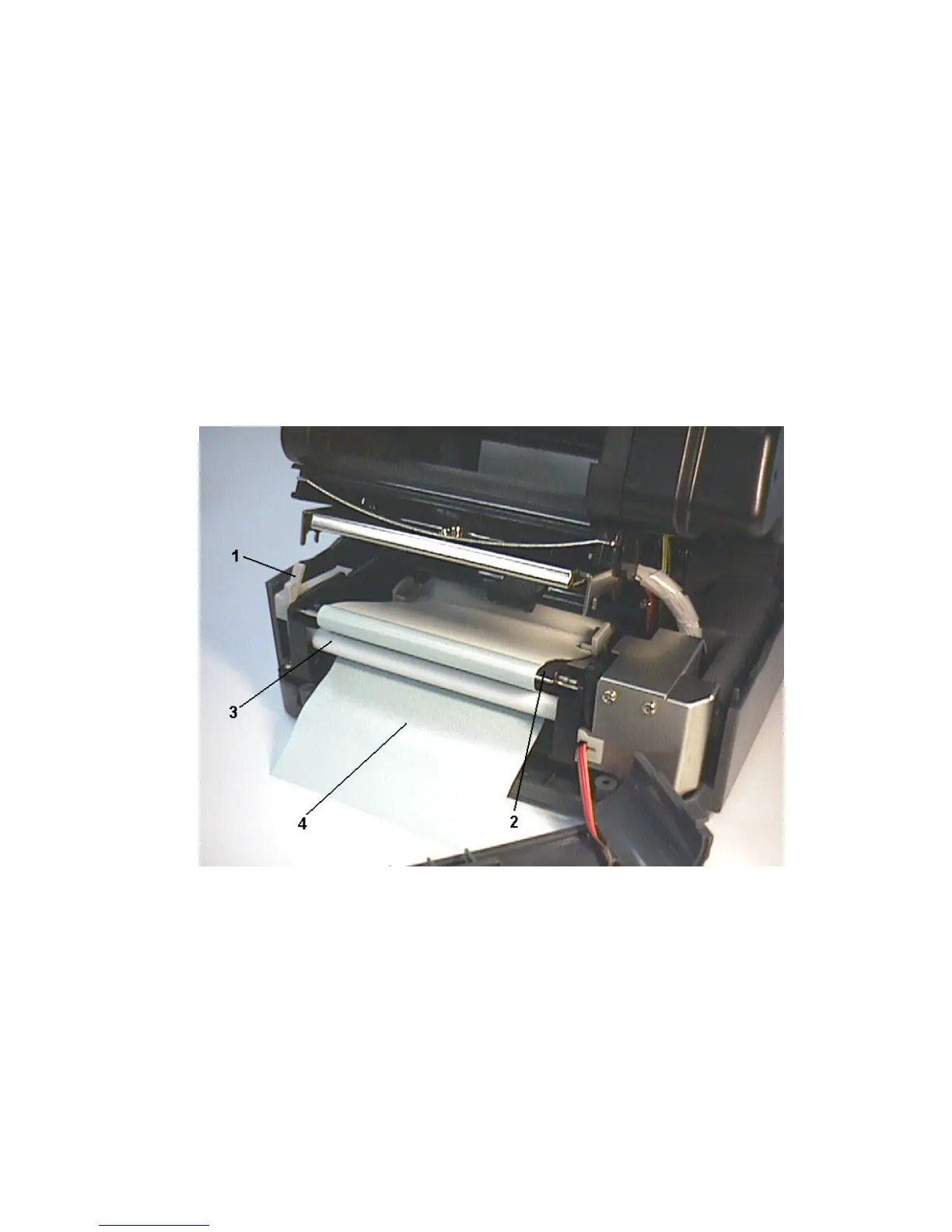
2. Tear off the foremost one or two labels of the label stock, as befits the case.
Feed the backing paper between the platen and the white “self-peeling” roller,
as shown in Figure 7.
3. Feed the backing paper through the backing paper opening in the front panel,
as shown in Figure 8.
4 Put back the front panel.
Figure 7. Setting up printer for self-peeling function
1. Printer Carriage Release Lever
2. Platen
3. Self-Peeling Roller
4. Backing Paper
Note: It is recommended that the print speed be set at 2 inches (1.5 inches
for K4350/4350C) per second when using the self peeling function of the
printer.



 To Next Page