20
3.7 Self Test
To initiate the self test mode, depress the FEED button while turning on the
printer power. The printer will calibrate the label length. If the label gap is not
detected within 7", the printer stops feeding labels and the media is treated as
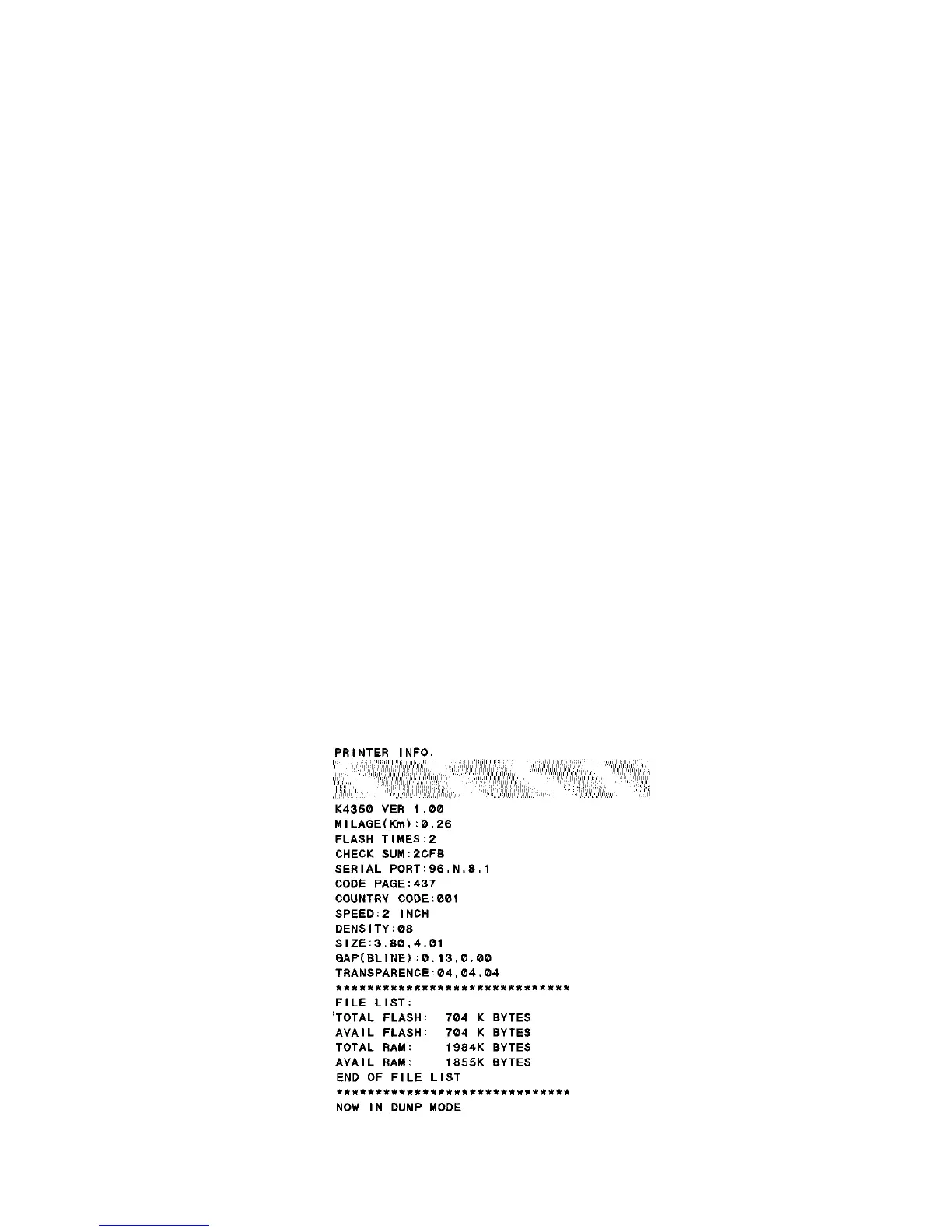
continuous paper. In self test, a check pattern is used to check the performance
of the thermal print head. Following the check pattern, the printer prints internal
settings as listed below:
1. Printer model and firmware version
2. Mileage
3. Flash times
4. Check sum
5. Serial port setting
6. Code page setting
7. Country code setting
8. Print speed setting
9. Print density setting
10. Label size setting
11. Gap (Bline) width and offset setting
12. Backing paper transparence
13. File list
14. Memory information (Total, Available)
When the self test is completed, the printer enters the dump mode. Please turn
the printer's power off and then on to resume normal printing.



 To Next Page