3332
NLNOFIITELSKPLUKBG DE FRDASVESPTCSHURUROHR
EN
FILTER AND WATER HARDNESS
WHAT DOES THE WATER HARDNESS ADJUSTMENT DO?
To avoid scaling your machine and to optimise the quality of your coee, we advise you to set the hardness of your water
on your machine.
HOW TO INDICATE THE WATER HARDNESS OF YOUR MACHINE.
RÉGLAGES
• Fill a glass of water Dip the test stick that comes with the machine into your glass lled
with water.
• Wait 1 minute. The squares on the test stick change colour.
• Count the number of coloured squares. This tells you how hard your water is,
between 0 and 4.
• In the “Water hardness” menu, press the corresponding number between 0 and 4.
• Press OK.
YOU NO LONGER HAVE A TEST STICK?
If you need to repeat this operation later, be sure to change the hardness of the water according to the place of use or the
information provided by the water companies, using the table below:
Degree of water
hardness
Class 0
Very soft
Class 1
Soft
Class 2
Medium hard
Class 3
Hard
Class 4
Very hard
° dH < 3° > 4° > 7° > 14° > 21°
° e < 3,75° > 5° > 8,75° > 17,5° > 26,25°
° f < 5,4° > 7,2° > 12,6° > 25,2° > 37,8°
Appliance settings 0 1 2 3 4
WHY INSTALL A FILTER CARTRIDGE?
The Claris Aqua Filter System cartridge helps to optimise the taste of your coee, to limit the build-up of limescale and to
reduce maintenance operations.
HOW TO INSTALL THE CLARIS AQUA FILTER SYSTEM CARTRIDGE
ENTRETIEN MACHINE
• The cartridge is placed in the water tank.
• We advise that, when you install your cartridge, you turn the grey ring at the far end of the lter
cartridge to show the date of installation + 2 months.
• Correctly position the cartridge in its location, with the numbered ring upwards.
• Use the black screw-in attachment, supplied with the cartridge, to correctly position and screw the
cartridge in place.
WHEN SHOULD YOU CHANGE THE CLARIS AQUA FILTER SYSTEM CARTRIDGE?
1. 2 months after installation or when the machine indicates this.
MACHINE STANDBY
Depending on the preparation, the machine performs automatic rinsing when it is put on standby. The cycle lasts only a few
seconds and stops automatically.
HINTS AND TIPS
WATER
The quality of the water greatly inuences the quality of the aromas. Limescale and chlorine may alter the taste of coee.
To preserve all the aromas of your coee, we recommend that you use fresh water as well as a Claris Aqua Filter System
cartridge, or bottled water with dry residue below 800 mg/L (see label on bottle). See the chapter “FILTER AND WATER
HARDNESS”.
CUP
When preparing hot drinks we recommend using preheated cups (by passing them under hot water) the size of which is
adapted to your desired quantity.
BEANS
Roasted coee beans may lose their aroma if they are not protected. We advise you to use the amount of beans
equivalent to your consumption over the next 2-3 days and to choose 250 g bags.
The quality of coee beans is variable and tastes are subjective. Arabica will give you ne, oral aromas unlike
Robusta which is higher in caeine, more bitter and full-bodied. It is common to mix the two types of coee to achieve a
more balanced coee. Please do not hesitate to seek advice from your roaster.
We do not recommend the use of oily and caramelised beans as these can damage the machine.
The neness of the ground beans inuences the strength of the aromas and the quality of the crema. The more nely
ground the beans, the smoother the crema. Grinding can also be adapted for the desired drink.
INTUITIVE LIGHT INDICATOR
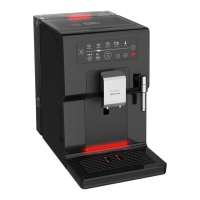
Your Intuition machine has smart, bright technology to make your everyday life easier: the intuitive light indicator (I). This
technology has a dual functionality:
1. The machine automatically detects and controls the levels of coee beans, water and coee grounds. When you need to
ll or empty your containers, as well as when maintenance is required, the red warning light comes on and you should
follow the information on your screen.
2. The intuitive indicator light also allow you to personalise your experience. You can assign a colour to each prole. When
one of the proles is selected, the indicator light takes on the colour of this prole to promote immediate understanding
and ultra-fast and intuitive navigation.
See the chapter “MY PROFILE”.









 To Next Page