121OPTIONS
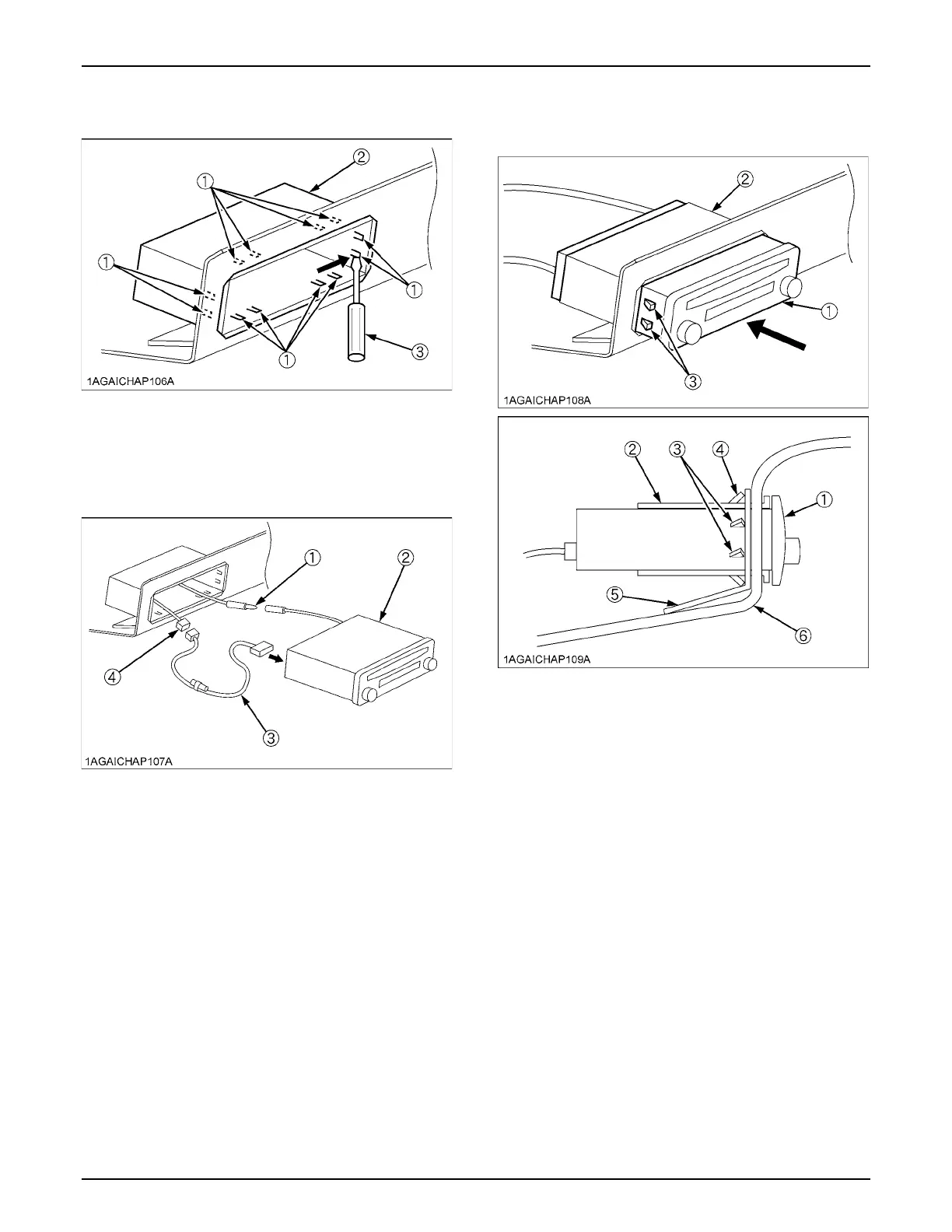
3. Bend the mounting tabs of the mounting collar out with
a screwdriver.
4. Connect the antenna lead to the CD player.
5. Connect the power connector to the CAB wire
harness.
6. Insert the CD player into the mounting collar and push
it in until "click" is heard. (The CD player is secured to
the mounting collar by the side tabs.)
(1) Mounting tabs
(2) Mounting collar
(3) Screwdriver
(1) Antenna lead
(2) CD player
(3) Power connector
(4) CAB wire harness
(1) CD player
(2) Mounting collar
(3) Side tabs
(4) Mounting tabs
(5) Support plate
(6) Inner roof



 To Next Page