69CAB OPERATION
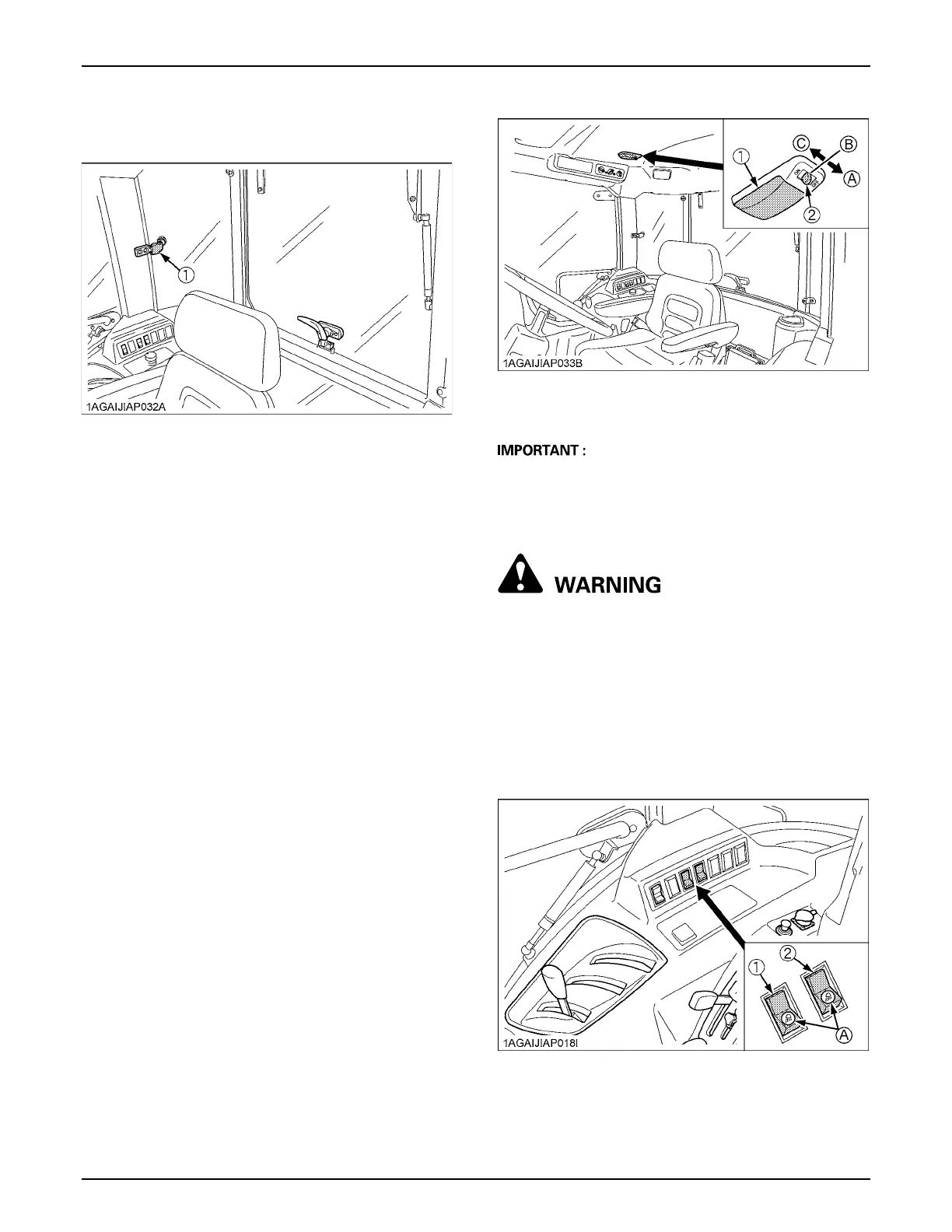
BSide Window
Pull the side window handle and push the side window to
open the window.
BEmergency Exit
1. Open the right door of the cab if the left door is
blocked, and vice versa in an emergency situation.
2. Exit through rear window if CAB doors are blocked in
an emergency situation.
DOME LIGHT
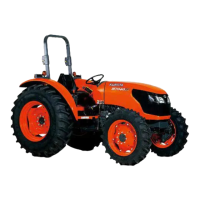
BDome Light
Sliding the dome light switch will give the following light
condition:
A The battery will discharge if the dome light remains on.
Be sure to check the dome light switch position and/or
door closure.
WORK LIGHT
To avoid personal injury or death:
A Do not operate on roads with work lights on.
Work lights may blind or confuse operators of
oncoming vehicles.
BWork Light Switch
Turn on the key switch and press the top half of the work
light switch. The work light and the switch's indicator light
up. Press the bottom half of the work light switch to turn
off the light and indicator.
(1) Side window handle
OFF ............... The light does not turn on when the
door is opened.
DOOR ........... The light turns on when the door (LH)
is opened. It turns off when the door
(LH) is closed.
ON ................ The light remains on regardless of the
door position.
(1) Dome light
(2) Dome light switch
(A) "OFF"
(B) "DOOR"
(C) "ON"
(1) Front work light switch
(2) Rear work light switch
(A) Indicator for work lights



 To Next Page