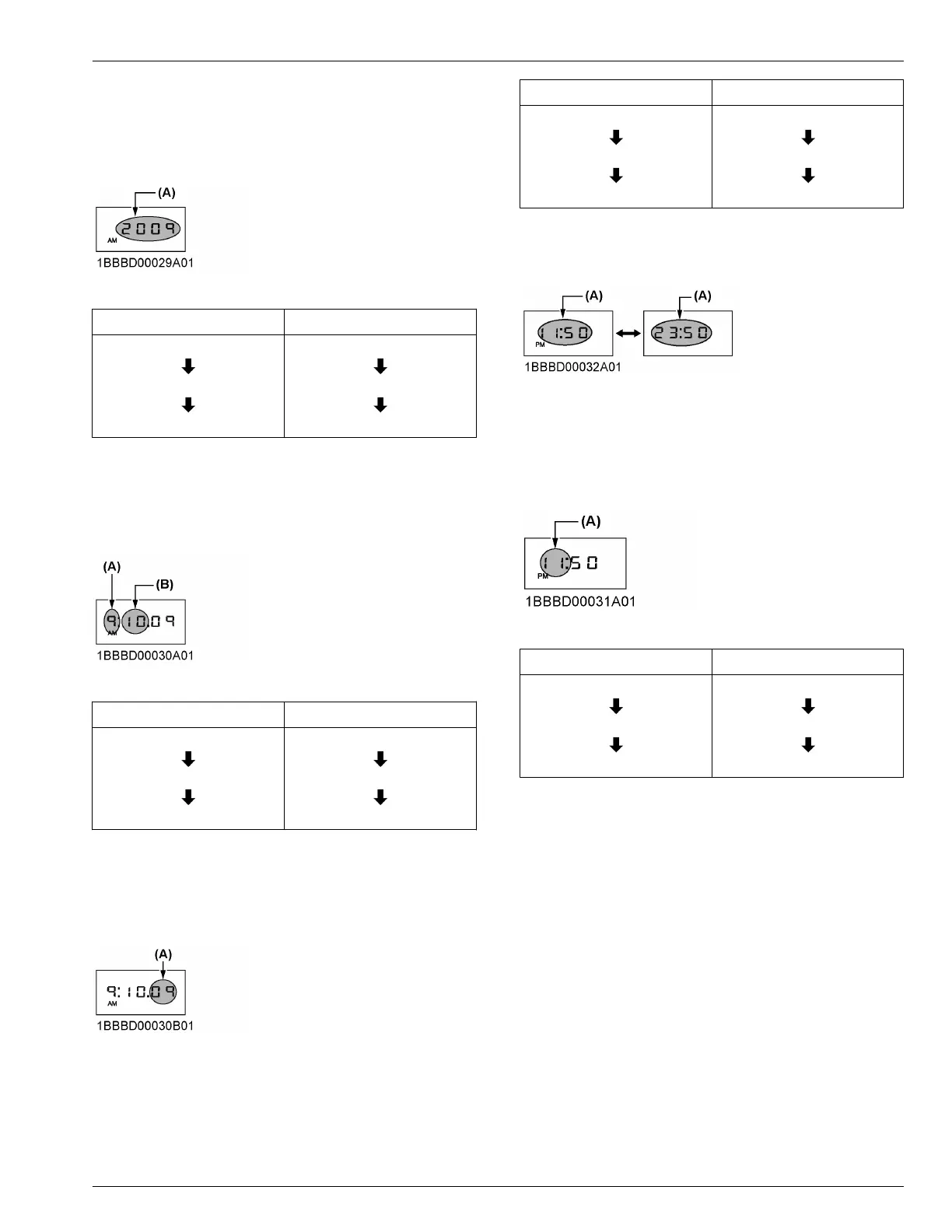
3. Set the year.
• Press
the user-setting-switch and the numeric
setting will be smaller.
• Press the display-selector-switch and the
numeric setting will be larger.
(A) Blinking
User setting switch Display selector switch
2008
2007
2006
2008
2009
2010
4. Set the month.
• Press
the user-setting-switch and the numeric
setting will be smaller.
• Press the display-selector-switch and the
numeric setting will be larger.
(A) One's digit of the year (B) Blinking
User setting switch Display selector switch
10
9
8
9
10
11
5. Set the day.
• Press
the user-setting-switch and the numeric
setting will be smaller.
• Press the display-selector-switch and the
numeric setting will be larger.
(A) Blinking
User setting switch Display selector switch
09
08
07
09
10
11
6. Change the AM/PM system to the 24-hour system.
a. Select
the AM/PM system or 24-hour system by
pressing the display-selector-switch.
(A) Blinking
7. Set the hour.
• Press
the user-setting-switch and the numeric
setting will be smaller.
• Press the display-selector-switch and the
numeric setting will be larger.
(A) Blinking
User setting switch Display selector switch
11
10
9
10
11
12
CHECKS FOR THE SWITCHES
CHECKS BEFORE STARTING THE MACHINE


 To Next Page