EasyManua.ls Logo

KUHN VBP 2160 - User Manual

KUHN VBP 2160
408 pages
Print Icon
To Next Page IconTo Next Page
Loading...
Original instructions
ZNA082GB B
OPERATOR'S MANUAL
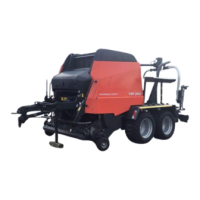
Baler / wrapper combination
VGRW000732 >..../ VGRV000478 >....
VBP2160 - VBP2190
ZNA082GB B
- English - 09-2013

Table of Contents

Questions and Answers

  • W
    williamsmithSep 12, 2025
    What to do if there are no pulses from the table pulse sensor on KUHN Farm Equipment?
    • K
      Kristen CruzSep 12, 2025
      If there are no pulses from the table pulse sensor, check the working of the hydraulic circuit (leakage / filter) and that there is enough oil flow. Inspect for any mechanical blockage and remove the obstruction if needed. If there is no electric power from PCB to the hydraulic block, contact your dealer. Readjust the sensor, check the workings and replace if necessary, if the table pulses sensor is not correct adjusted or faulty.
  • J
    Jesse RoblesAug 25, 2025
    What to do if the net is running when it should not on KUHN VBP 2160?
    • R
      Rachel MeyerAug 26, 2025
      If the net is running when it should not, it could be due to several reasons. Ensure the minimum current of the power supply is 25 A. Check for any mechanical obstruction preventing the actuator from retracting and the net cutting frame from releasing; remove any blockages and replace defective parts. Inspect the spring of the cutting frame and replace it if it's loose or broken. Adjust the net rpm or net wrap brake position sensor, check its operation, and replace if necessary. If the net starts running during the normal baling process, check the cutting area and ensure the net comes out 15 cm (6’’) of the net feed plate. Also, verify the net roll is installed correctly according to the sticker on the machine and check the rest position of the net binding actuator.
  • L
    Luke DavidsonAug 26, 2025
    Why is the power for the actuators/outputs below the minimum voltage on my KUHN VBP 2160?
    • S
      stephanietorresAug 26, 2025
      If the power for the actuators/outputs is below the minimum voltage, it could be due to several reasons. The tractor voltage might be too low, so reduce the electric power consumption at the tractor. There might be bad electrical connections, so check them. The fuse in the machine box or the fuse in the power cable of the ECU could be blown, so disconnect all outputs, replace the fuse, and reconnect them one by one to find the problem. Alternatively, a net actuator/output may have a malfunction or a short circuit, so repair/replace the external electrical consumers connected to the PCB.
  • S
    sophia09Nov 23, 2025
    Why is the net not running on my KUHN VBP 2160 when it should?
    • K
      Kathleen WhiteNov 23, 2025
      The net might not be running due to several reasons. Ensure a proper net start. The net roll could be empty, in which case you should install a new net roll according to the sticker on the machine. Alternatively, the net roll might be installed incorrectly, so reinstall it following the sticker, ensuring the net comes out 15 cm (6’’) from the net feed plate. Also, the plastic pressure plate might be incorrectly adjusted; check its working, adjust it, or turn it around. The net actuator could lack power, requiring you to check the fuse on the PCB and the ISO power cable. Pollution might be preventing the net actuator from fully extracting, so check for and remove any mechanical blockages. If the net actuator is faulty, check its operation and replace it if needed. The distance between the g...
  • D
    Danielle BrownSep 13, 2025
    What to do if there are no pulses from the satellite rpm sensor on KUHN Farm Equipment?
    • J
      Joshua WestSep 13, 2025
      If there are no pulses from the satellite rpm sensor, check the working of the hydraulic circuit (leakage / filter) and that there is enough oil flow. Inspect for any mechanical blockage and remove the obstruction if needed. If there is no electric power from PCB to the hydraulic block, contact your dealer. Readjust the sensor, check the workings and replace if necessary, if the satellite rpm sensor is faulty or adjusted incorrectly.
  • N
    npooleSep 18, 2025
    What to do if a foreign object is fed into KUHN VBP 2160?
    • N
      nancywilliamsSep 18, 2025
      If a foreign object is fed in, stop immediately and stop the intake of crop. Check for any mechanical blockage and remove the obstruction if needed. Check for damages and repair if necessary.
  • J
    James KennedySep 6, 2025
    What to do if the twine is running when it should not on KUHN VBP 2160 Farm Equipment?
    • U
      udunnSep 6, 2025
      If the twine is running when it should not, replace the knife. Adjust the brakes of the twine tubes, if the twine brakes at the twine tubes are adjusted incorrectly. Prevent the twine of being caught by the rotor or bale during normal baling, be sure the twine is cut properly and check the knife, and replace if necessary, if the twine is caught during the normal baling process.
  • C
    colleentorresSep 7, 2025
    What to do if the table does not get to the load position within the time limit on KUHN VBP 2160 Farm Equipment?
    • S
      Sabrina HarrisonSep 7, 2025
      If the table does not get to the load position within the time limit, turn the table further to the load position in PIA mode. Check the working of the hydraulic circuit (leakage / filter) and that there is enough oil flow. Inspect the area around the table for blockage and if there is remove it, if mechanical obstruction blocks the table. If there is no electric power from PCB to the hydraulic block, contact your dealer. Calibrate the sensor, check the workings and replace if necessary, if the table angle sensor not correct calibrated or faulty.
  • K
    Kevin MasonSep 19, 2025
    What to do if the 'Function-stop' button is pressed on KUHN VBP 2160?
    • C
      Charles EatonSep 22, 2025
      Release the 'Function-stop' button, if the 'Function-stop' button is being pressed on the terminal.
  • J
    Jeffrey BakerAug 31, 2025
    What to do if loading arm 2 is not in the upper position within the time-out on KUHN VBP 2160 Farm Equipment?
    • K
      Kelly BrownAug 31, 2025
      If loading arm 2 is not in the upper position within the time-out, check the working of the hydraulic circuit for leakage or filter issues to ensure there is enough oil flow. Inspect for any mechanical obstruction at loading arm 2 and remove it. If there is no electric power from PCB to the hydraulic block, contact your dealer. If the Loading 2 arm up sensor is faulty or adjusted incorrectly, adjust the sensor, check its working, and replace it if necessary.

Summary

Dear Owner

Delivery

Check on delivery

Verify machine assembly and check for missing or damaged parts upon receipt.

Identification of the machine

Model identification plate

Location and details of the machine's identification plate for reference.

Optional equipment

List of optional equipment that can be fitted to the machine.

Safety

Description of symbols used in this document

Explains the meaning of symbols used throughout the manual for safety.

Safety instructions

General safety guidelines for operating the machine.

Machine specifications

Main components overview

Visual identification of key machine components with numbered labels.

Technical specifications

Lists detailed technical data for different machine models.

Hitching the machine

Safety

Safety precautions to be taken before hitching the machine.

Hitching

Detailed steps for connecting the machine to the tractor.

Preparation for use

Safety

Essential safety instructions before operating the machine.

Insert the twine

Instructions for inserting twine spools into the twine box.

Net roll installation

Procedure for positioning and installing the net roll.

Instructions for transport

Safety

Critical safety instructions to follow before road transport.

Machine in transport position

Actions to secure the machine for road transport.

Preparations at the field

Safety

Safety rules before starting work in the field.

Set into operating mode

Steps to adjust the machine for field operation.

Bale pressure

Guidelines for setting bale density and pressure.

Operation

Safety

Critical safety rules for machine operation.

Pickup

Information on adjusting and operating the pickup.

Bale diameter

Setting the desired bale diameter via the control terminal.

Binding type selection

Choosing between twine or net binding for the bales.

Film wrapping

Process for wrapping bales with film using the electronic control system.

Manual or automatic mode

Switching between manual and automatic modes for binding operations.

Baling process

Steps involved in the complete baling and wrapping process.

After the first bale

Checks and adjustments after producing the first bale.

Finishing bale production

Steps to follow at the end of a baling job.

Cleaning the bale chamber

Instructions for cleaning the bale chamber, especially before transport.

Menus

Overview and navigation of the terminal menus.

Optional equipment

Dummy knives

Replacing knives with dummy knives for cutting length adjustment.

Gear kit pre-stretcher

Available gear ratios for pre-stretchers.

Small bale kit

Kit for wrapping bales with smaller diameters.

Cleaning and care

Observe safety instructions

General safety rules to be followed during cleaning.

Securing the machine

Steps to secure the machine before cleaning operations.

Maintenance

Safety

Safety instructions to be followed during maintenance and repair.

Searching for hydraulic oil leaks

Procedures for safely checking for hydraulic oil leaks.

Protection measures

Measures to protect against hazards related to oils and lubricants.

Maintenance table

General

Maintenance schedule for general machine checks and cleaning.

PTO drive shaft

Check protective parts

Inspecting PTO drive shaft protective parts for wear and damage.

Bolted connections

Schedule for tightening all bolted connections.

Hydraulics

Hydraulic oil under pressure.

Warnings about high hydraulic oil pressure during maintenance.

Hydraulic hoses

Checking hydraulic hoses for damage and leaks.

Pick-up;rotor equipment

Pickup, overload coupling, OptiCut and rotor

Information on pickup, overload coupling, OptiCut, and rotor components.

OptiCut cutting system

Knives

Procedures for checking, sharpening, and replacing knives.

Bale chamber

Scrapers

Procedure for measuring and adjusting chopping roller distance.

Tailgate

Lubrication schedule for tailgate locking pins.

Belt replacement

- Fully open the tailgate in the PIA-mode

Steps to open tailgate in PIA mode for belt replacement.

- Install new belt(s) paying attention to the direction of running when visible.

Installing new belts considering the direction of running.

Twine binder

Knife arm

Describes the movement of the knife arm for cutting twine.

Twine knife

Safety checks and procedure for replacing a dull twine knife.

Net binder

Net roll

Schedule for checking net roll pre-tension and procedures for removal.

Net brake

Schedule for checking net brake tension and adjustment.

Stretch rollers

Adjusting the clamping force and brake of the stretch rollers.

Lubrication systems

Automatic chain lubrication system [+]

Information on the automatic chain lubrication system's oil level and pump adjustment.

Gearbox

Check the gearbox oil level

Schedule for checking and refilling the gearbox oil level.

Troubleshooting guide

Safety

Safety precautions before attempting troubleshooting.

Malfunction messages

Procedure to follow upon receiving a malfunction message.

Baler error codes

Troubleshooting for various baler error codes (E1, E2, E3, etc.).

Limited warranty

These conditions are subject to the following exceptions

Lists parts and conditions not covered by the limited warranty.

The customer will be responsible for and bear the costs of

Outlines customer responsibilities for maintenance and travel costs.

Appendix

Torque value

Table of torque values for metric threads with standard and fine pitch.

Electronic control: Terminal

Overview of VT50 and CC-ISOBUS terminal interfaces, connections, and buttons.

Local settings

Setting country, language, units, and date format on the terminal.

Info and diagnose

Accessing terminal status, software versions, and troubleshooting information.

KUHN VBP 2160 Specifications

General IconGeneral
BrandKUHN
ModelVBP 2160
CategoryFarm Equipment
LanguageEnglish

Related product manuals