22GB
Grease filters
Alarm signal reset
• Turn the Lights and the suction Motor off, and disable the 24h function if it has been enabled.
• Press T3 for at least 3 seconds, until indicators flash to confirm.
Cleaning the filters
• The filters must be cleaned every 2 months of
operation, or more frequently for particularly
heavy usage, and can be washed in a dishwasher.
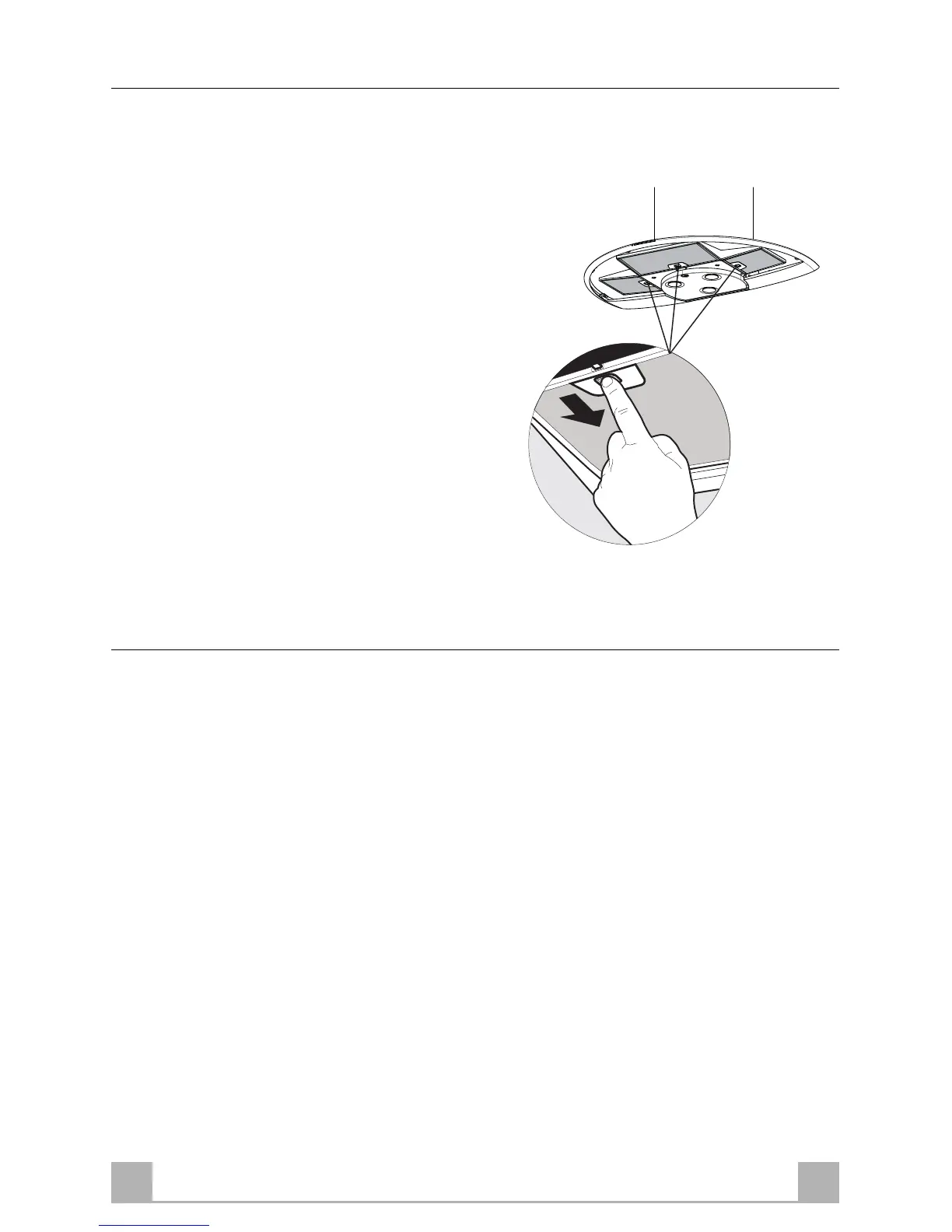
• Open the Comfort Panel using the knobs provided.
• Remove the filters one at a time by pushing them
towards the back of the group and pulling down
at the same time.
• Wash the Filters without bending them, and leave
them to dry thoroughly before replacing. ( The
surface of the filter may change colour after a
time, but this has absolutely no effect on its
efficiency.)
• When refitting the filters, make sure that the
handle is visible on the outside.
• Close the comfort panel.
Activated charcoal filter (Recirculation version)
• The filter is not washable and cannot be regenerated. It must be replaced when led S1 flashes or at
least every 4 months. The alarm signal will only light up when the extractor motor is switched on.
Alarm signal activation
• In Recirculation version Hoods, the Filter saturation alarm can be enabled on installation or at a later
date.
• Turn the Lights and the suction Motor off.
• Press and hold the T3 button for at least 10 seconds, until the LEDs start to flash. Note the number
of flashes:
- 2 flashes of the LED Activated charcoal filter saturation alarm ENABLED.
- 1 flash of the LED Activated charcoal filter saturation alarm DISABLED;


 To Next Page