23GB
Alarm signal reset
• Turn the Lights and the suction Motor off, and
disable the 24h function if it has been enabled.
• Press T3 for at least 3 seconds, until the LEDs
flash in confirmation.
Replacing the Filter
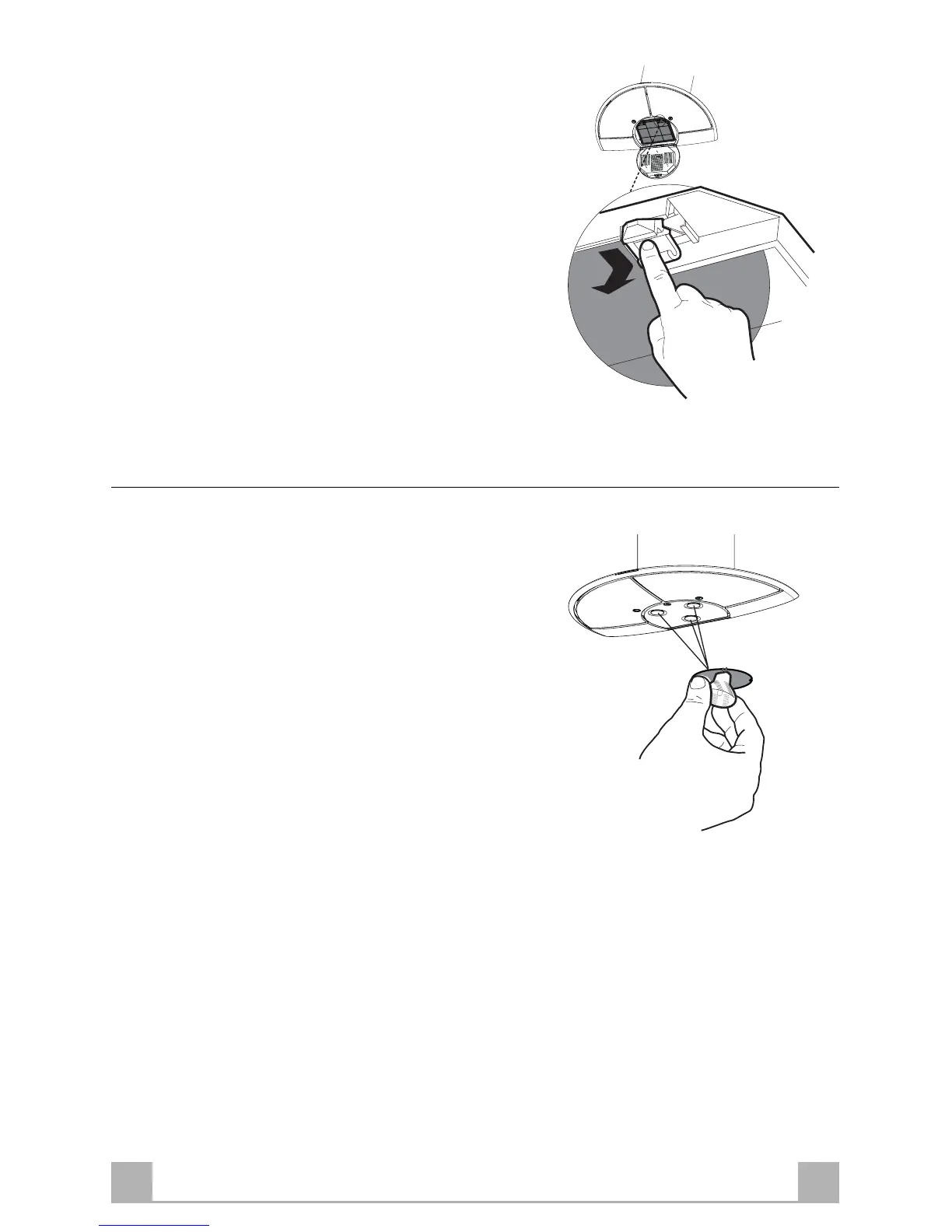
• Open the lighting unit by turning the knob
provided.
• Remove the saturated activated carbon filter by
releasing the fixing hooks
• Fit the new filter by hooking it into its seating
• Replace the lighting unit.
Lighting
LIGHT REPLACEMENT
20 W halogen light.
• Extract the lamp from the lamp holder by pulling
gently.
• Replace with another of the same type, making
sure that the two pins are properly inserted in the
lamp holder socket holes.


 To Previous Page