22
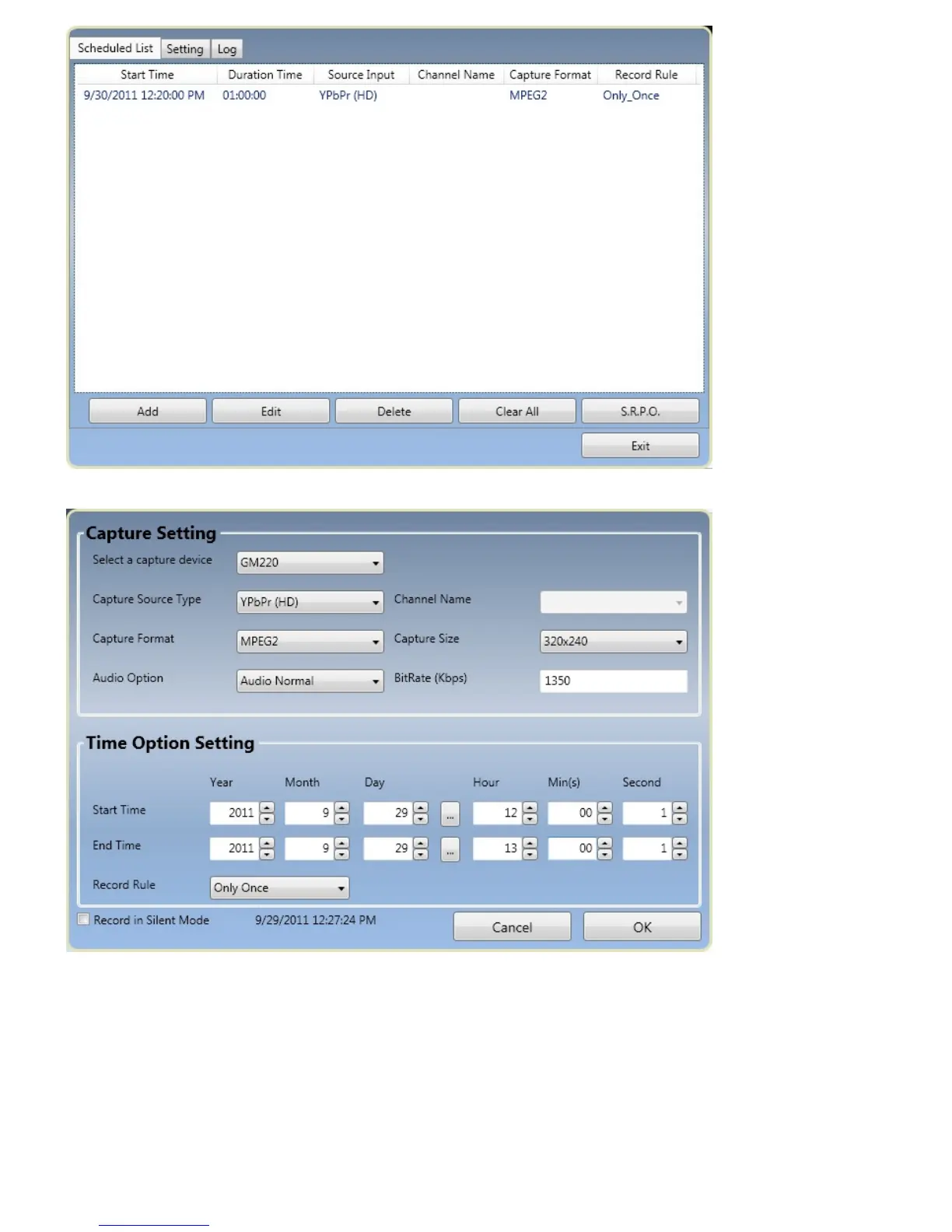
If you click “Add”, you can create a new recording schedule like the picture as below.
Capture Setting
․Select a Capture Device: select the device you are using
․Capture Source Type: select the source type you want to record
․Channel Name: choose the channel name from the list (Only for TV card/USB Stick products)
․Capture Format: choose your recording format
․Capture Size: choose the recording size you want
․Audio Option: configure your audio setting


 To Next Page