20/35
Safety Precautions
follow steps below.
In Home Screen, (Settings) Apps & notifications Emergency alerts Always alert at
full volume ( )
Vibration is enabled by default. To disable, follow steps below.
In Home Screen, (Settings) Apps & notifications Emergency alerts Vibration ( )
Emergency alerts may not be received during calls or transmissions, or when signal is weak.
Depending on usage/situation, handset may receive alerts for other areas or no alerts.
When receive setting is enabled, handset standby time becomes shorter.
SoftBank Corp. cannot be held liable for any damages associated with this service, including
accidents resulting from received information, reception timing, or reception/reception failure.
Bluetooth
®
Frequencies
Handset Bluetooth
®
function uses 2.402 GHz - 2.480 GHz frequencies in the 2.4 GHz band.
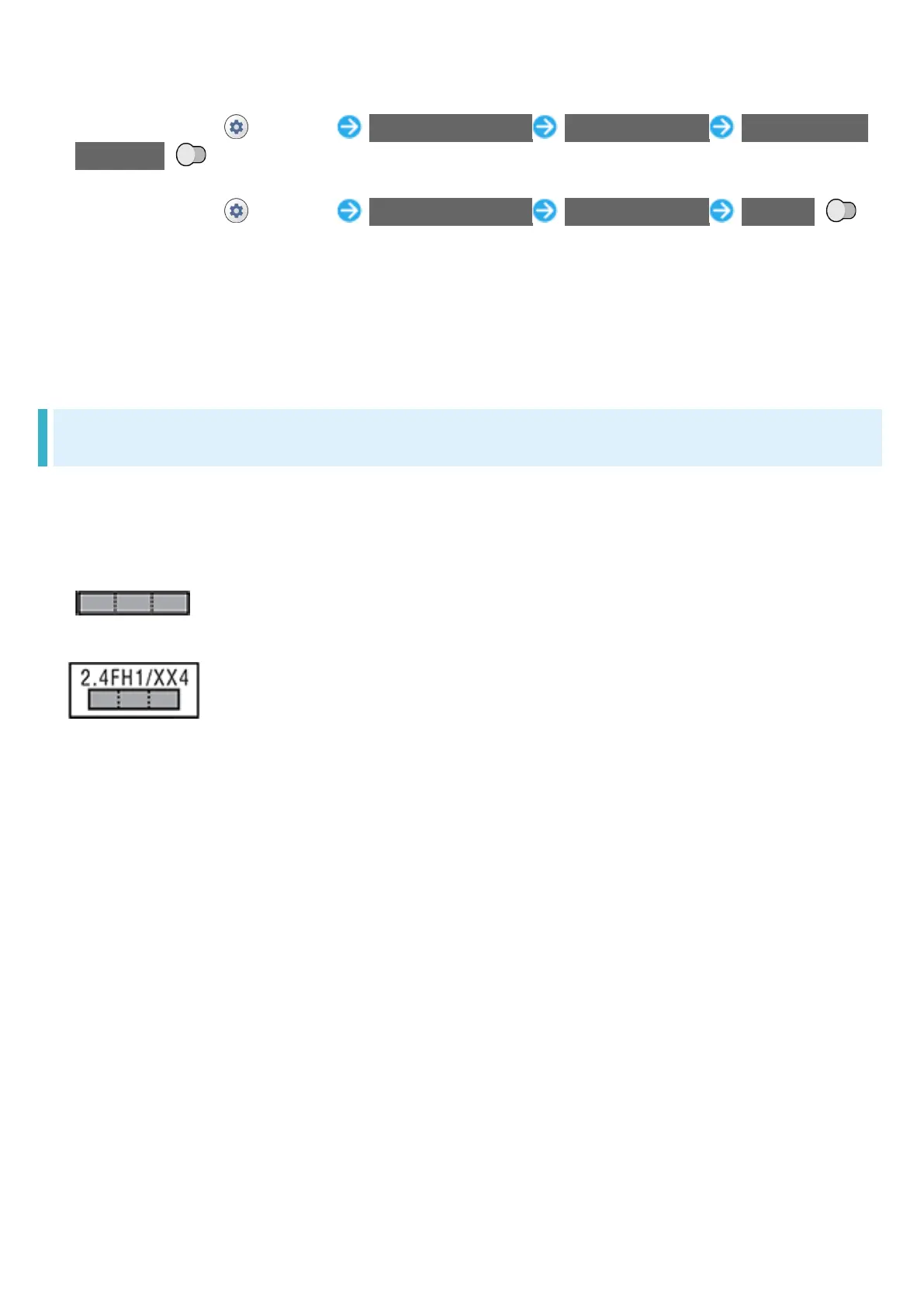
2.4FH1/XX4: Uses 2.4 GHz band, FH-SS and other modulation, with a maximum interference
range of 40 m.
: Utilizes 2.402 GHz - 2.480 GHz band without mobile device bandwidth
differentiation.
Bluetooth
®
Cautions
・Handset Bluetooth
®
function is certified as conforming to Japanese domestic and FCC
standards. Use is restricted in some countries/regions. Confirm local laws before use abroad.
・The 2.4 GHz band used by handset Bluetooth
®
function is shared by other devices. Handset
Bluetooth
®
function tries to minimize effects of other devices using the same bandwidth, but
connection speed and distance may be reduced or function may be disconnected.
・Connection speed and distance vary depending on distance between connected devices,
obstacles, and Bluetooth
®
devices.
Before Using Bluetooth
®
Bluetooth
®
operating frequency band is used by industrial, scientific, consumer and medical
equipment including microwave ovens, other similar radio stations, premises radio stations for
identifying mobile units used in manufacturing lines (radio stations requiring a license), specified
low power radio stations (radio stations requiring no license) and amateur radio stations
(hereafter, "other radio stations").
1. Before handset use, be sure "other radio stations" are not in use nearby.
2. If handset radio waves interfere with "other radio stations," promptly move or power off.
3. For further information, visit a SoftBank Shop or contact Customer Service.




 To Next Page