30/88
Preparing to Use Handset
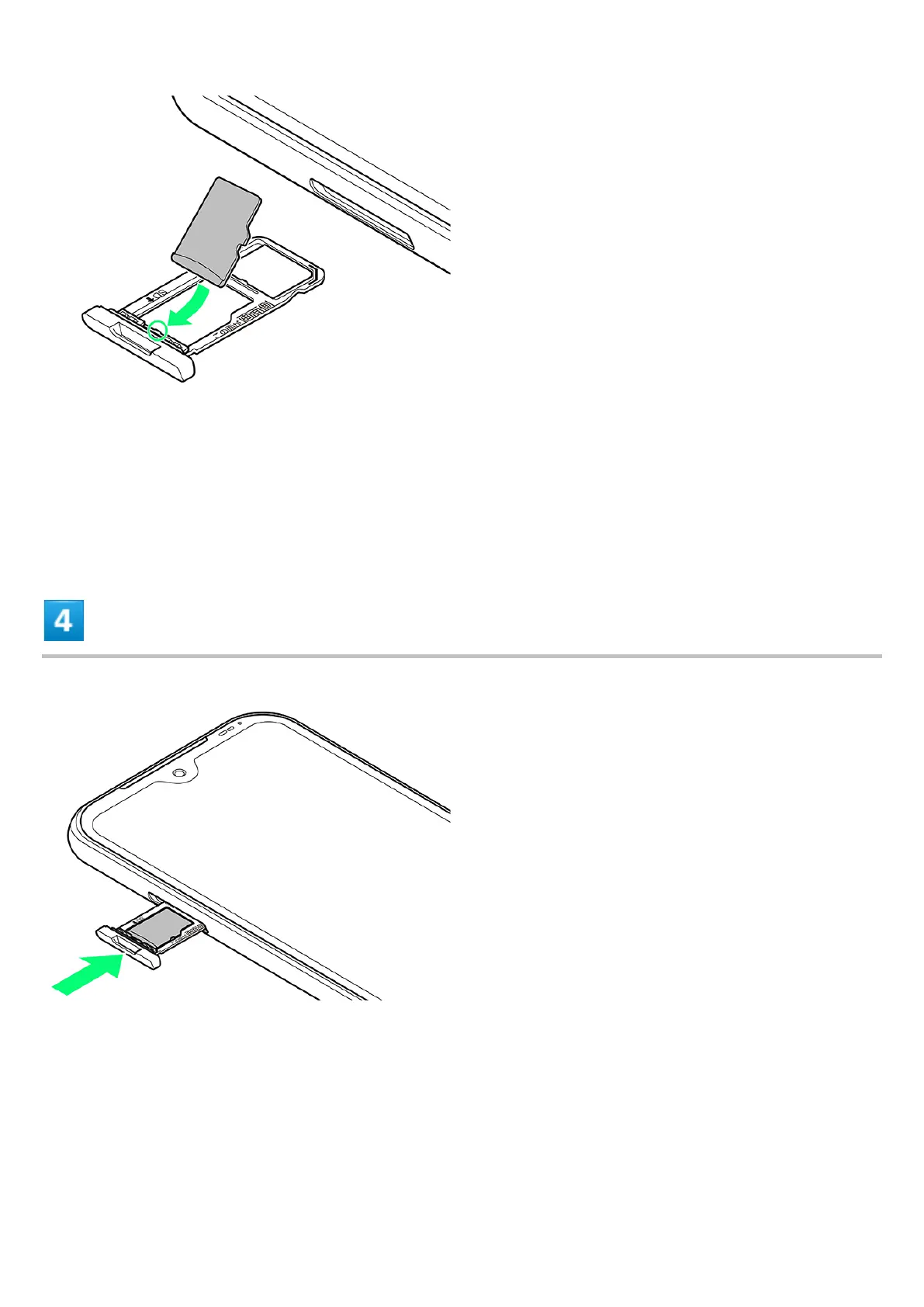
Set Card noting orientation of SD Card and with terminals facing down. Wrong orientation may
cause SD Card to fall or cause handset malfunction or damage.
Make sure SD Card is completely in SD/USIM Card Tray and not jutting upward.
Slide in SD Card in direction shown to avoid damaging tab on SD/USIM Card Tray.
Insert SD/USIM Card Tray
Insert slowly without bending in direction shown.
Note orientation of SD/USIM Card Tray. Wrong orientation may cause USIM Card or SD Card to
fall or cause handset malfunction or damage.












 To Next Page