EasyManua.ls Logo

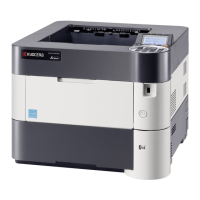
Kyocera ECOSYS P3055dn - User Manual

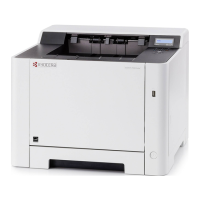
Kyocera ECOSYS P3055dn
356 pages
Print Icon
To Next Page IconTo Next Page
Loading...
OPERATION GUIDE
ECOSYS P3045dn
ECOSYS P3050dn
ECOSYS P3055dn
ECOSYS P3060dn
PRINT

Table of Contents

Other manuals for Kyocera ECOSYS P3055dn

Questions and Answers

  • C
    Casey ColemanAug 8, 2025
    What to do if Kyocera ECOSYS P3055dn cannot print with USB memory?
    • J
      Jeffrey BaxterAug 9, 2025
      If your Kyocera printer does not recognize the USB memory, first select Unblock in the USB host settings. Next, ensure the USB memory is securely plugged into the machine.
  • E
    Eric StevensAug 17, 2025
    What to do if Kyocera Printer printouts are wrinkled?
    • V
      Vanessa TaylorAug 17, 2025
      If your Kyocera printer prints wrinkled pages, make sure the paper is loaded correctly. Try also turning the paper orientation 180 degrees. If the paper is damp, replace it with new paper.
  • E
    elizabethrobinsonAug 29, 2025
    Why is my Kyocera ECOSYS P3055dn Printer emitting steam?
    • I
      irwingaryAug 29, 2025
      If your Kyocera printer is emitting steam, this is usually due to moisture in the paper evaporating during printing, especially in low room temperatures or with damp paper. This is generally not a problem, and you can continue printing. If the steam concerns you, raise the room temperature or use newer, dryer paper.

Kyocera ECOSYS P3055dn Specifications

General IconGeneral
Wi-Fi-
Security algorithmsHTTPS, IPPS, IPSEC, SSL/TLS
Web-based managementYes
Mobile printing technologiesApple AirPrint, Google Cloud Print, Kyocera Mobile Print, Mopria Print Service
ColorNo
Print technologyLaser
Maximum resolution1200 x 1200 DPI
Duplex printing modeAuto
Time to first page (black, normal)6.6 s
Print speed (black, normal quality, A4/US Letter)55 ppm
Printing colorsBlack
Maximum duty cycle- pages per month
Number of print cartridges1
Page description languagesEpson LQ, IBM ProPrinter XL24E, PCL 5c, PCL 6, PCL XL, PDF 1.7, PostScript 3
AC input voltage220 - 240 V
AC input frequency50 Hz
Power consumption (off)0.9 W
Power consumption (ready)11 W
Power consumption (printing)675 W
Noise level (ready)27.1 dB
Maximum internal memory2560 MB
Sound pressure level (printing)54.7 dB
Sound pressure level (quiet mode)50.4 dB
DisplayLED
CertificationTÜV-GS, CE
Product colorBlack, White
Display number of lines5 lines
Paper input typeCassette, Paper tray
Total input capacity500 sheets
Total output capacity- sheets
Maximum input capacity2600 sheets
Maximum number of input trays6
Multi-Purpose tray input capacity100 sheets
Custom media width70 - 216 mm
Custom media length148 - 356 mm
Duplex media weight60 - 120 g/m²
Maximum media length915 mm
Paper tray media typesBanner, Plain paper
Non-ISO print media sizesLetter
ISO A-series sizes (A0...A9)A4, A5, A6
ISO B-series sizes (B0...B9)B5
Maximum ISO A-series paper sizeA4
Multi-Purpose Tray media weight60 - 220 g/m²
Standard interfacesEthernet, USB 2.0
USB 2.0 ports quantity2
Other operating systems supportedAndroid, iOS
Sustainability certificatesENERGY STAR
Weight and Dimensions IconWeight and Dimensions
Depth416 mm
Width380 mm
Height320 mm

Related product manuals