8
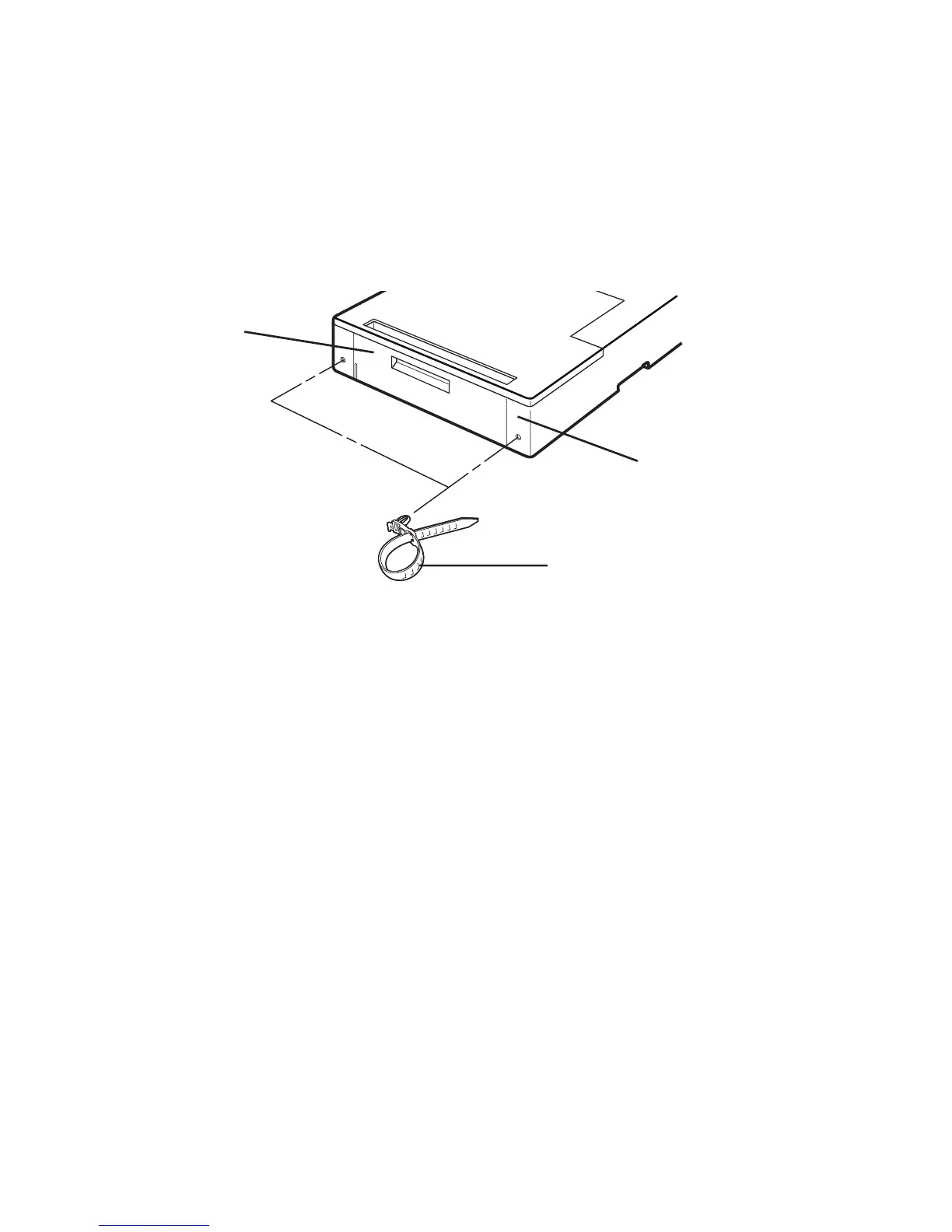
Using the cable holder
The cable holder provided together with the optional duplexer provides a
convenient means of bundling the printer’s power and interface cables. To use the
cable holder, press it into one of the holes to the left or right of the rear cover as
shown.
Printer memory for duplex printing
With duplex printing, the printer basically needs twice as much memory as is
required for simplex printing. Further, depending on the printer and the selected
printing environment, it may be necessary to expand printer memory in order to
perform duplex printing. For memory requirements, see the printer's User's
Manual.
Rear cover
Rear of duplexer
Cable holder (2)



 To Next Page