Operation
Using the interface
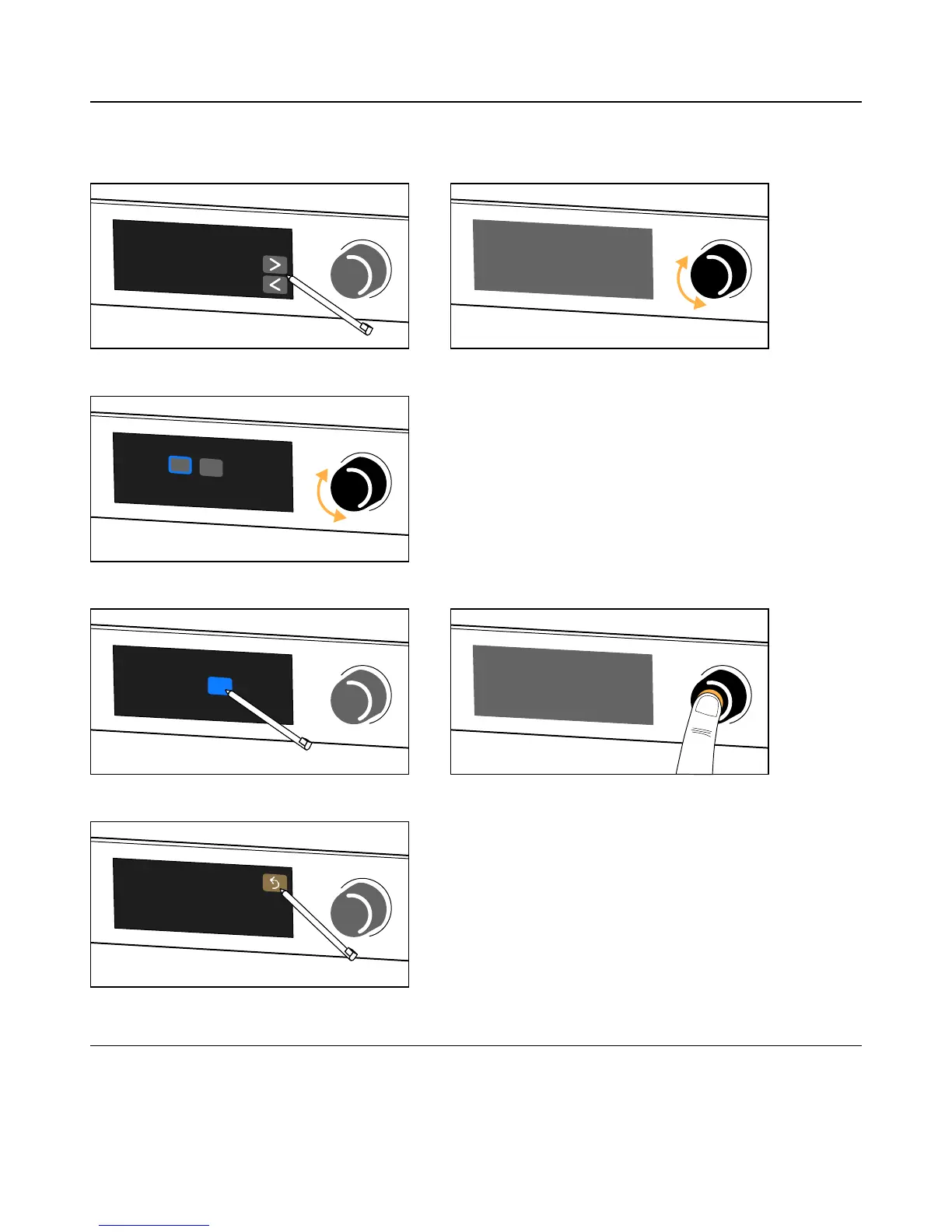
P1 is equipped with an encoding wheel with push button and a color touchscreen display.
Navigating between pages:
Changing selection or setting:
Validating selections:
Returning to the previous screen:
Unlocking the display
The interface can be locked and unlocked in LA Network Manager to prevent unintentional operations.
When the interface is locked, actions on the touchscreen display, and turns and short presses of the encoding wheel are
ignored. Instead the screen shows Display locked.
To unlock from the physical unit, press and hold the encoding wheel for about two seconds. The screen shows Display
unlocked.
22 P1 user manual (EN) version 2.1


 To Next Page