1
Introduction
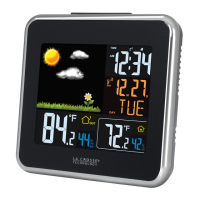
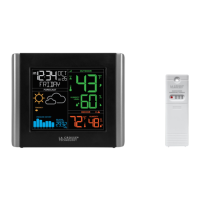
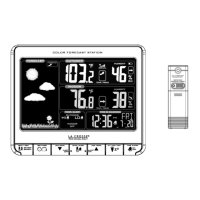
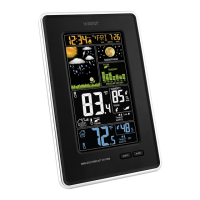
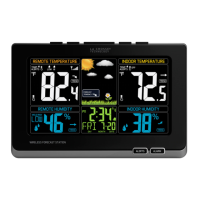
The Wireless Color Atomic Weather Station offers radio-controlled time, weather
forecast, indoor and outdoor temperature/humidity and heat index with dew point,
on one easy to read display.
COLOR WEATHER STATION:
FEATURES:
• Color animated forecast from changing barometric pressure:
sunny, partly sunny, cloudy, rainy and stormy
• AUTO or MANUAL option toggles IN / OUT data
• IN / OUT temperature (°F / °C) and humidity (%RH)
• MIN / MAX temperature readings.
• ATOMIC time and date (auto sets)
• 12/24-hour time with snooze alarm and alarm icon
• Calendar display: month, day, date
• Heat index and dew point
• Light up display with press of button using battery adapter
OR continuous light using AC adapter with ON /OFF option
• Low battery icon for weather station and sensor
• Sits on desktop or tabletop
• Transmits outdoor temperature and humidity
• Over 200 FT. wireless transmission range
INITIAL SET UP:
Adapter on the main unit with batteries or a/c adapter and set the time zone &
weather icon:
The Time Zone will flash EST. Press and release the UP or DOWN button to
select the Time Zone. Press and release the SET button.
The Weather Forecast Icons will flash. Press and release the UP or DOWN
button to select the forecast Icon that represents your current local weather.
Press and release the SET button to confirm.
The Temperature area will flash as the display searches for a signal from
the outdoor transmitter.
Insert fresh alkaline batteries into the transmitter, observing the correct
polarity Press the TX button to send a signal after the display is powered up.
Keep the transmitter 5-10 feet from the weather station.
Within 3 minutes the station will beep and the outdoor temperature should be
displayed on the Weather station. If the outdoor temperature is not displayed
after 3 minutes hold the SEARCH button on the main unit to search for
outdoor sensor. Then press the TX button again on the sensor to send
signal. If that doesn’t work, remove power from both units and start again
from the beginning.
To ensure sufficient 434 MHz transmission, the outdoor transmitter should be
placed a distance of no more than 200 feet (60 meters, open air) from the
Color Weather station.
INSTALL BATTERIES OR A/C POWER ADAPTER INTO THE WEATHER
STATION:
A/C power adapter:
Plug enclosed 6-volt a/c power adapter into a wall outlet, then into the weather
station.
Batteries:
Remove battery: Slide tab to the left and pull out to remove battery
cover.
Install three fresh AAA alkaline batteries according to the polarity
markings.
Do Not Mix Old and New Batteries
Do Not Mix Alkaline, Standard, or Rechargeable Batteries
If the weather station does not display indoor temperature after 60 seconds,
remove adapter and batteries, and wait for at least 60 seconds before powering up
the weather station again.
INSTALL BATTERIES IN THE TRANSMITTER:
Remove screws and the battery
cover from the back of the
transmitter with a small screwdriver.
Insert two fresh AAA alkaline
batteries into the transmitter,
observing the correct polarity (see
marking inside battery
compartment).
Keep transmitter 5-10 ft. from the
weather station.
FUNCTION BUTTONS
Button Press and Release Functions Hold 3-5 seconds
LIGHT/SNOOZE
Activates backlight when using
only batteries.
Trigger snooze when time alarm
is sounding.
TEMP. SEARCH
IN/OUT
Switch between indoor and
outdoor temperature/humidity
readings
Search for remote sensor
HEAT/DEW
Shows Heat Index and Dew
Point
MIN / MAX Shows MIN and MAX values Resets MIN / MAX values
LARM View Alarm Alarm set
SET Confirm setting.
Enter program menu, set
time, date, forecast icon etc.
RCC SEARCH
UP
Search for WWVB signal
1 step forward when setting
Fast advance when setting
C/F
DOWN
Select temperature in C/ F
1 step backward when setting
Fast backward when setting
LIGHT ON/OFF
AUTO ROTATE IN / OUT
Turn On or Off Auto-switch
between indoor/outdoor data.
Turn On or Off continuous
backlight on a/c adapter
WWVB RADIO CONTROLLED TIME
The NIST radio station, WWVB, is located in Ft. Collins, Colorado and transmits
the exact time signal continuously throughout the United States at 60 kHz. The
signal can be received up to 2,000 miles away through the internal antenna in the
atomic weather station. However, due to the nature of the Earth’s Ionosphere,
reception is very limited during daylight hours. The atomic weather station will
search for a signal every night when reception is best. The WWVB radio station
derives its signal from the NIST atomic weather station in Boulder, Colorado. A
team of atomic physicists continually measures every second of every day to an
accuracy of ten billionths of a second a day. These physicists have created an
international standard, measuring a second as 9,192,631,770 vibrations of a
Cesium 133 atom in a vacuum. This atomic weather station regulates the WWVB
transmitter.
WWVB RECEPTION icon with full signal strength will appear on screen if the
reception of atomic time is successful. The atomic weather station will have a daily
synchronization at 02:03 and 03:03 everyday. Each reception cycle is minimum
2.5 minutes and maximum 10 minutes.
In normal mode, press the RCC button until the reception icon appears to enforce
searching of radio-controlled clock signal. If this icon disappears afterwards, radio
time signal is not available at the moment.
308-805 Color Wireless
Atomic Weather Station
Function Buttons
A/C Adapter
access
Battery
compartment
Function
Buttons
Date display alternates
with Heat Index and
Dew Point display
WWVB Reception
Low Battery Temperature/humidity (indoor or outdoor)
Forecast Icons Time Alarm Icon
C/F Selection
TX
Button
Battery Battery
Com
artment Cover
Channel
Button
LIGHT/SNOOZE TEMP. SEARCH
IN/OUT HEAT/DEW MIN/MAX ALARM
SET
RCC SEARCH
UP
C/F
DOWN
LIGHT ON/OFF
AUTO ROTATE
IN / OUT

 Need help?
 Operating Environment
 Power
Power Weight and Dimensions

 To Next Page