EasyManua.ls Logo

La Crosse Technology 616-146v2 - User Manual

La Crosse Technology 616-146v2
10 pages
Print Icon
To Next Page IconTo Next Page
Loading...
La Crosse Technology, Ltd. www.lacrossetechnology.com/support Page 1
616-146V2 FAQS
The links below will work in most PDF viewers and link to the topic area by clicking the link. We
recommend Adobe Reader version 10 or greater available at: http://get.adobe.com/reader
CONTENTS
616-146v2 FAQS ....................................................................................................................... 1
Projection Alarm Factory Restart ........................................................................................... 2
Outdoor Temperature Sensor ................................................................................................. 2
Compatible Outdoor Sensors ................................................................................................. 2
Quick Connect ........................................................................................................................ 2
Batteries ................................................................................................................................... 3
Power Requirements .............................................................................................................. 3
Dashes show for Outdoor Temperature .................................................................................. 3
Inaccurate Outdoor Temperature Reading ............................................................................. 3
Intermittent Outdoor Temperature .......................................................................................... 3
Outdoor Temperature is stuck or HH.H, LL.L .......................................................................... 4
Outdoor sensor drains batteries quickly .................................................................................. 4
Outdoor sensor fell. The sensor no longer works .................................................................... 4
Mounting/Positioning Outdoor sensor ..................................................................................... 4
Position Projection Alarm........................................................................................................ 5
Distance/Resistance/Interference ........................................................................................... 5
Projection Alarm ...................................................................................................................... 6
How tall are the time numbers? .............................................................................................. 6
Power Requirements .............................................................................................................. 6
12-Hour or 24-Hour time format .............................................................................................. 6
Fahrenheit/Celsius.................................................................................................................. 6
Dashes, HH.H, LL.L or stuck Indoor Temperature .................................................................. 6
Inaccurate Indoor Temperature Reading ................................................................................ 6
Time is off by hours ................................................................................................................ 6
Supported Time Zones ........................................................................................................... 7
Manually Set Time/Date: Program Menu ............................................................................... 7
Set Time Alarm ....................................................................................................................... 7
Activate/Deactivate time alarm ............................................................................................... 8
Snooze Alarm ......................................................................................................................... 8
USB Charge Port .................................................................................................................... 8
Projection not working ............................................................................................................ 8
Projection Adjustments ........................................................................................................... 8

Other manuals for La Crosse Technology 616-146v2

Question and Answer IconNeed help?

Do you have a question about the La Crosse Technology 616-146v2 and is the answer not in the manual?

Summary

Projection Alarm Factory Restart

Outdoor Temperature Sensor

Quick Connect

Reconnects projection alarm and outdoor sensor after losing connection due to interference or low batteries.

Batteries

Power Requirements

Specifies battery type (Alkaline/Lithium) and voltage needed for outdoor sensor and projection alarm.

Dashes show for Outdoor Temperature

Dashes indicate lost connection between the outdoor sensor and projection alarm, often resolved by checking batteries or placement.

Inaccurate Outdoor Temperature Reading

Explains high/low readings are often due to location or power issues, suggesting side-by-side tests.

Intermittent Outdoor Temperature

Addresses intermittent RF communication issues, recommending moving the sensor closer or checking batteries.

Outdoor Temperature is stuck or HH.H, LL.L

Error messages indicating the outdoor sensor is outside its readable range, often due to battery issues.

Outdoor sensor drains batteries quickly

Troubleshooting steps for rapid battery depletion, including testing new batteries and checking distance/resistance.

Outdoor sensor fell. The sensor no longer works

Guidance on issues after a fall, including checking for physical damage, trying a restart, and battery replacement.

Replacement Outdoor Sensors

Mounting;Positioning Outdoor sensor

Position Projection Alarm

Recommendations for placing the projection alarm away from interference sources for optimal signal reception.

Distance;Resistance;Interference

Factors affecting RF signal range, including obstacles, distance, and interference sources like metal or stucco.

Projection Alarm

How tall are the time numbers?

Details the physical size of the time display numbers on the projection alarm.

Power Requirements

Information on the projection alarm's power source, including AC adapter and optional batteries.

12-Hour or 24-Hour time format

Instructions on how to switch between 12-hour and 24-hour time display formats.

Fahrenheit;Celsius

Guide on using the button to select temperature readings in Fahrenheit or Celsius.

Dashes, HH.H, LL.L or stuck Indoor Temperature

Troubleshooting error messages for indoor sensor readings, often related to power or range issues.

Inaccurate Indoor Temperature Reading

Addresses inaccurate indoor readings, suggesting checks for location, heat sources, and battery status.

Time is off by hours

Troubleshooting steps for time discrepancies, checking WWVB signal reception and time zone settings.

Supported Time Zones

Lists the seven time zones supported by the atomic projection alarm for accurate time synchronization.

Manually Set Time;Date: Program Menu

Detailed steps for manually setting time, date, and other preferences via the program menu.

Set Time Alarm

Instructions for setting the time alarm by adjusting hours and minutes.

Activate;Deactivate time alarm

How to turn the time alarm on or off, indicated by an alarm icon.

Snooze Alarm

Instructions on how to activate the snooze function for the alarm, which can repeat up to three times.

USB Charge Port

Information about the integrated USB port for charging external devices, with power output details.

Projection not working

Troubleshooting steps for when the projection display is not visible, checking ON/OFF, A/C cord, and outlets.

Projection Adjustments

Guidance on adjusting projection image rotation, mode, and intensity settings.

Daylight Saving Time

No WWVB Tower Icon

Projection alarm is dim

Projection alarm has distorted or frozen display

Projection alarm is blank: No letters, numbers or dashed lines

Projection alarm drains batteries quickly

Projection alarm has missing segments

Summary

Projection Alarm Factory Restart

Outdoor Temperature Sensor

Quick Connect

Reconnects projection alarm and outdoor sensor after losing connection due to interference or low batteries.

Batteries

Power Requirements

Specifies battery type (Alkaline/Lithium) and voltage needed for outdoor sensor and projection alarm.

Dashes show for Outdoor Temperature

Dashes indicate lost connection between the outdoor sensor and projection alarm, often resolved by checking batteries or placement.

Inaccurate Outdoor Temperature Reading

Explains high/low readings are often due to location or power issues, suggesting side-by-side tests.

Intermittent Outdoor Temperature

Addresses intermittent RF communication issues, recommending moving the sensor closer or checking batteries.

Outdoor Temperature is stuck or HH.H, LL.L

Error messages indicating the outdoor sensor is outside its readable range, often due to battery issues.

Outdoor sensor drains batteries quickly

Troubleshooting steps for rapid battery depletion, including testing new batteries and checking distance/resistance.

Outdoor sensor fell. The sensor no longer works

Guidance on issues after a fall, including checking for physical damage, trying a restart, and battery replacement.

Replacement Outdoor Sensors

Mounting;Positioning Outdoor sensor

Position Projection Alarm

Recommendations for placing the projection alarm away from interference sources for optimal signal reception.

Distance;Resistance;Interference

Factors affecting RF signal range, including obstacles, distance, and interference sources like metal or stucco.

Projection Alarm

How tall are the time numbers?

Details the physical size of the time display numbers on the projection alarm.

Power Requirements

Information on the projection alarm's power source, including AC adapter and optional batteries.

12-Hour or 24-Hour time format

Instructions on how to switch between 12-hour and 24-hour time display formats.

Fahrenheit;Celsius

Guide on using the button to select temperature readings in Fahrenheit or Celsius.

Dashes, HH.H, LL.L or stuck Indoor Temperature

Troubleshooting error messages for indoor sensor readings, often related to power or range issues.

Inaccurate Indoor Temperature Reading

Addresses inaccurate indoor readings, suggesting checks for location, heat sources, and battery status.

Time is off by hours

Troubleshooting steps for time discrepancies, checking WWVB signal reception and time zone settings.

Supported Time Zones

Lists the seven time zones supported by the atomic projection alarm for accurate time synchronization.

Manually Set Time;Date: Program Menu

Detailed steps for manually setting time, date, and other preferences via the program menu.

Set Time Alarm

Instructions for setting the time alarm by adjusting hours and minutes.

Activate;Deactivate time alarm

How to turn the time alarm on or off, indicated by an alarm icon.

Snooze Alarm

Instructions on how to activate the snooze function for the alarm, which can repeat up to three times.

USB Charge Port

Information about the integrated USB port for charging external devices, with power output details.

Projection not working

Troubleshooting steps for when the projection display is not visible, checking ON/OFF, A/C cord, and outlets.

Projection Adjustments

Guidance on adjusting projection image rotation, mode, and intensity settings.

Daylight Saving Time

No WWVB Tower Icon

Projection alarm is dim

Projection alarm has distorted or frozen display

Projection alarm is blank: No letters, numbers or dashed lines

Projection alarm drains batteries quickly

Projection alarm has missing segments

Overview

This document provides a comprehensive FAQ for the 616-146v2 Projection Alarm, covering various aspects of its functionality, troubleshooting, and maintenance.

Function Description

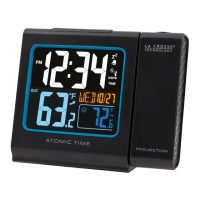
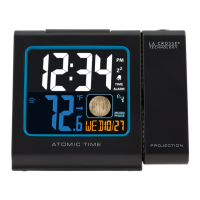
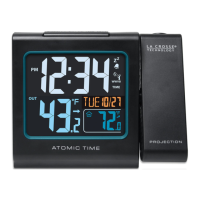
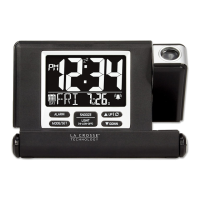
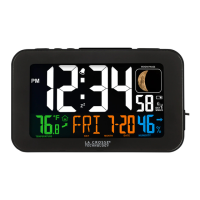
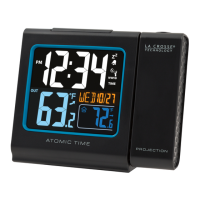
The 616-146v2 Projection Alarm is a device that displays time and outdoor temperature, with the added feature of projecting this information onto a surface. It includes an outdoor temperature sensor for external readings and an indoor sensor for internal temperature. The alarm also features a time alarm with snooze functionality and a USB charging port. It is designed to receive WWVB atomic time signals for accurate timekeeping in North America.

Important Technical Specifications

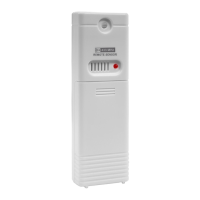
  • Outdoor Temperature Sensor: The device is compatible with TX141-v2, TX141, and TX14 (433MHz) outdoor sensors.
  • Transmission Range: The maximum transmitting range in open air is over 200 feet (60 meters) between the outdoor sensor and the projection alarm. This range can be reduced by obstacles such as walls, windows, stucco, concrete, and large metal objects.
  • Power Requirements:
    • Projection Alarm: Powered by a 5-volt AC power adapter. Optional 2-AAA alkaline batteries can be used for backup.
    • Outdoor Sensor: Powered by 2-AA batteries. Alkaline batteries are recommended, but Lithium batteries can be used for temperatures below -20°F/-28.8°C. A minimum voltage of 1.48V per battery is necessary for proper performance.
  • USB Charge Port: Provides 0.5A maximum current for charging external devices.
  • Time Display: Can display in 12-hour (am, pm) or 24-hour format.
  • Temperature Display: Can display in Fahrenheit or Celsius.
  • Time Number Height: The projected time numbers are 1.18 inches tall.
  • Supported Time Zones: AST (Atlantic), EST (Eastern), CST (Central), MST (Mountain), PST (Pacific), AKT (Alaska), HAT (Hawaiian).

Usage Features

  • Factory Restart: A comprehensive reset procedure to return the projection alarm and outdoor sensor to an "out-of-the-box" state, often resolving various issues. This involves removing all power, pressing buttons multiple times to clear memory, leaving units unpowered for 15 minutes, then re-powering with AC for the alarm and fresh batteries for the sensor, pressing the TX button on the sensor, and allowing 15 minutes for connection without pressing buttons.
  • Quick Connect: A simpler reconnection method for units that have lost connection due to interference or low batteries. This involves bringing the sensor and alarm close together, holding the +/TEMP button on the alarm until the outdoor temperature area flashes, pressing the TX button on the sensor, and waiting 2 minutes for the temperature to appear.
  • Projection Features:
    • Rotation: The projected image can be rotated 90 degrees by pressing and releasing the PROJECTION button.
    • Modes: Projection modes include "Time and Outdoor Temperature" (alternating every 5 seconds), "Time only," and "Outdoor Temperature only." These can be cycled by holding and releasing the PROJECTION button.
    • Intensity: The projection brightness is adjustable to High, Low, or OFF using the SNOOZE/LIGHT button when operating on AC power.
    • Battery Power Projection: When operating on battery power only, pressing the SNOOZE/LIGHT button will show the projection for 10 seconds; it will not stay on constantly.
  • Time Setting:
    • Atomic Time (WWVB): The alarm attempts to receive WWVB signals from Ft. Collins, CO, for automatic time synchronization. Users can manually turn WWVB reception ON/OFF.
    • Manual Time/Date Setting: Accessible through the Program Menu (using the SET/°F/°C button), allowing users to set WWVB ON/OFF, Time Zone, Daylight Saving Time (DST) ON/OFF, 12/24 Hour format, Hour, Minutes, Year, Month, and Date.
    • Time Zone Selection: Users can select from seven North American time zones.
    • Daylight Saving Time (DST): The device can automatically adjust for DST if the indicator is ON.
  • Time Alarm:
    • Setting: Hold the ALARM button for three seconds to enter alarm set mode, then use ARROW buttons to set the hour and minutes.
    • Activation/Deactivation: Press and release the ALARM button repeatedly to turn the alarm ON/OFF. An alarm icon indicates when the alarm is active.
    • Snooze: When the alarm sounds, pressing the HI/LOW/OFF button activates a 10-minute snooze, repeatable up to three times.
  • Temperature Unit Selection: Use the SET/°F/°C button to switch between Fahrenheit and Celsius.
  • USB Charge Port: Located on the back, it allows charging of external devices when the projection alarm is plugged into a power outlet.

Maintenance Features

  • Battery Management:
    • Outdoor Sensor: Use fresh Alkaline or Lithium batteries. Check battery expiration dates (at least six years in advance of the current year are recommended). Good name-brand batteries are advised to reduce RF interference.
    • Projection Alarm: If using optional batteries, ensure they are fresh Alkaline batteries with correct polarity.
    • Troubleshooting: Many issues (e.g., dashes for outdoor temperature, inaccurate readings, quick battery drain, missing segments) are often resolved by replacing batteries with fresh ones or performing a factory restart.
  • Outdoor Sensor Positioning:
    • Vertical Mounting: Mount outdoor sensors vertically.
    • Protection: Protect the sensor from standing rain, snow, and direct overhead sun. Mounting under an eave or deck rail is effective.
    • Location: Mount on the North side to prevent incorrect readings from sunlight. Mount at least 6 feet high for a strong RF signal.
    • Water Resistance: Outdoor sensors are water resistant but not waterproof; avoid prolonged submersion.
    • Obstruction Avoidance: Avoid more than one wall between the sensor and the alarm. Keep away from electrical wires, transmitting antennas, and metal objects (e.g., metal fences) that can interfere with the signal or reduce range.
    • Side-by-Side Test: To diagnose inaccurate outdoor temperature readings, bring the outdoor sensor inside next to the projection alarm for 2 hours and compare readings.
  • Projection Alarm Positioning:
    • Placement: Place within range of the outdoor sensor, ideally 6 feet or more from other electronics (cordless phones, wireless gaming systems, TVs, microwaves, routers, baby monitors) to prevent signal interference.
    • WWVB Reception: For better WWVB signal reception, position the alarm in a window (front or back facing Colorado) or near an outside wall.
  • Troubleshooting Steps:
    • No Connection (Dashes): Replace batteries, check distance/resistance, turn the projection alarm 90 degrees for better reception, try quick connect or factory restart.
    • Inaccurate Outdoor Temperature: Check sensor location for heat sources (sunlight, windows, reflected heat). Perform a side-by-side test.
    • Intermittent Outdoor Temperature: Move sensor closer, check distance/resistance, check batteries.
    • Stuck/HH.H/LL.L Temperature: Replace batteries, replace outdoor sensor.
    • Outdoor Sensor Drains Batteries Quickly: Test new alkaline batteries, check distance/resistance, check for leaking batteries.
    • Outdoor Sensor Fell/No Longer Works: Perform a restart with fresh batteries, use batteries dated at least six years in advance.
    • Time Off by Hours: Check for WWVB Tower icon, verify correct Time Zone and DST settings in the Program Menu, reposition the alarm for better WWVB reception.
    • Projection Alarm Dim: Often power-related. Remove batteries, press buttons 20 times, leave unpowered for 1-2 hours, install fresh alkaline batteries.
    • Distorted/Frozen Display: Check for thin plastic scratch guard on the screen. Perform power cycle (remove batteries, press buttons 20 times, leave unpowered for 2 hours, reinsert batteries).
    • Blank Display: Check battery installation, power cycle.
    • Drains Batteries Quickly (Projection Alarm): Test new alkaline batteries, check for leaking batteries.
    • Missing Segments: Often power-related. Power cycle.
  • WWVB Signal Search: The projection alarm will temporarily turn off its backlight, projection, and USB charging port during its 2-10 minute WWVB signal search (late night/early morning hours) to avoid interference. These functions will resume afterward.

La Crosse Technology 616-146v2 Specifications

General IconGeneral
BrandLa Crosse Technology
Model616-146v2
CategoryAlarm Clock
LanguageEnglish

Related product manuals