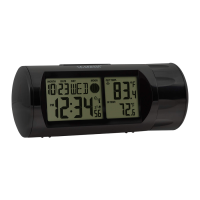
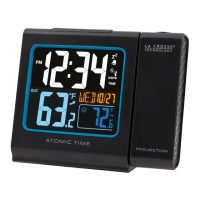
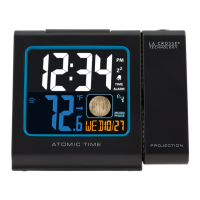
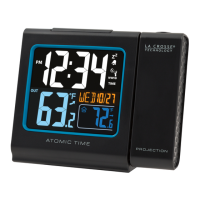
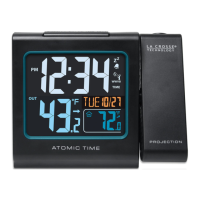
The La Crosse Technology Travel Projection Alarm Clock (Model: 616A-56647) is a compact and portable alarm clock designed for travel, featuring time projection, adjustable backlight, and a USB charging port for mobile devices.
Function Description:
This device primarily functions as an alarm clock with a time projection feature. It displays the current time, alarm time, and calendar information. The projection feature allows the time to be displayed on a wall or ceiling, which can be rotated for optimal viewing. It also includes an alarm function with snooze capability and a USB port for charging mobile devices.
Important Technical Specifications:
- Power Requirements: 2 "AAA" batteries (not included) for basic operation.
- Optional Power: Micro-USB Power Cord (included) for constant backlight, projection, and USB charging.
- Battery Life: Over 6 months with AAA batteries.
- Dimensions (Open): 4.5" L x 3" W x 3" H (114.3 x 76.2 x 76.2 mm).
- Dimensions (Closed): 4.5" L x 0.94" W x 3" H (114.3 x 24 x 76.2 mm).
- USB Power Output: 1 Amp maximum current for charging mobile devices.
- Display: Digital display for time, alarm, and calendar.
- Projection: Red LED projection of the time.
Usage Features:
- Power Up:
- Insert two AAA batteries into the back, observing correct polarity, with the cover/stand closed.
- Firmly pull the cover/stand open from the top to view the clock.
- For constant, adjustable backlight and projection, insert the Micro-USB power cable into the clock and the USB end into a computer USB port or a USB outlet.
- Settings Menu:
- Hold the
MODE/SET button to enter the Settings Menu.
- Use
UP or DOWN buttons to adjust values (hold to adjust quickly).
- Press
MODE/SET to confirm and move to the next item.
- Settings order: 12/24 Hour Time Format, Hour, Minutes, Year, Month, Date. Weekday sets automatically.
- Time Alarm:
- Set Alarm:
- Press
ALARM to view alarm time.
- While viewing, hold
ALARM to enter Alarm Settings.
- Use
UP or DOWN to adjust values.
- Press
ALARM to confirm and move to the next item.
- Alarm settings order: Hour, Minutes.
- Silence Alarm: Press any button except
SNOOZE/LIGHT to silence a sounding alarm for 24 hours.
- Activate/Deactivate Alarm:
- Press
ALARM to view alarm time.
- While viewing, hold
ALARM to activate or deactivate the alarm.
- The Alarm Icon will show when the alarm is active.
- Snooze: When the alarm sounds, press
SNOOZE/LIGHT to silence it for 10 minutes. "Zz" will show. The alarm will sound with increasing frequency for two minutes, then shut off automatically if not silenced.
- Custom Display Modes:
- Press
MODE/SET to switch between Alarm Time and Calendar displays.
- Adjustable Backlight:
- USB Powered: Press
SNOOZE/LIGHT to adjust backlight intensity (2 brightness levels + off).
- Battery Powered: Press
SNOOZE/LIGHT for a 10-second backlight and projection. Constant backlight requires Micro-USB power.
- Projection:
- Tilt Image: The Projection Arm can tilt forward and backward to adjust the projection location.
- Rotate Image: Press
UP to rotate the projected image in 90° increments.
- Battery Power: Press
SNOOZE/LIGHT to view the projection image and backlight for 10 seconds.
- Important: The clock needs Micro-USB power for constant projection.
- USB Charging Port:
- Important: The clock must be connected to Micro-USB power to charge a mobile device.
- Connect your external device's USB charging cable (not included) to the USB Charging Port.
- Charging times will vary.
- USB Power Output: 1 Amp maximum current.
- Charge 1A devices or devices that are self-regulating.
- Note: Not designed to charge tablets or devices requiring more than 1A current.
Maintenance Features:
- Restart: Unplug the Micro-USB cable, remove batteries, press any button 20 times, wait 15 minutes, then return to Step 1 of "Power Up."
- Battery Replacement Instructions:
- Always purchase the correct size and grade of battery.
- Replace the whole set of batteries at one time; do not mix old and new, or different types.
- Clean battery contacts before installation.
- Ensure correct polarity (+ and -).
- Remove batteries during periods of non-use to prevent leakage and corrosion.
- Dispose of used batteries promptly and according to local regulations.
- Warranty: La Crosse Technology, Ltd. provides a 1-year limited time warranty from the date of purchase, covering manufacturing defects.
- Support: Contact customer support via phone (1.608.782.1610 Mon-Fri: 8am-6pm CST), email (bit.ly/contact_techsupport), or self-help resources (bit.ly/616a-56647).
- FCC Statement: Complies with Part 15 of FCC Rules. Designed to provide reasonable protection against harmful interference. Users are advised to reorient/relocate receiving antenna, increase separation, connect to a different circuit, or consult a technician if interference occurs.
- CA Warning: This product may expose users to chemicals like acrylonitrile, butadiene, and styrene, known to cause cancer and birth defects or other reproductive harm. For more information, visit www.P65Warnings.ca.gov.
- Canada Statement: Contains licence-exempt transmitter(s)/receiver(s) complying with Innovation, Science and Economic Development Canada's licence-exempt RSS(s). Operation is subject to not causing interference and accepting any interference received.

 Need help?
 General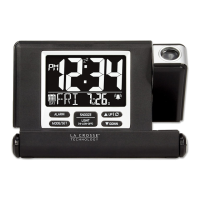



 To Next Page