
 Need help?
Do you have a question about the La Crosse Technology 724-1409V2 and is the answer not in the manual?
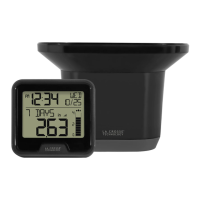
Install batteries in the Rain Sensor and Rain Station, then place the sensor outside.
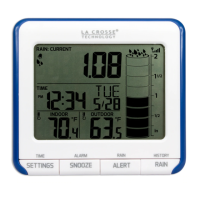
Hold HISTORY/TIME SET to enter; use +/- to adjust and HISTORY/TIME SET to confirm.
Press to view rain readings; hold to set 24-hour rain alert.
Press to view monthly records; hold to enter settings menu.
In settings, press to decrease value; hold to reset individual rain records.
Rain from the start of an event until 30 minutes of no rainfall.
 Operating Environment
| indoor temperature range | 32°F to 99°F (0°C to 37°C) |
|---|
 Power
Power| power requirements | 2 “AA” Batteries (not included) |
|---|---|
| battery life | Over 12 months |
 Weight and Dimensions
| dimensions | 3.55” L x 1.19” W x 3.35” H (9.02 cm L x 3.02 cm W x 8.52 cm H) |
|---|
Rain Measurement| rainfall range | 0-393.6 in (0-9999mm) |
|---|
Transmission| transmission range | 330 ft (100 m) open air RF 433MHz |
|---|---|
| transmission interval | Every 45 seconds |
Power| power requirements | 2 “AA” Batteries (not included) |
|---|---|
| battery life | Over 12 Months |
Weight and Dimensions| dimensions | 7.16” L x 5.03” W x 5.23” H (18.2 cm L x 12.8 cm W x 13.3 cm H) |
|---|


 To Next Page