Model: T83653 www.lacrossetechnology.com/support Page | 1
Model: T83653
Manual
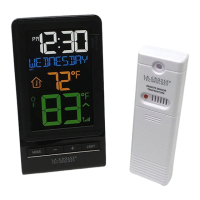
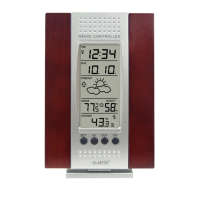
This Wireless Color Forecast Station with backlit display provides real-time weather straight from your
backyard. It has a USB charging port to charge your smartphone or other device. The animated color
forecast icons react to changing barometric pressure. Monitor indoor and outdoor temperature with daily
min/mix records and humidity, track weather trends and set your own high and low temperature alerts--all
in one convenient device for your desktop or bedside table. It also features heat index, dew point, digital
time and date with snooze alarm, and has a wireless transmission range of over 200 ft. to the backyard
temp./humidity sensor.
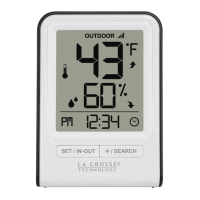
Wireless Color Forecast Station with TX141TH-B Outdoor Transmitter
Get Support: www.lacrossetechnology.com/t83653
Initial Startup
Step 1: Insert the included 5-volt AC power adapter into forecast station and then into wall outlet.
Step 2: Insert 3 NEW AAA batteries (not included) into the forecast station. Observe the correct polarity.
Step 3: Insert 2 NEW AA batteries (not included) into the TX141TH-B transmitter. Observe the correct
polarity.
Restart: If there is no outdoor temperature data after 3 minutes, unplug the AC adapter and remove
batteries from the forecast station & transmitter for 15 minutes. Return to Step 1 above.
Out Temperature
Humidity + Trends
Animated Forecast
+ Trends
Humidity + Trends

 Need help?
 General






 To Next Page