WIRELESS RAIN STATION Page | 4
For better programming instructions, please note these terms for button use:
• Press: Press the designated button.
• Hold: Hold the button for 3 seconds (or 5 seconds if resetting) then release the button.
Note: For any function other than Factory Reset, be sure to press or hold only one button at a time.
Note: If no buttons are pressed for 10 seconds your station will return to normal rain display.
BASIC SETTINGS
1. Hold the SET button to enter the Settings Menu.
2. Use the + or
–
button to adjust, and SET to confirm.
3. Press the LIGHT button at any time to exit.
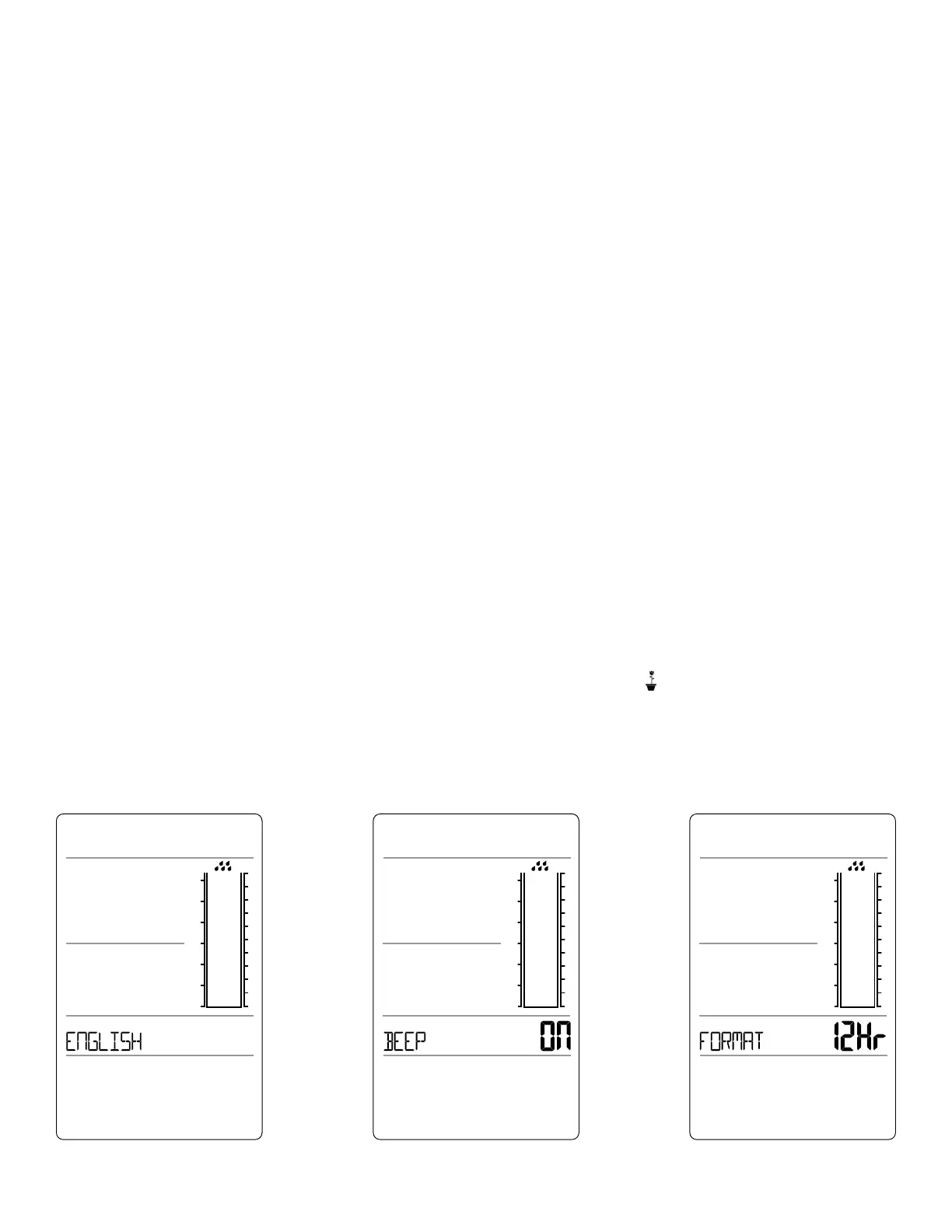
Settings Menu Order:
• Language (English, Español, Français)
• Beep ON/OFF
• 12/24 Hour Format
• Hour
• Minutes
• Year
• Month
• Date
• Temperature: Fahrenheit/Celsius
• Rainfall: Inches/Millimeters
• Rainfall: AVERAGE/HIGH/LOW
Note: This final setting is only used to define changes to the Flower Icon . See chart for details.
Note: Weekday will set automatically when Year, Month and Date are set.
LANGUAGE BEEP ON/OFF 12/24 HOUR FORMAT


 To Next Page