WIRELESS RAIN STATION Page | 9
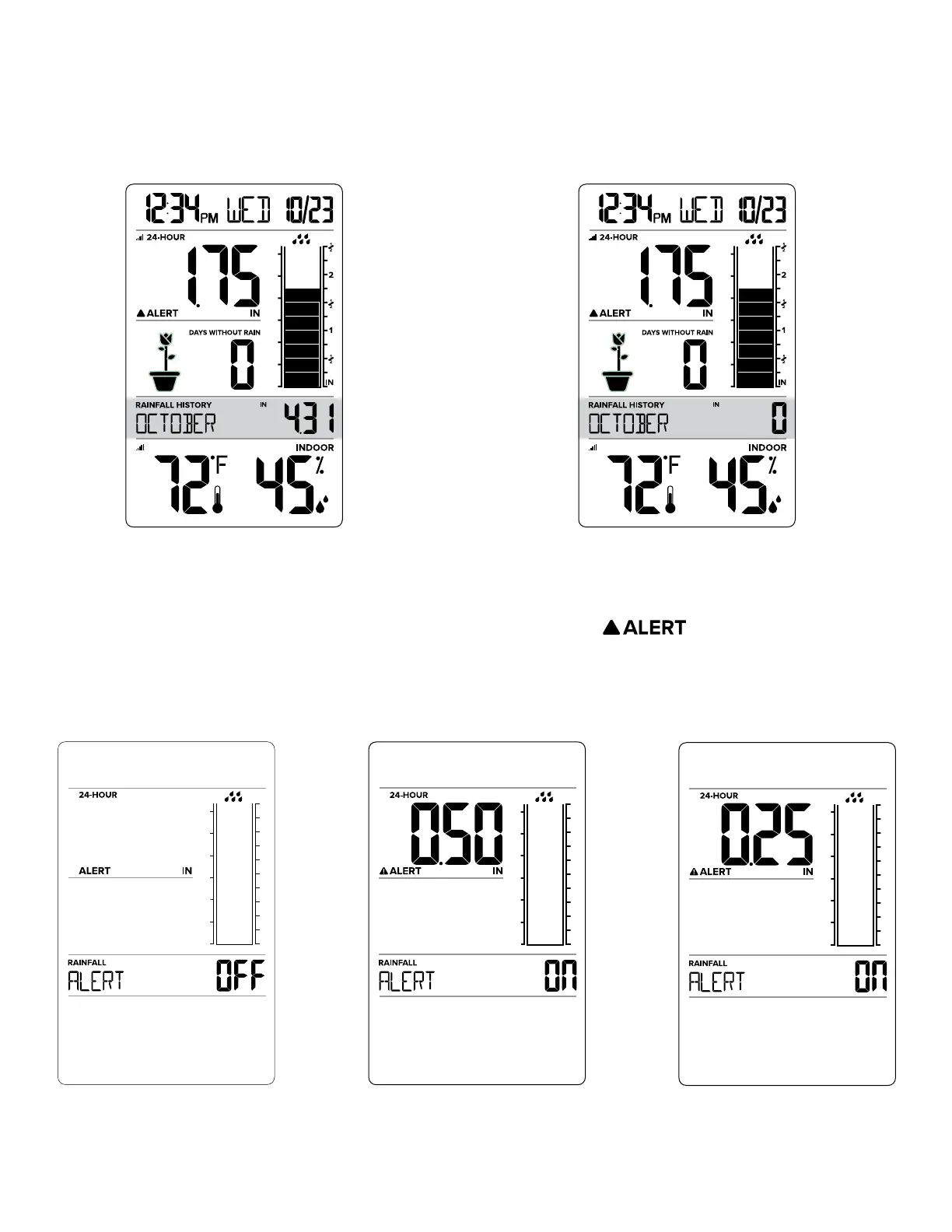
RESET RAIN HISTORY
When viewing Rain History, Hold the (-) MINUS button to reset the History readings individually. The
reading will show dashes briefly then show zero.
MONTH RAIN MONTH RAIN RESET
24 HOUR RAIN ALERT
1. Hold the HISTORY button 2 seconds to enter settings mode.
2. Press the + or – button to Arm or Disarm the Rain Alert. Alert icon will show when armed.
3. Press the HISTORY button to move to Alert value. Value will flash.
4. Press the + or - button to adjust the flashing value. Hold to adjust quickly.
5. Press the HISTORY button to confirm and exit.
ALERT OFF ALERT ON 0.50 in ALERT ON 0.25 in


 To Next Page